Lovable can ship a polished React site in an afternoon, and plenty of people now do exactly that. The catch shows up the moment after you publish it. Visitors read the page, then leave, with no way to ask a question or get pointed somewhere useful.
A chat widget on your Lovable site changes that dynamic almost immediately. It turns a static page into a back-and-forth, answering whether your product fits the moment a reader wonders. That matters more in 2026: SparkToro reports that “a whopping 68.01% of Google searches ended without a click” in the first four months of the year, so the readers you already have are worth more than ever.
This guide walks through four steps: choosing a widget, embedding it on your Lovable site, optionally grounding it in your content, and turning those chats into income.
- A free no-code widget goes live in minutes, with one script tag and no backend
- 68% of US Google searches ended without a click in early 2026, up from 60% in 2024
- ChatAds is free, monetizes chats with affiliate links, and you keep 100% of commissions
Ask ChatGPT to summarize the full text automatically.
Why Add a Chatbot to Your Lovable Site?
Lovable is built for speed, and that speed is exactly why a chatbot pays off. Most no-code sites launch with a contact form at best, so a curious reader has no fast way to get a straight answer. A chat widget fills that hole, fielding questions about your product, pricing, or pages the second they come up. It works like a support rep and a guide at once, without you writing a line of backend code.
There is also a shift in how people read in 2026 worth planning around. Readers increasingly expect to ask instead of scroll, the same way they now query ChatGPT instead of skimming ten links. A site that meets that habit keeps visitors longer and answers them better than a static page can. The same widget then doubles as a revenue surface, which the monetization step at the end puts to work.
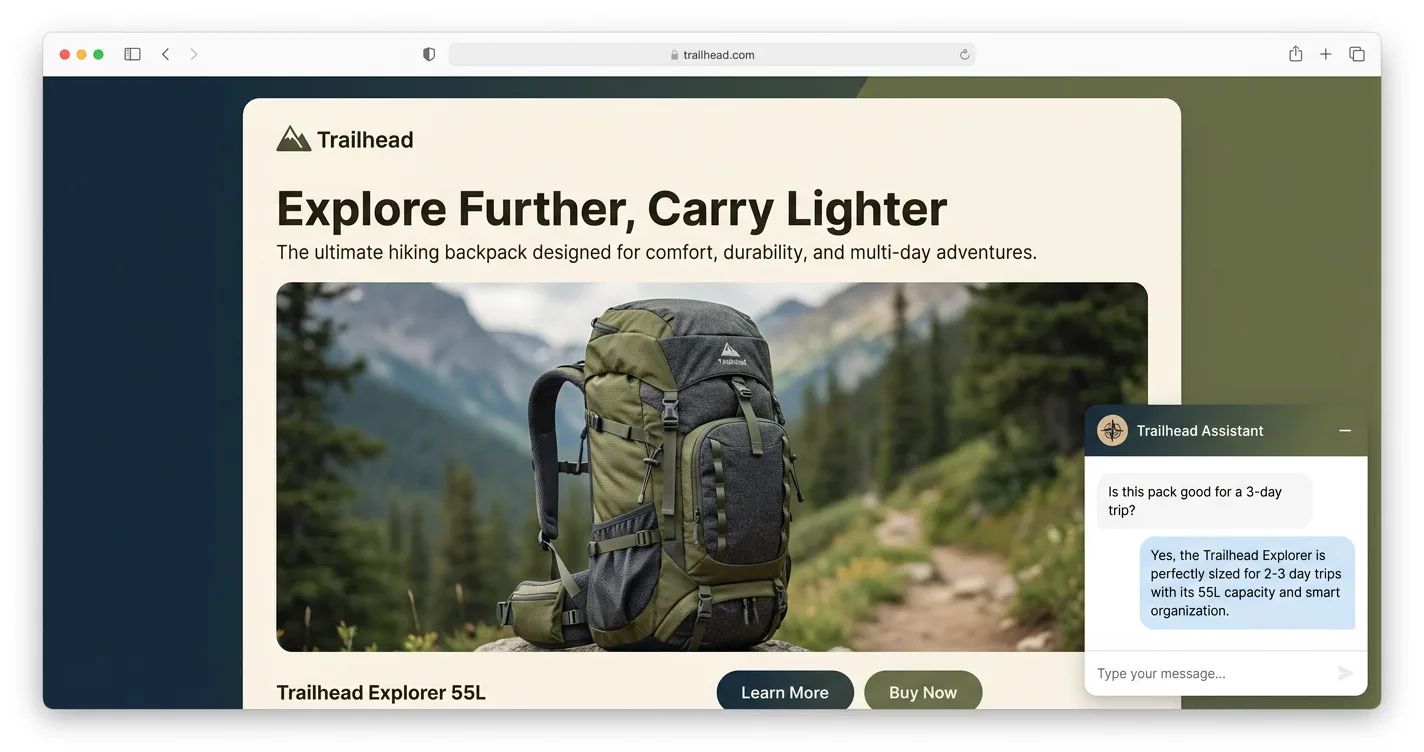
- Answers on the spot instead of sending readers back to search
- Holds attention when fewer visitors arrive from Google in the first place
- Opens a revenue surface most no-code sites never use
Step 1 - Choose an Embeddable Chat Widget
Choosing an AI chat widget for your Lovable site comes down to three things, so ignore the rest of the feature lists. It should embed with one script tag and no backend, work as an on-page assistant out of the box, and load asynchronously so it won’t drag down your page load. Anything that needs a server or a build step defeats the point of using Lovable.
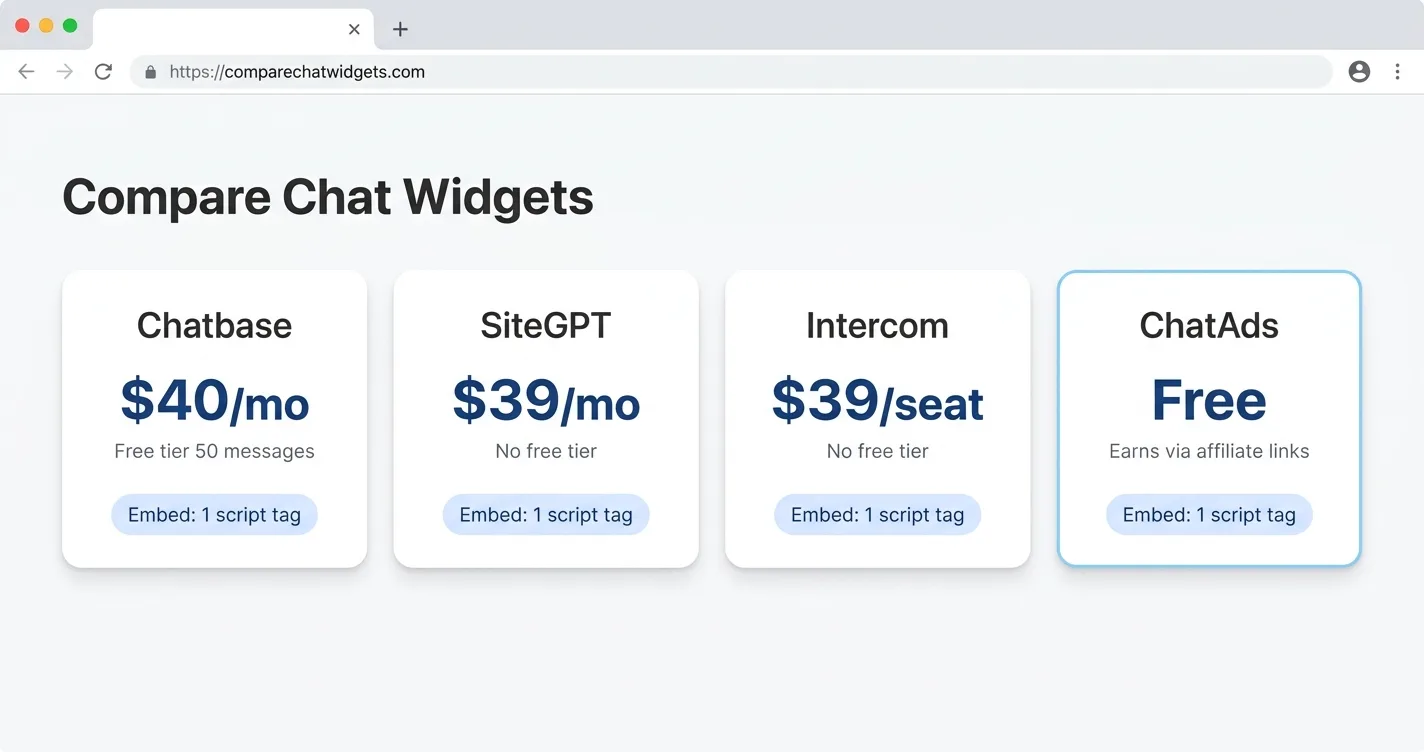
Pricing is where these tools really separate from one another. Chatbase starts free for 50 messages, then jumps to about $32 a month. Tidio gives you 50 conversations free, then starts around $24 a month, SiteGPT runs $39 a month with no free tier, and Intercom charges $39 per seat plus roughly a dollar per AI resolution. The pattern repeats across most tools, with a thin free tier and a steep climb once readers actually use it. ChatAds takes the other route, staying free and earning through affiliate links instead of charging you. Whatever you choose, open it on your phone first and confirm the chat is mobile-responsive before you commit.
| Widget | Free Tier | Paid Starts At |
|---|---|---|
| Chatbase | 50 messages | ~$32/mo |
| Tidio | 50 conversations | ~$24/mo |
| SiteGPT | None | $39/mo |
| Intercom | None | $39/seat + ~$0.99/resolution |
| ChatAds | Free | Free (earns via affiliate links) |
Step 2 - Embed the Widget on Your Lovable Site
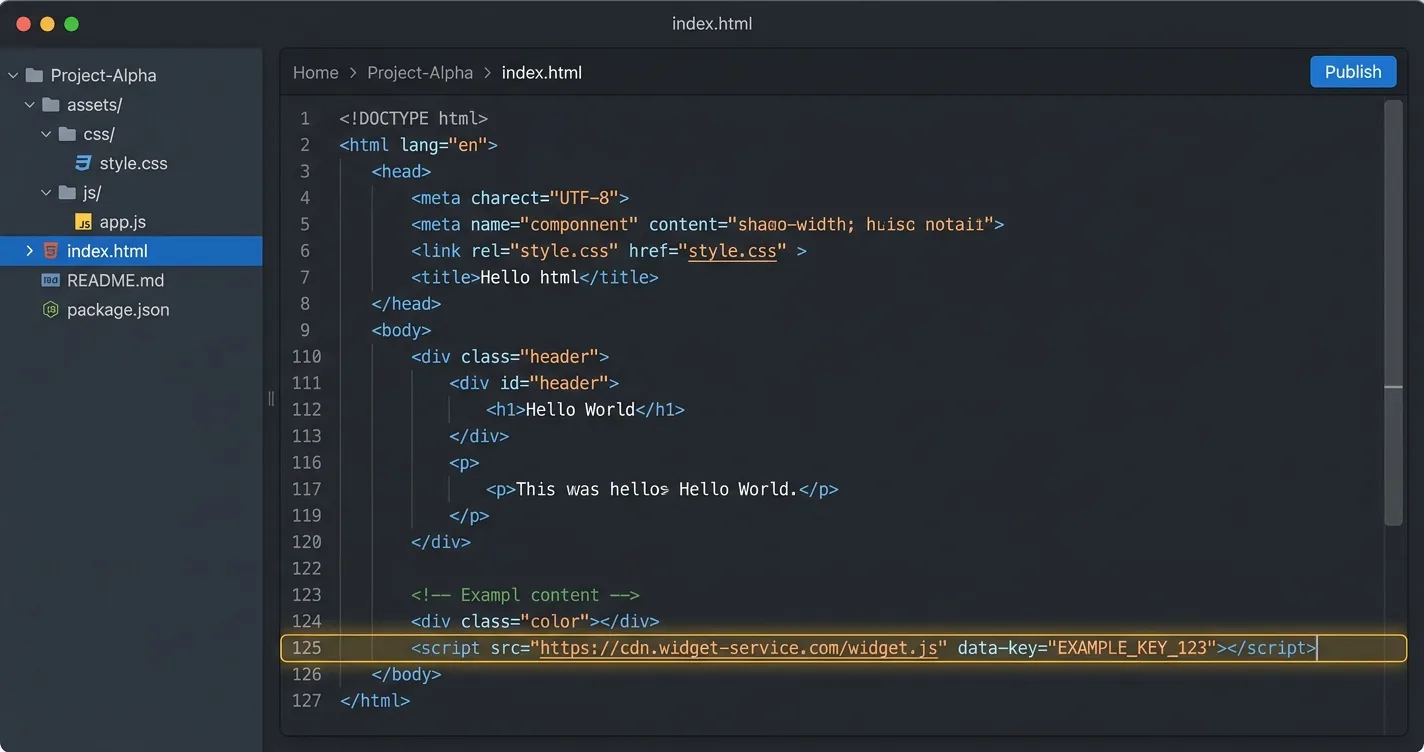
Lovable gives you two ways to drop in a script, and which one you use depends on your plan. On a paid plan, open Code Mode, find index.html, and paste the widget snippet right before the closing body tag. After that, click Publish and then Update, because Lovable deploys a snapshot that stays invisible until you push it live.
On the free plan you ask the AI to do it, which works but needs a precise prompt. Tell it exactly where the tag goes and what not to touch, or it may rebuild your widget as a React component. A vague request is what trips most people up here. There is also a single-page-app quirk worth knowing about up front. Lovable may wrap the script in a useEffect hook so it runs once after the page mounts, which suits most widgets but can break a raw widget that expects the tag at load. If nothing shows up, check the browser console for a CSP block and watch the widget z-index against sticky headers.
<!-- Path A (paid Code Mode): paste right before </body> -->
<script async src="https://www.getchatads.com/widget.js?key=cwk_your_widget_key"></script>
Path B (free, prompt Lovable's AI):
"In index.html, add this exact <script> tag on its own line right before
the closing </body> tag, and do not change any other files or wrap it in
a component: <script async src='https://www.getchatads.com/widget.js?key=cwk_your_widget_key'></script>"
Step 3 - (Optional) Ground the Assistant in Your Content
This is the part people tend to overthink before starting. A ChatGPT-style widget like ChatAds works the second you embed it on the page. Readers can ask anything right away, with no training step between you and a live assistant. Grounding it in your own pages is an upgrade you add later, not a box you check first.
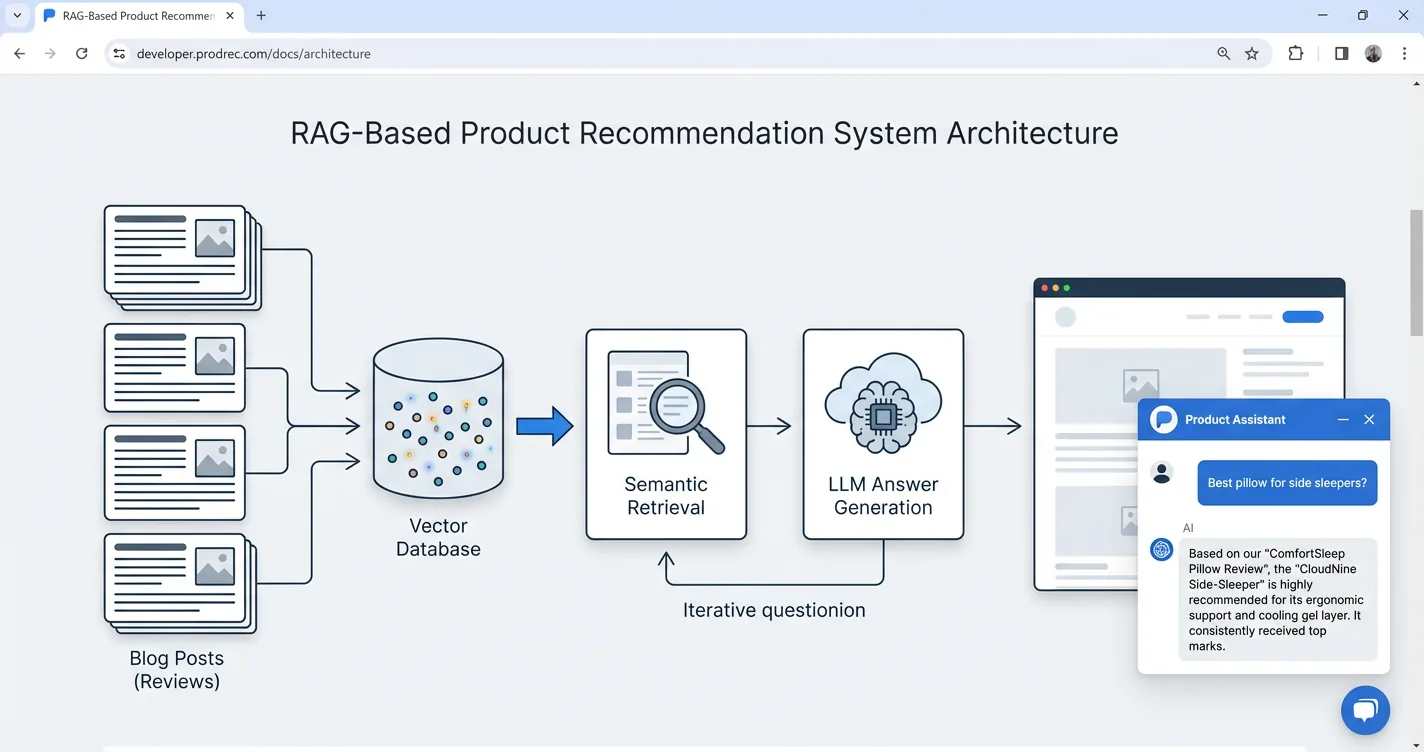
Grounding swaps generic answers for ones drawn from your site, so questions about your product get real answers. The mechanism is retrieval, usually called RAG, where your pages get crawled and pulled into the reply when they match. Most tools make this easy, letting you point the bot at your published Lovable URL, submit a sitemap, or upload a PDF. The one habit worth keeping is a refresh after major content or pricing changes, so the bot does not repeat stale facts. It also helps to confirm robots.txt is not blocking the crawler before you rely on it. Start instantly, then add your content when you want sharper, on-brand answers.
- Auto-crawl by pointing the bot at your published Lovable URL
- Go deeper with a sitemap.xml or an uploaded PDF or FAQ
- Stay current by refreshing after big changes and keeping robots.txt open to the crawler
Step 4 - Monetize Your Chats
It is easy to stop at engagement and miss the step that actually pays. Chat is a high-intent surface, because a reader asking which option to buy is already in decision mode, and that is exactly what makes chat worth monetizing.
ChatGPT alone fields around 50 million shopping queries a day, and Modern Retail reports “one in five of Walmart’s referral clicks in August came from ChatGPT, up 15% from July”.
The assistant recommends a real product and drops a tracked link right into its answer. You earn a commission when a reader buys, surfaced at the exact moment they asked. Amazon Associates is the usual default, paying 3 to 4.5% in most categories, though Amazon cut some rates by up to half in early 2026. Because your own tag sits in the link, you keep 100% of the commission. Compare that to display ads, which pay on impressions and ignore intent, and chat looks like the stronger bet. If you want to weigh more options, our roundup of affiliate monetization platforms for Lovable apps compares them side by side. The same widget that answers questions ends up paying for itself over time.
ChatAds reads the assistant's replies, spots real product intent, and inserts a tracked affiliate link only when one fits. It stays quiet when nothing belongs, and you keep 100% of the commission. See how ChatAds adds affiliate links to AI chatbots for the full picture.
Adding a chatbot to a Lovable site comes down to four moves you can finish in an afternoon. Choose a widget that installs with one script tag, embed it through Code Mode or a careful prompt, ground it in your content, and turn the chats into income. None of it needs a developer, and most of it is free to start.
The step most Lovable site owners skip is the very last one. A tracked link inside a genuinely useful answer earns money without nagging anyone. A free chatbot for your Lovable site like ChatAds runs that step for you while you keep every commission. Build it fast, keep it honest, and let the conversations pay for the site they live on.
Lovable Chatbot FAQ
How do I add a chatbot to my Lovable site?
Pick an embeddable chat widget, then paste its script tag into your Lovable site. On a paid plan, add the tag before the closing body tag in Code Mode and publish. On the free plan, ask Lovable's AI to insert the exact tag without changing other files.
Can I add an AI chat widget to my Lovable site for free?
Yes. Some widgets have a thin free tier, but most charge once readers use them. ChatAds stays free by earning through affiliate links instead of charging you, so the Lovable AI chat widget itself costs nothing to run.
Do I need to code to add a chatbot to a Lovable site?
No. Adding a chatbot to your Lovable app is a copy-and-paste step, not a build. You drop one script tag into Code Mode, or prompt Lovable's AI to add it for you on the free plan.
What is the best chatbot for a Lovable site?
The best chatbot for a Lovable site embeds with one script tag, works as an on-page assistant out of the box, and loads asynchronously. ChatAds fits that bill and is free, since it monetizes chats with affiliate links rather than charging a monthly fee.
Can a Lovable chatbot make money?
Yes. Chat is a high-intent surface, so a widget that drops a tracked affiliate link into a genuinely useful answer can earn commissions. With ChatAds, you keep 100% of the commission because your own affiliate tag sits in the link.
Do I need to train a Lovable chatbot on my content?
No. A ChatGPT-style widget works the second you embed it. Grounding it in your own pages is an optional upgrade you add later by pointing the bot at your published Lovable URL or a sitemap, not a required first step.