For recipe blogs & cooking sites

The AI cooking assistant that monetizes your recipes

Readers get instant answers about substitutions, timing, and technique without leaving your recipe, and you earn affiliate commissions on the tools and ingredients it recommends. One script tag, free to start.

Your readers are asking AI how to cook your recipe. Answer them yourself.

"Can I swap buttermilk?" "Is my dough supposed to be this sticky?" "What can I use instead of a stand mixer?" ChatAds answers using the recipe already on your page - so cooks get unstuck without leaving for ChatGPT in another tab.

Installs on the recipe platforms you use
  • WordPress
  • WP Recipe Maker
  • Ghost
  • Squarespace
  • Wix
  • Google Tag Manager
Picks up the affiliate links you already use
  • Amazon Associates
  • Sovrn
  • Affilizz
  • Skimlinks
  • ShareASale
  • CJ Affiliate

Two ways ChatAds earns you commissions

Your Existing Affiliate Links for Tools & Ingredients

ChatAds detects the affiliate and product links already in your posts - the stand mixer, the sheet pan, the specialty flour on Amazon - and works them into the chat as wrapped, in-line commerce links.

Works with the programs you already use - nothing new to set up

New Offers Sourced by ChatAds

When the assistant recommends a Dutch oven, a kitchen scale, or a cut of meat you don't already link to, ChatAds finds a relevant Amazon match and uses your Amazon Associates tag - so you monetize the answer no matter what a cook asks.

You keep 100% of commissions - no money flows through us

See it on a real recipe blog

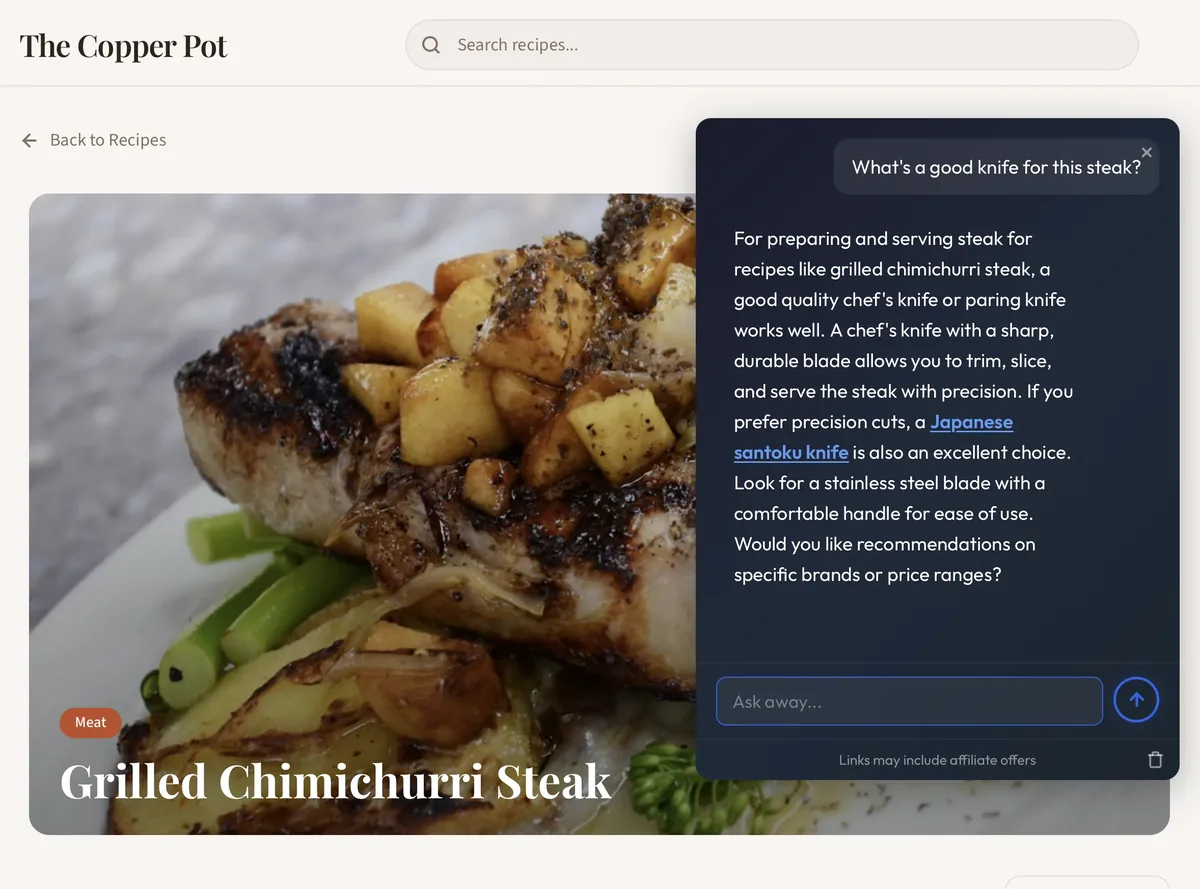
Fits the page: A conversational assistant sits in the recipe's bottom right.
Knows the recipe: Cooks can ask about substitutions, timing, doneness, and technique.
Built to monetize: Pulls affiliate links from your post and finds new Amazon offers for tools and ingredients to insert.
Grilled Chimichurri Steak recipe page on The Copper Pot with the ChatAds widget open

How ChatAds works

Add the widget - it answers cooks' questions and works affiliate offers into the conversation.

1
Widget opens

Cooks see a bubble that opens an AI chat box

Readers see an AI assistant button anchored to your recipe. When clicked, they can ask about substitutions, timing, and technique - or anything else about the dish.
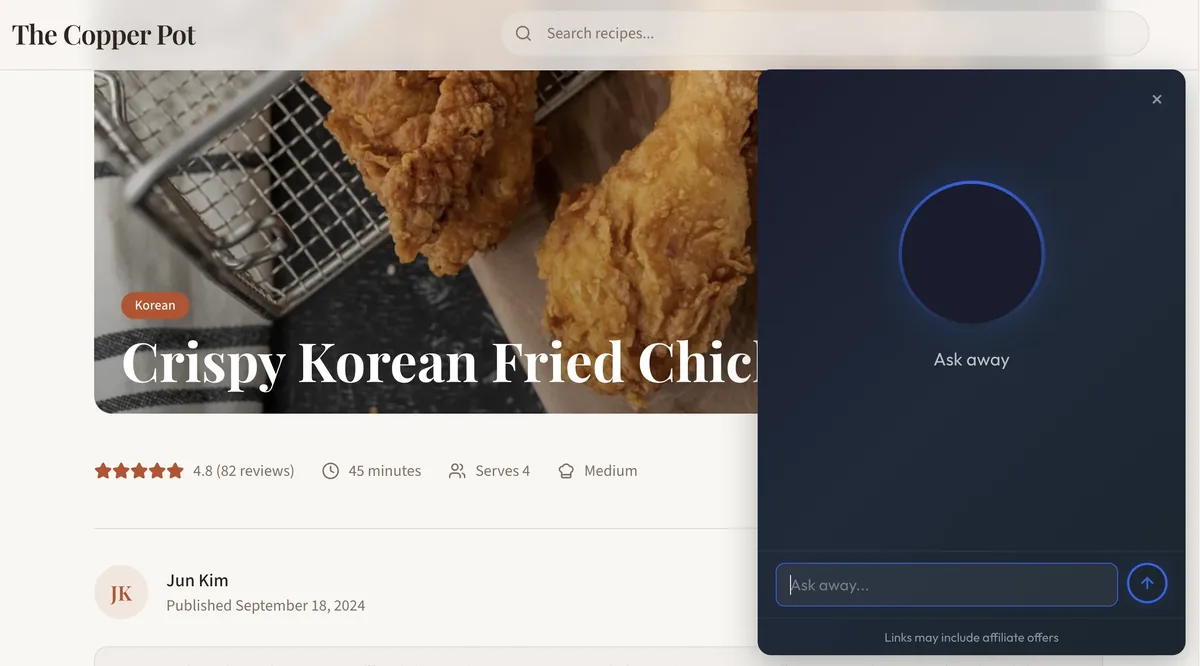
ChatAds AI widget open on a recipe page
Offer chat with or without ads
2
Link inserted

If the AI mentions a tool or ingredient, they'll see a clickable link

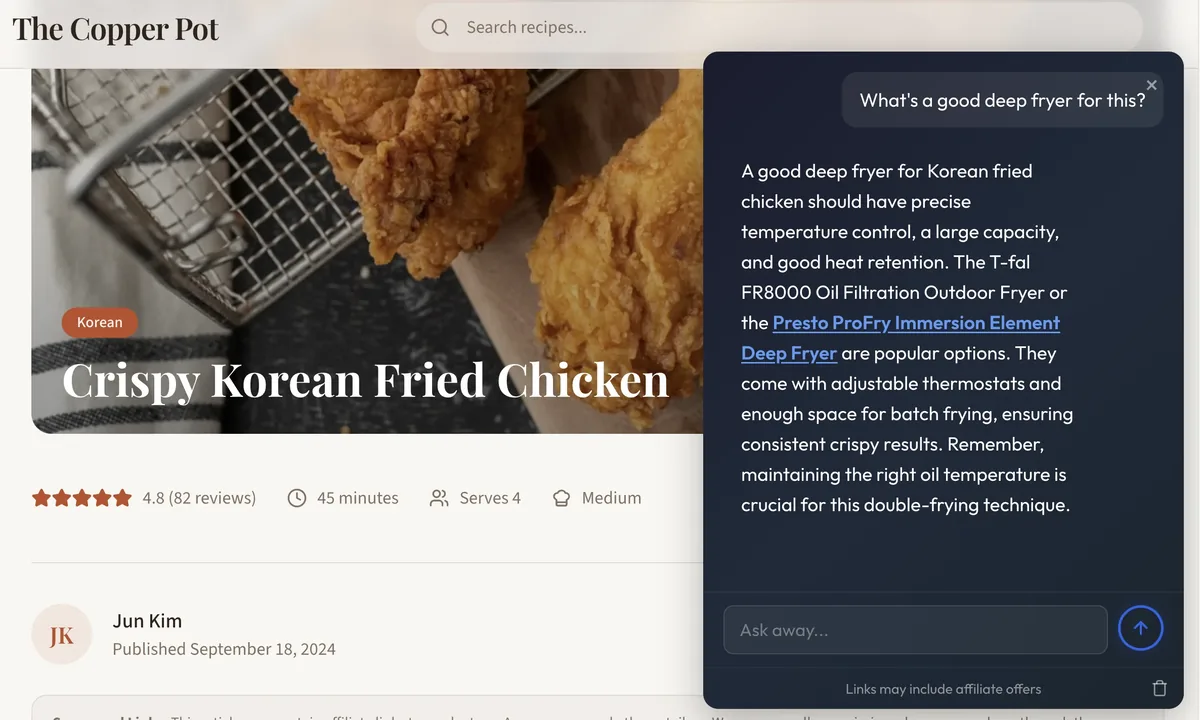
ChatAds analyzes the AI's responses for any product mentions - a cast-iron skillet, a candy thermometer, a specialty ingredient - and inserts a relevant affiliate link in real-time.

ChatAds response containing an Amazon affiliate product link
Pulls from on-page affiliate vendors, or finds new Amazon offers to insert.
3
Merchant page

You make money from those clicks

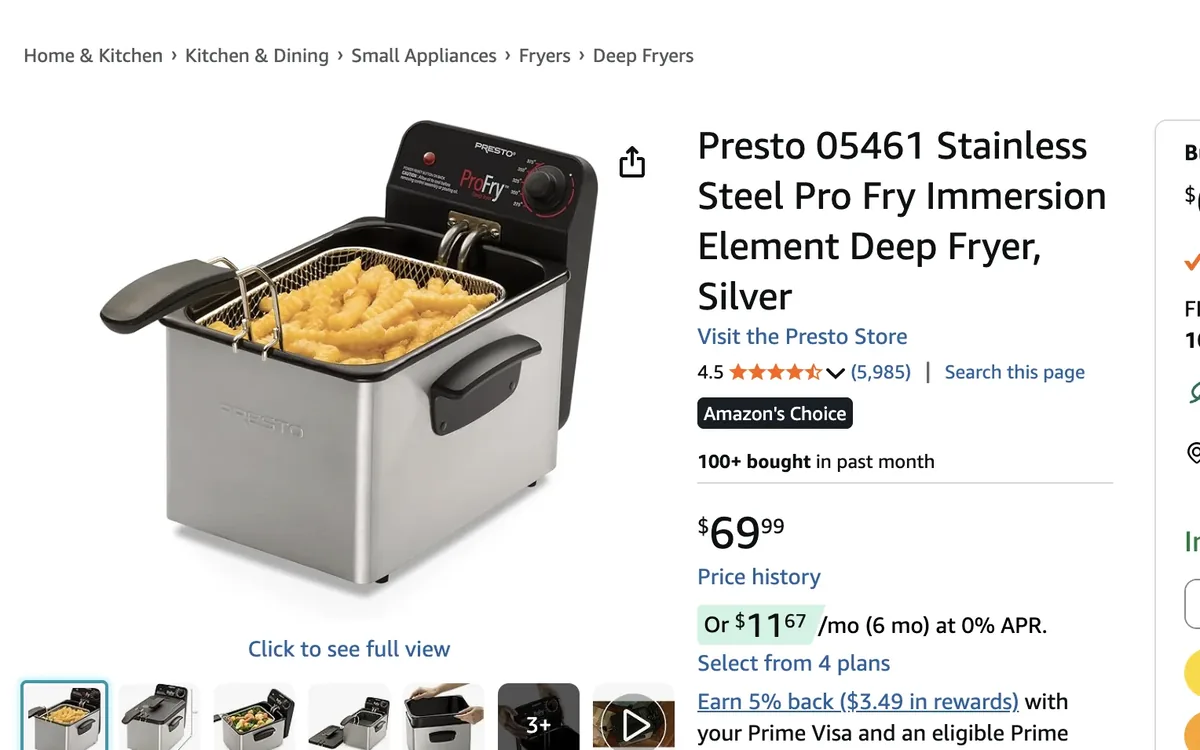
If the reader then buys, you make a commission.

Amazon product landing page opened from a ChatAds affiliate link
Uses your existing affiliate partners - you keep 100% commissions

AI chat is unpredictable. Your affiliate revenue shouldn't be.

ChatAds finds affiliate offers - without you lifting a finger - no matter what the LLM returns.

Same reader question

"I want to start baking sourdough at home - what do I need?"

Run 1 Branded picks

Start with a Lodge Dutch oven and a Danish dough whisk for mixing.

Run 2 Mixed

A banneton proofing basket, a bench scraper, and a KitchenAid mixer cover most of it.

Run 3 Generic

Get a digital kitchen scale, a dough scraper, and some bread flour to get going.

Same question, three different answers. ChatAds reads each reply as it happens and attaches the right affiliate offer to whichever products come up - branded or generic.

Finds the real recommendation

ChatAds parses each AI reply to find the real product recommendation - not a tool the cook already owns, a store name, or a bare category word.

Decides in under 100ms - no extra LLM call

Matches the right product, not a look-alike

Deterministic validation holds the correct brand, model, and category - so a "Lodge 5-quart Dutch oven" resolves to the pot, never a replacement knob or lid.

Validated resolution, not plain vector top-1

Stays silent when there's no good match

When nothing fits, ChatAds returns no offer instead of forcing a wrong or irrelevant link into the chat.

Quality answers over forced placements

Live in two minutes

No coding, no publisher approval, no credit card.

  1. 1

    Create a free account

    Sign up and configure how the assistant looks and behaves on your recipe site.

  2. 2

    Paste one script tag

    Add it directly or through Google Tag Manager. The widget appears instantly.

  3. 3

    Toggle on monetization

    Tools and ingredients mentioned in the chat become affiliate links, using your own tags.

index.html
<!-- Paste before </body> -->
<script
  src="https://www.getchatads.com/widget.js"
  data-key="cwk_your_widget_key">
</script>

Common questions

Do I need a credit card to get started?

No. The free plan includes up to 100 messages per day with no credit card required. A card is only needed if you move to a paid plan.

How do I add ChatAds to my recipe blog?

After signing up, you'll get a JS tag. Add it to your site directly or through Google Tag Manager (or similar), and ChatAds appears in the bottom right of your recipe pages.

Who are your affiliate partners?

ChatAds can surface the affiliate links already in your posts (Amazon, Affilizz, and others) and can also add Amazon Associates links for tools and ingredients you don't already link to. For the Amazon option, you'll need to be an Amazon Associate already.

Will it answer questions that aren't about my recipe?

The assistant is grounded in the content on your page, so it focuses on the recipe - substitutions, timing, scaling, and technique. That keeps answers useful and keeps readers on your site.

Monetize your readers with AI chat

Give your visitors an on-page AI assistant, and earn affiliate commissions on what it recommends.