For product review & best-of sites

The affiliate chatbot for product review sites

Readers ask which pick fits them. ChatAds answers from the buying guide on the page and links your picks with the affiliate links you've already placed.

  • Free plan
  • No credit card
  • Commissions go straight to you

Most site chatbots are built for support. ChatAds is built for commissions.

A support bot answers the question and stops there. ChatAds is built around one job: when a reader settles on one of your picks, link it the way you would have, with your affiliate link.

What a chatbot has to get right on a buying guide

General-purpose site chatbot ChatAds
A reader asks which pick to buy Answers, then the reader goes off to find where to buy it Links the pick with the affiliate link from your guide
"Check price" buttons and product boxes A button with no product name attached Matched to the product each one sells, in AAWP, Lasso, and AmaLinks boxes or comparison tables
Cloaked and network links Just more URLs on the page /go/ links, Impact, CJ, Awin, and Skimlinks-wrapped links recognized as yours
An alternative your guide doesn't link No link An Amazon search link tagged with your Associates ID
Affiliate disclosure Up to you A disclosure line shown in the chat automatically

Reader asks. AI answers. You earn.

1
Reader asks

Readers open an AI chat on your guide

An AI chat button sits anchored to your review. When clicked, readers can compare your picks, ask about fit and price, or anything else about the category.

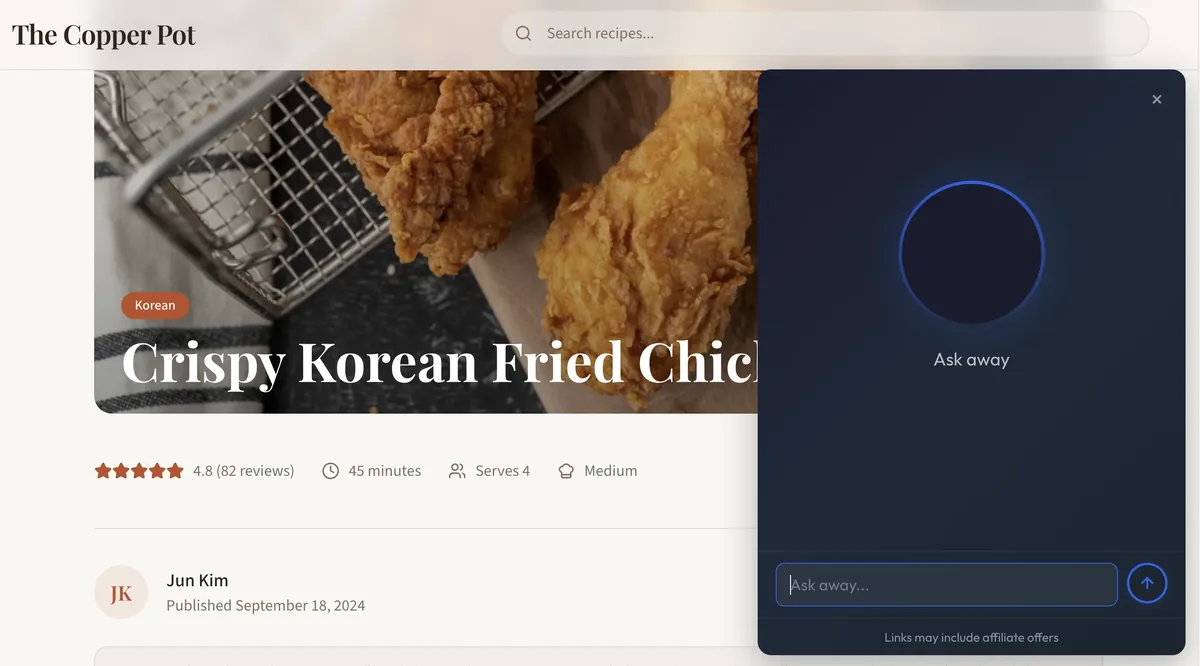
ChatAds AI widget open on a buying guide
Monetization is optional - run the chat with links off if you prefer
2
AI answers with links

Your picks become your affiliate links

When the answer names one of your picks - the top pick, the budget pick, the upgrade - ChatAds links it with the same affiliate link you used in the guide, right when the reader has decided.

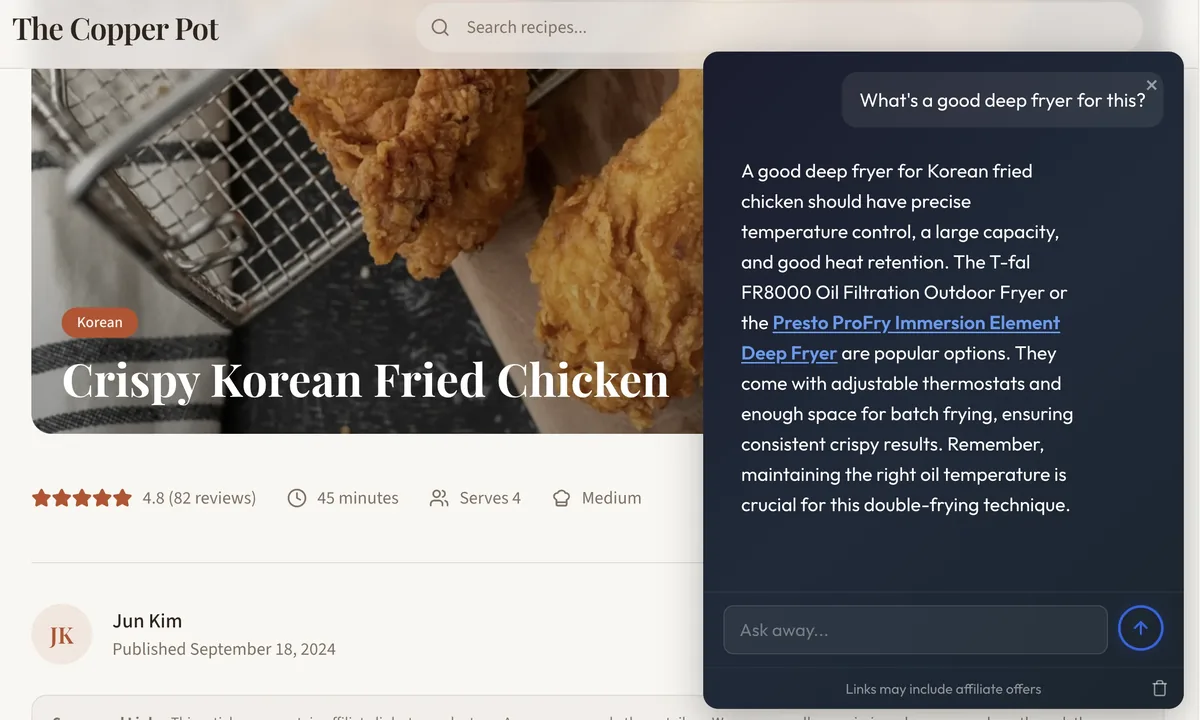
ChatAds response containing an affiliate product link
Uses the links already on your page. Nothing to map or configure.
3
You earn

Clicks become commissions

When a reader clicks through and buys, the commission is yours - paid by your network directly, same as any link on your page.

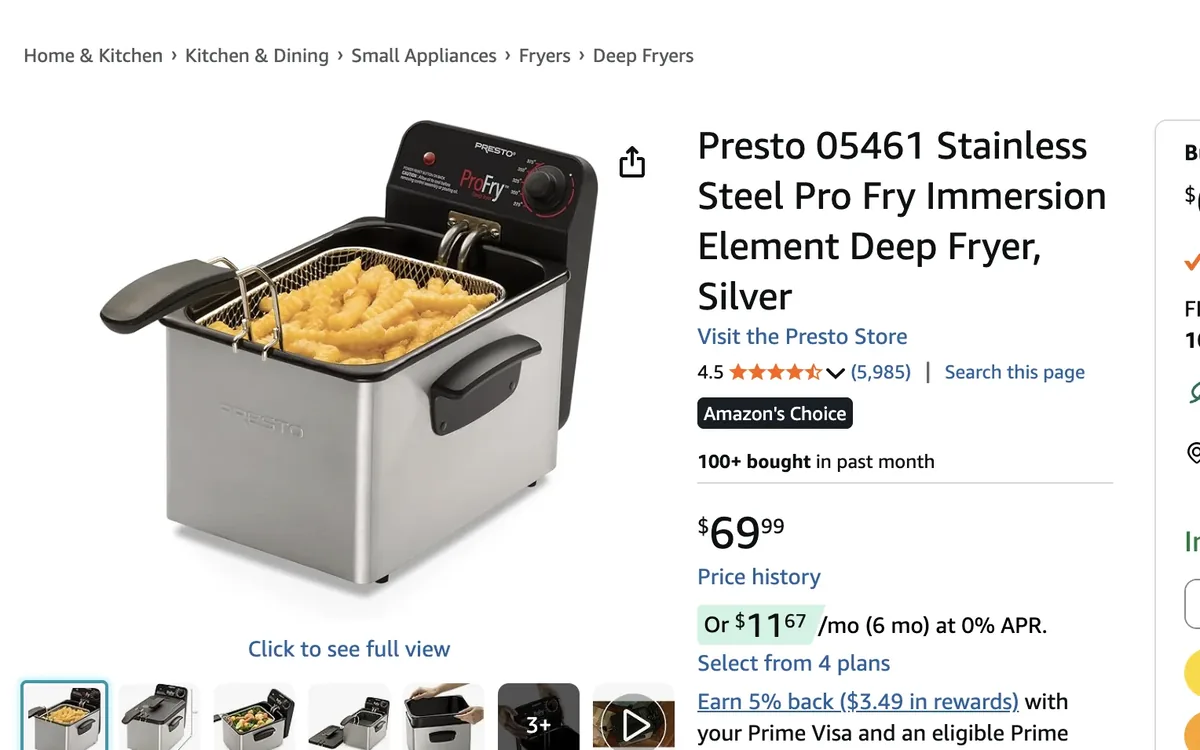
affiliate product landing page opened from a ChatAds affiliate link
No new affiliate accounts to set up - it uses the partners you already have
Installs anywhere you publish
Works with the links you already have
  • Amazon Associates
  • Impact
  • CJ Affiliate
  • Awin
  • ShareASale
  • Skimlinks
  • Affilizz
  • AAWP
  • Lasso

Every pick, linked your way

Links go inside the answer, in this order. No banner ads, no carousel widgets.

  1. Pulls your existing on-page affiliate links

    The money link from your guide shows up in the answer. Clicks credit your affiliate account, same as a click on the page.

  2. Links to your internal pages

    If your guide links a pick to its full review or a head-to-head comparison, the answer uses that link too, so the reader stays on your site.

  3. Have ChatAds find Amazon affiliate links for you

    An alternative, accessory, or competitor your guide doesn't link gets an Amazon search link tagged with your Associates ID.

Commissions pay out to you directly from your networks. No money flows through us.

Which of these is best for a small apartment?

For a small apartment I'd go with the Levoit Core 3001. It's the quietest and most compact purifier in this guide. If you're deciding between it and the upgrade pick, the Core 300 vs. Core 400S comparison2 covers the trade-off. Either way, plan on a replacement filter3 every six to eight months.

Links may include affiliate offers

Your readers are going to ask ChatGPT anyway. Let them ask you.

"Is the upgrade pick worth it?" "What's the difference between these two?" "Which one is best for me?" When readers want help deciding, they take that purchase intent to an AI, and that AI links without your tag. ChatAds settles the decision on your page, from your guide, and the picks it names become your links.

See it running on a live site

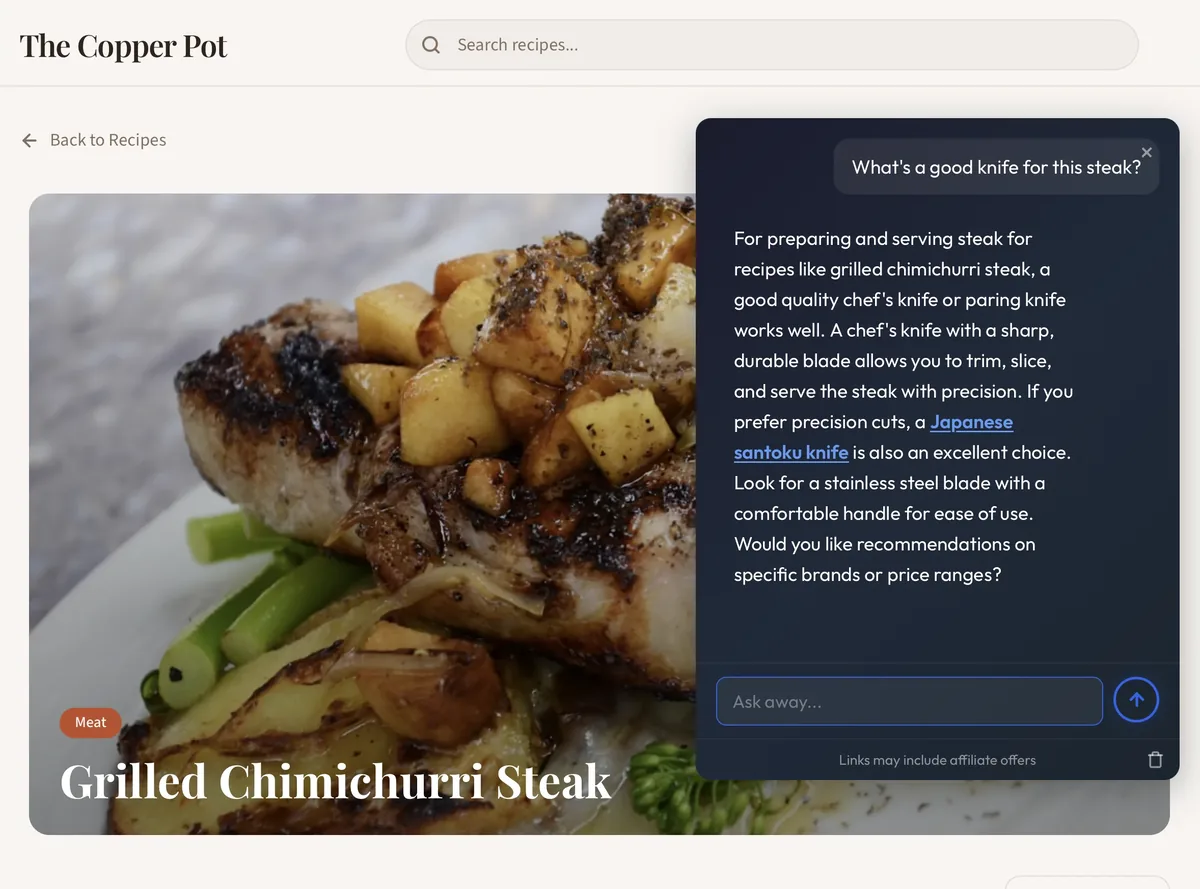
Fits the page: An AI chatbot sits unobtrusively in the corner, styled to match the site.
Knows your picks: Readers can compare options, ask about fit, and settle on one.
Built to monetize: Reuses your guide's affiliate links, with tagged Amazon search links as a fallback.
Grilled Chimichurri Steak recipe page on The Copper Pot with the ChatAds widget open

Live in two minutes

No coding, no approval process, no credit card.

  1. 1

    Create a free account

    Sign up and configure how the chatbot looks and behaves on your site.

  2. 2

    Paste one script tag

    Add the tag directly or through Google Tag Manager. On WordPress, our official plugin lets you skip the tag - just paste your key. The chat appears on your site instantly.

  3. 3

    Toggle on monetization

    Products mentioned in the chat become affiliate links, using your own affiliate IDs.

index.html
<!-- Paste before </body> -->
<script
  async src="https://www.getchatads.com/widget.js?key=cwk_your_widget_key">
</script>

Common questions

What is an affiliate chatbot?

An affiliate chatbot is an AI chat assistant that earns commissions from its own conversations: when a reply mentions a product, the mention becomes an affiliate link. ChatAds is built for review sites - readers get help deciding between your picks, and the links are the ones you already placed, carrying your own affiliate tags.

How is this free? What's the catch?

We charge publishers for volume, not for your revenue. The affiliate links in chat use your own tags, so commissions are paid to you directly by your affiliate network - there's no mechanism for us to take a cut. If your site outgrows 100 free messages a day, paid plans raise the cap. That's the whole business model.

Do I need a credit card to get started?

No. The free plan includes up to 100 messages per day (about 3,000 a month) with no credit card required. A card is only needed if you move to a paid plan.

How do I add ChatAds to my review site?

After signing up, you'll get a JS tag. Add it to your site directly or through Google Tag Manager (or similar). On WordPress, our official plugin lets you skip the tag - just paste your key. Either way, ChatAds appears in the bottom right of your buying guides.

Do I need to train it on my reviews?

No. ChatAds reads the guide it's installed on automatically, so it can answer questions about your picks from the first message. There's nothing to upload, index, or maintain.

Which affiliate programs does it work with?

Any program whose links are on your page: Amazon Associates, Impact, CJ, Awin, ShareASale, Rakuten, Geniuslink, Affilizz, and Skimlinks- or Sovrn-wrapped links. It also reads AAWP and Lasso product boxes, comparison tables, and cloaked links from ThirstyAffiliates or Pretty Links. For products your page doesn't link, it can add an Amazon search link with your Associates tag.

Will it recommend products I didn't review?

The assistant is grounded in your page first, so it leads with your picks and your links. When a reader asks about something outside your guide, it can add a tagged Amazon search link instead of coming up empty - and you earn on that click too.

What if the AI says something wrong or off-brand?

ChatAds grounds its answers in the page it's installed on, so replies stay close to the content you actually wrote. On the monetization side it's deliberately conservative: when no product clearly fits, it adds no link at all rather than forcing a bad one. And you control how often and how strongly it recommends products from your dashboard.

Will it slow down my site?

No. The widget is a single ~20 KB script that loads async, so it never blocks your page from rendering, and it causes no layout shift. Your Core Web Vitals won't notice it's there.
The AI chatbot for affiliate sites

It answers your readers' questions and links products with the affiliate links already on your page.