For tech & gadget blogs

The AI gear assistant that monetizes every spec question

Readers get instant answers on which device to buy, right on your post instead of on ChatGPT, and you earn affiliate commissions on the gear the assistant recommends. One script tag, free to start.

Your readers are asking AI which gadget to buy. Answer them yourself.

"Which of these has better battery life?" "Is it worth upgrading from last year's model?" "What do I need to go with it?" ChatAds answers using the review already on your page - so readers decide without leaving for ChatGPT in another tab.

Installs on the platforms you already publish on
  • WordPress
  • Ghost
  • Squarespace
  • Webflow
  • Wix
  • Google Tag Manager
Picks up the affiliate links you already use
  • Amazon Associates
  • Sovrn
  • Affilizz
  • Skimlinks
  • ShareASale
  • CJ Affiliate

Two ways ChatAds earns you commissions

Your Existing Affiliate Links for Devices & Accessories

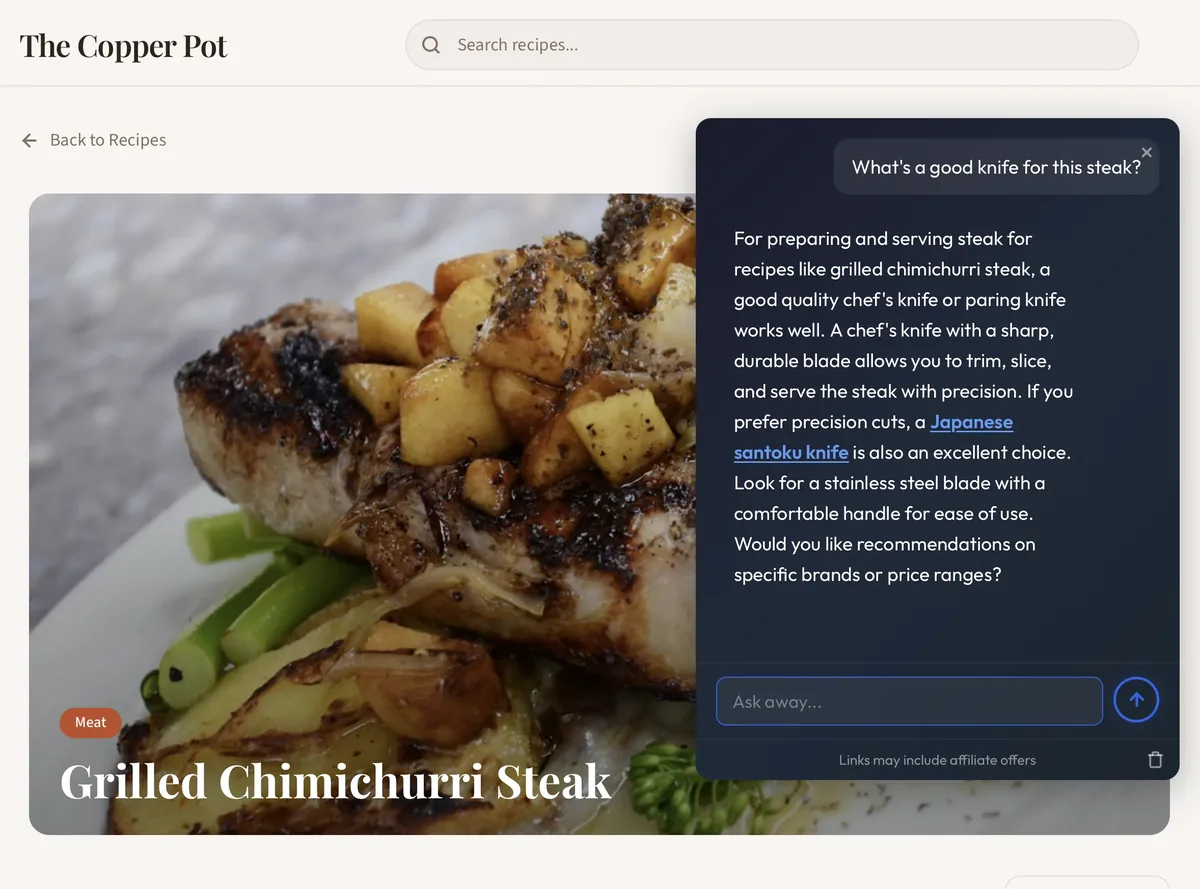
ChatAds detects the affiliate and product links already in your posts - the phone, the laptop, the accessory on Amazon - and works them into the chat as wrapped, in-line commerce links.

Works with the programs you already use - nothing new to set up

New Offers Sourced by ChatAds

When the assistant recommends a case, a dock, a cable, or a gadget you don't already link to, ChatAds finds a relevant Amazon match and uses your Amazon Associates tag - so you monetize the answer no matter what a reader asks.

You keep 100% of commissions - no money flows through us

See it running on a live site

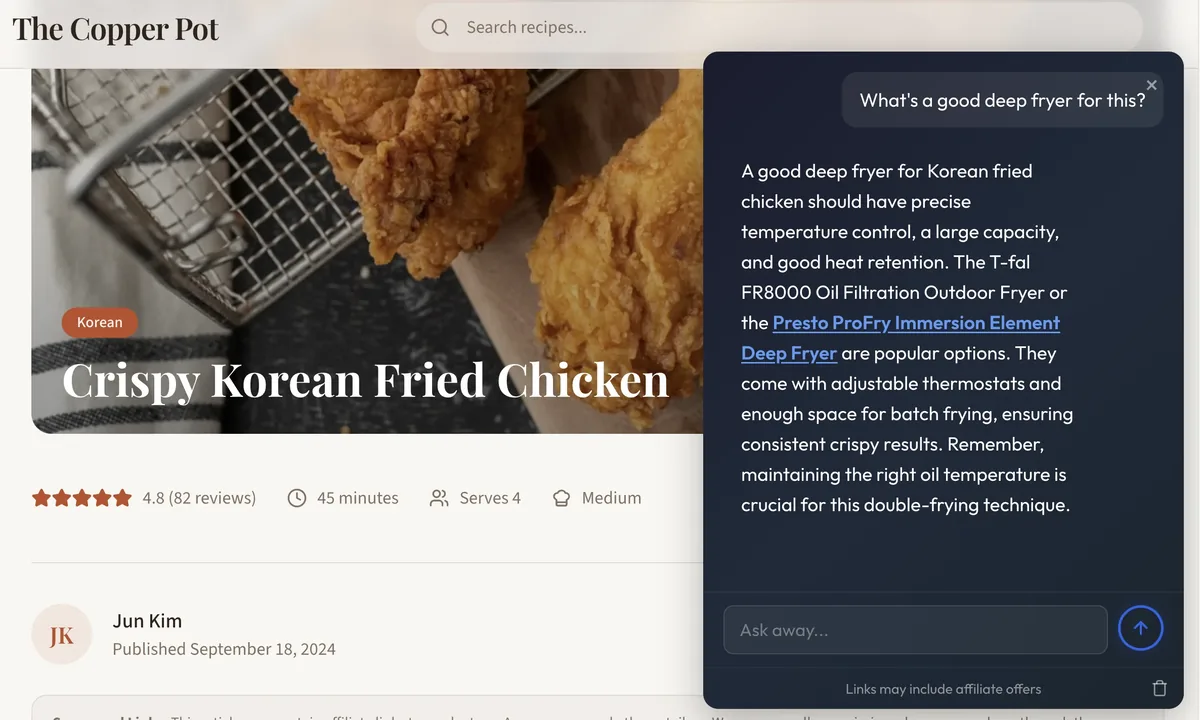
Fits the page: A conversational assistant sits in the bottom right of the post.
Knows the gear: Readers can compare specs, ask about compatibility, and settle on one.
Built to monetize: Pulls affiliate links from your post and finds new Amazon offers to insert.
A live article page with the ChatAds widget open

How ChatAds works

Add the widget - it answers readers' gear questions and works affiliate offers into the conversation.

1
Widget opens

Readers see a bubble that opens an AI chat box

Readers see an AI assistant button anchored to your post. When clicked, they can compare specs, ask about compatibility, or anything else about the gear.
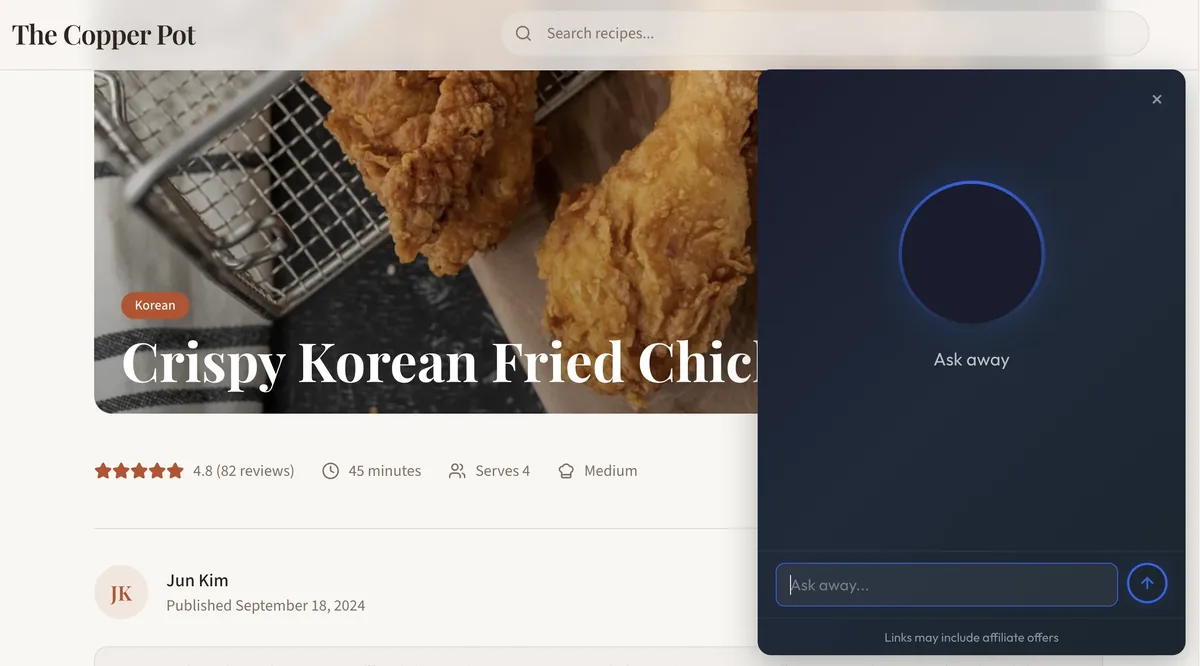
ChatAds AI widget open on a tech review
Offer chat with or without ads
2
Link inserted

If the AI names a device or accessory, they'll see a clickable link

ChatAds analyzes the AI's responses for any product mentions - a specific laptop, a pair of earbuds, a charging cable - and inserts a relevant affiliate link in real-time.

ChatAds response containing an Amazon affiliate product link
Pulls from on-page affiliate vendors, or finds new Amazon offers to insert.
3
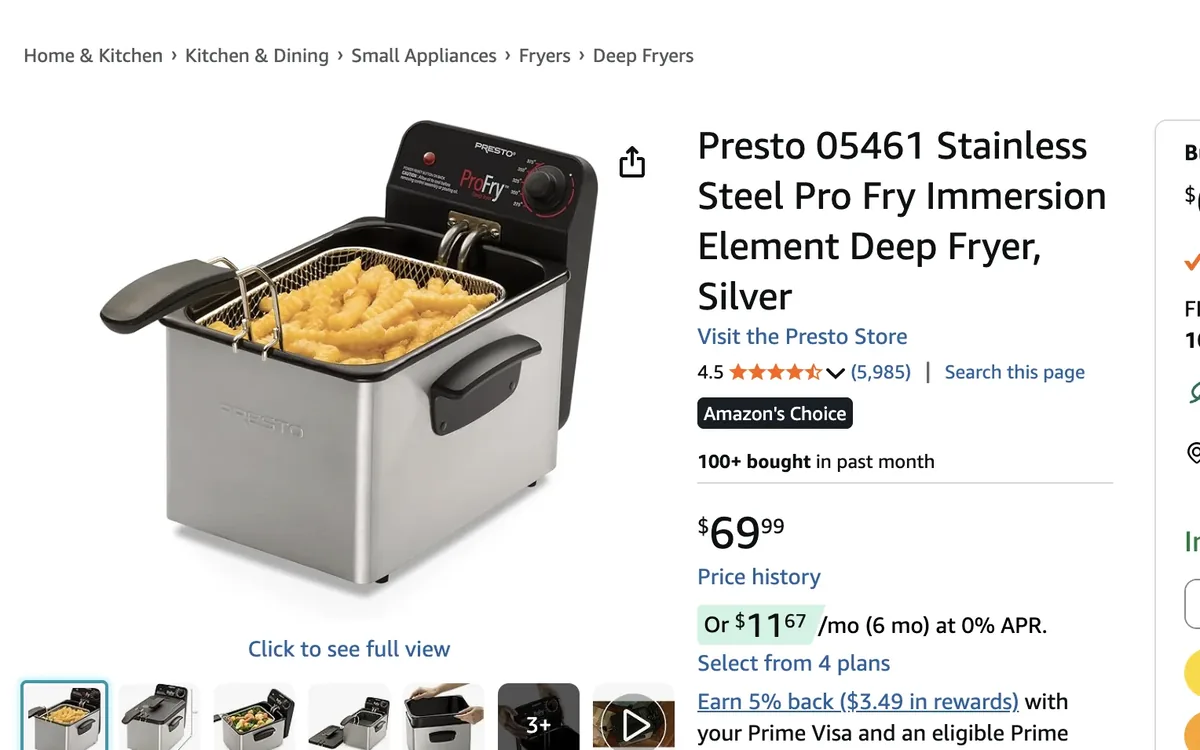
Merchant page

You make money from those clicks

If the reader then buys, you make a commission.

Amazon product landing page opened from a ChatAds affiliate link
Uses your existing affiliate partners - you keep 100% commissions

AI chat is unpredictable. Your affiliate revenue shouldn't be.

ChatAds finds affiliate offers - without you lifting a finger - no matter what the LLM returns.

Same reader question

"I need noise-cancelling headphones for travel - what should I get?"

Run 1 Branded picks

The Sony WH-1000XM5 are the best all-round, with the Bose QuietComfort Ultra close behind.

Run 2 Mixed

If you're on Apple, the AirPods Max pair well, or grab a USB-C to 3.5mm adapter for in-flight audio.

Run 3 Generic

Look for over-ear noise-cancelling headphones with long battery life and a hard travel case.

Same question, three different answers. ChatAds reads each reply as it happens and attaches the right affiliate offer to whichever products come up - branded or generic.

Finds the real recommendation

ChatAds parses each AI reply to find the real product recommendation - not a spec, a store name, or a bare category word.

Decides in under 100ms - no extra LLM call

Matches the right product, not a look-alike

Deterministic validation holds the correct brand, model, and generation - so a "Sony WH-1000XM5" resolves to those headphones, never the older XM4 or a replacement ear pad.

Validated resolution, not plain vector top-1

Stays silent when there's no good match

When nothing fits, ChatAds returns no offer instead of forcing a wrong or irrelevant link into the chat.

Quality answers over forced placements

Live in two minutes

No coding, no publisher approval, no credit card.

  1. 1

    Create a free account

    Sign up and configure how the assistant looks and behaves on your site.

  2. 2

    Paste one script tag

    Add it directly or through Google Tag Manager. The widget appears instantly.

  3. 3

    Toggle on monetization

    Devices and accessories mentioned in the chat become affiliate links, using your own tags.

index.html
<!-- Paste before </body> -->
<script
  src="https://www.getchatads.com/widget.js"
  data-key="cwk_your_widget_key">
</script>

Common questions

Do I need a credit card to get started?

No. The free plan includes up to 100 messages per day with no credit card required. A card is only needed if you move to a paid plan.

How do I add ChatAds to my tech blog?

After signing up, you'll get a JS tag. Add it to your site directly or through Google Tag Manager (or similar), and ChatAds appears in the bottom right of your posts.

Who are your affiliate partners?

ChatAds can surface the affiliate links already in your posts (Amazon, Affilizz, and others) and can also add Amazon Associates links for devices and accessories you don't already link to. For the Amazon option, you'll need to be an Amazon Associate already.

Will it answer questions that aren't about my post?

The assistant is grounded in the content on your page, so it focuses on the gear you're covering - specs, comparisons, and compatibility. That keeps answers useful and keeps readers on your site.

Monetize your readers with AI chat

Give your visitors an on-page AI assistant, and earn affiliate commissions on what it recommends.