Readers do not browse blogs the way they did two years ago. They expect to ask a question and get an answer without scrolling, searching, or opening a new tab. An AI chatbot sitting on your page meets that habit instead of fighting it.
Most publishers still think of chat as a support tool, something built for ticket queues and refund requests. On a blog it does something else entirely, turning a passive page into a conversation that keeps readers engaged and shows you what they actually want. The same widget can earn money on traffic you already have.
This guide walks through eight practical ways to use an AI chatbot on your blog in 2026, from answering questions to monetizing the conversation itself. If you are still choosing a tool, our rundown of tools for adding AI chat to your blog ranks the options by which ones pay you back.
Search sends less traffic than it used to, and readers increasingly expect to ask rather than scroll. An on-page AI chatbot meets that shift on both sides, keeping readers engaged for longer and giving you a way to earn from the conversation instead of only paying to host it.
Ask ChatGPT to summarize the full text automatically.
Answer Reader Questions Instantly
Most readers arrive with a specific question, not a plan to read every word you wrote. When the answer sits three sections down, they bounce to Google or ChatGPT instead. An on-page assistant reads the post and replies in seconds, which matches how people already behave with AI.
This habit is already mainstream, not a novelty for early adopters. The Reuters Institute reports that “asking chatbots a follow-up question is the clear front-runner, reported by 42% of users,” and the Financial Times saw 70 percent of its audience try its chat beta within a day. A good assistant settles most questions in a few messages, so readers get their answer right there on the page rather than going elsewhere for it.
In the Financial Times chat beta, [more than 75% of the tool's responses have been rated as "useful" by the test group](https://digiday.com/media/publishers-give-on-site-search-a-long-needed-upgrade-in-the-form-of-ai-chatbots/), according to FT Professional managing director Nick Fallon. An on-page assistant that answers from your own post earns that kind of trust because it is grounded in the page the reader is already on.
Surface Related Posts and Power Content Discovery
Most blogs hide their best older posts where readers never stumble onto them. A chat widget turns the vague question of what else to read into an instant, conversational sitemap. Instead of a static related-articles box that everyone scrolls past, the assistant points each reader to the exact guide that fits their question.
This is where a blog AI chat widget shows up in your engagement numbers. Visitors who arrive from AI tools already browse deeper, around 12 pages per session versus 9 from a typical Google visit. Forbes runs its Adelaide assistant and Bild operates Hey_Bild to steer readers around their archives, and that proactive discovery lifts pageviews per session without the reader ever feeling marketed to. If you want the setup details, see our guide on how to add a chatbot to your affiliate blog.
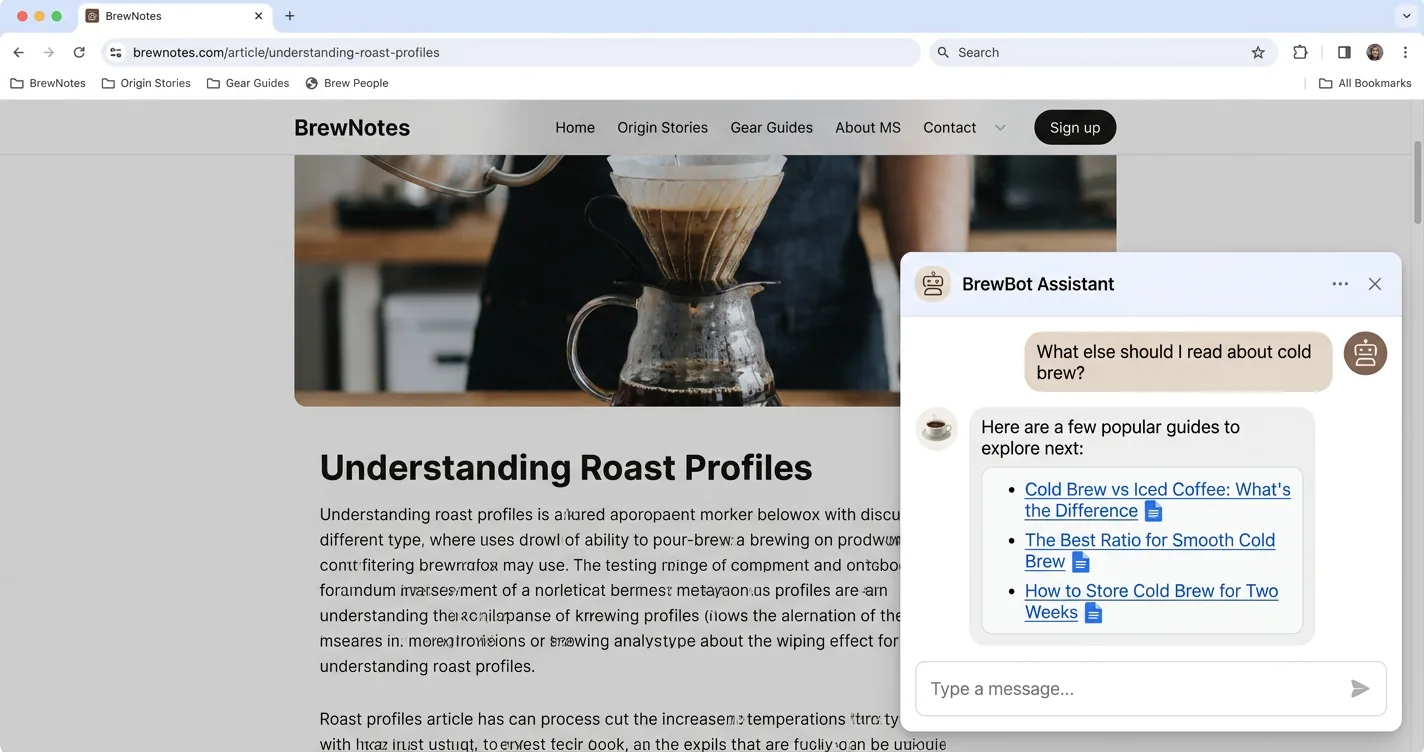
Treat the assistant as your real internal search engine, not just a widget for simple Q&A. A reader who asks "do you have anything on cold brew?" should get two or three specific links back, not a generic answer. That single reply can do what a buried tag page never does, which is move someone from one post to the next.
Summarize Long Articles for Skimmers
Plenty of readers skim before they commit, scanning for the one part they came for. A chat widget lets them ask for the gist, the key takeaways, or a section-by-section breakdown first. That orientation works as a gateway into the full piece, not a reason to abandon it.
The demand is real, since 34 percent of AI news chatbot users already lean on AI to condense stories. Clarín built its UalterAI assistant to offer different ways to summarize an article, and the Reuters Institute found that speed and complexity drive the behavior, with 39 percent saying “AI is faster than other ways of getting news” and 36 percent using it “to summarise complicated stories.” Readers who get oriented up front tend to stay and read deeper rather than bounce away early.
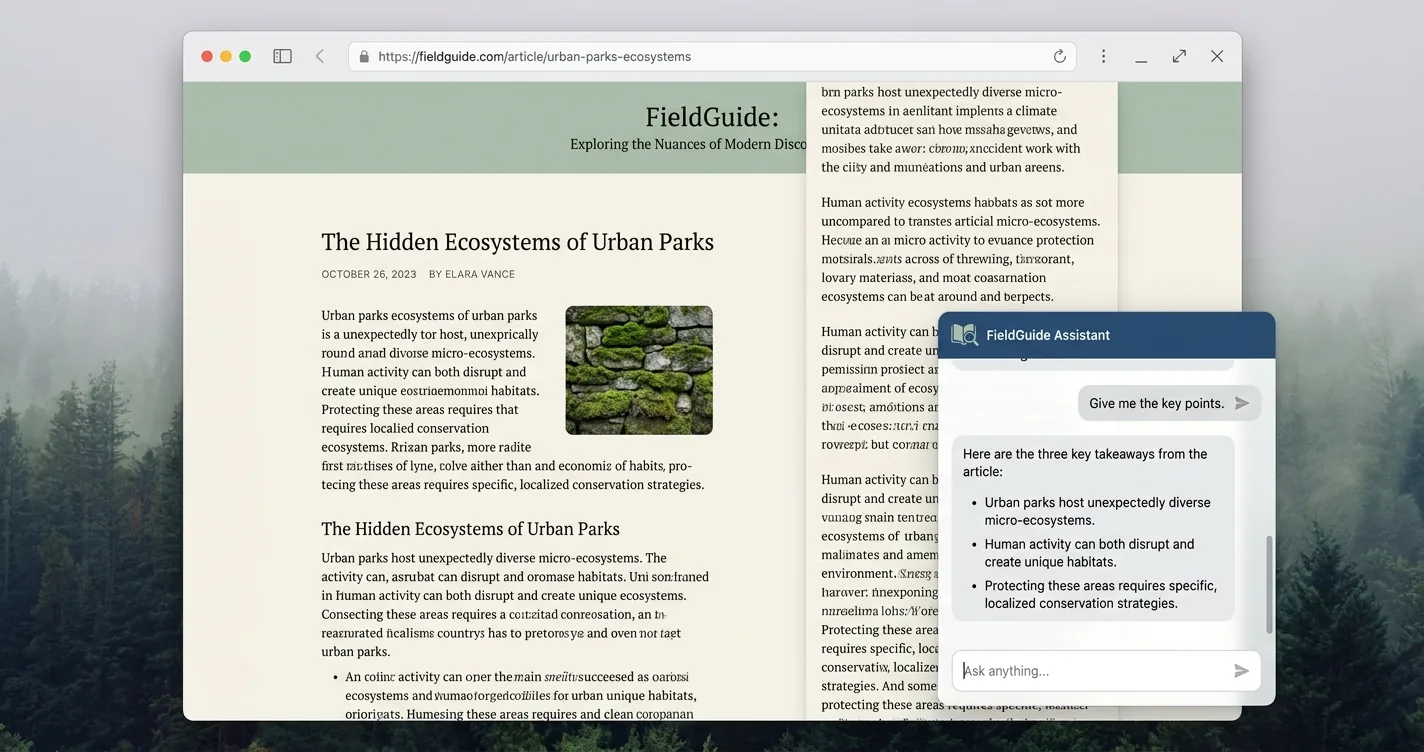
- The gist in two or three sentences before they invest the time
- Key takeaways pulled out as a quick scannable list
- One section explained on its own, without the rest of the article
Monetize Chats with Inline Affiliate Links
Every other item on this list improves engagement, and this one turns that engagement into revenue. When a reader’s question signals buying intent, like which one should I get, the assistant can weave a relevant affiliate link straight into its answer. No banner, no pop-up, just a link inside the reply they asked for.
Affiliate spend in the US is projected at $13.81 billion in 2026, and 65 percent of affiliate marketers already use blogs to drive traffic while display ads rank last as a channel. Interactive content also sees about 52.6 percent higher engagement than static formats, which is why a chat link can outperform a sidebar ad sitting on the same page.
This is the most direct way to monetize your blog with an AI chatbot without redesigning anything. For a side-by-side look at which widgets actually pay you back, see our roundup of monetized AI chat widget platforms.
ChatAds is a free embeddable AI chat widget that turns product mentions in the assistant's replies into your own affiliate links. You add it with one line of JavaScript, with no model key and no code to write. Links appear only when a reader's question is genuinely relevant, monetization is opt-in, and you keep 100 percent of the commission.
Guide Readers to the Right Product or Pick
Dropping a link assumes the reader already knows what they want. Often they do not, and the assistant can run a short conversation that gets them to the right pick. Ask a reader about budget, use case, and constraints, then recommend the best fit. This is the conversational version of a buyer’s guide, handled in the exact moment a reader is deciding.
Guided flows convert well, with quiz-style experiences turning visitors into buyers at 2 to 5 times the rate of non-quiz traffic and lifting average order value 15 to 30 percent. Review blogs, gift guides, and comparison posts gain the most, since readers usually have two or three questions left before they buy, and the assistant can read the buying intent in their questions to time the recommendation. With ChatAds, that same recommendation can carry your affiliate link, so guidance and monetization compound inside one reply.
- Review sites where readers are one or two questions from a decision
- Gift guides that hinge on recipient, budget, and occasion
- Comparison posts pitting two or three close options against each other
Capture Reader Questions to Fuel Your Content Calendar
Every question a reader types is an unfiltered signal of what your content does not yet cover. Chat logs become a content-idea engine that beats guessing from keyword tools. If 40 readers a week ask about X versus Y and you have no post on it, that is your next article.
Publishers already treat this as first-party data worth keeping. RebelMouse and LooperChat frame on-site chat as a direct interest signal, and Snopes gates its Factbot behind a free account for exactly this kind of insight. It is also why some bloggers weigh running a chat assistant against writing more posts when they plan a calendar. Instead of inferring intent from analytics charts, you read what readers asked in their own words and write straight to it.
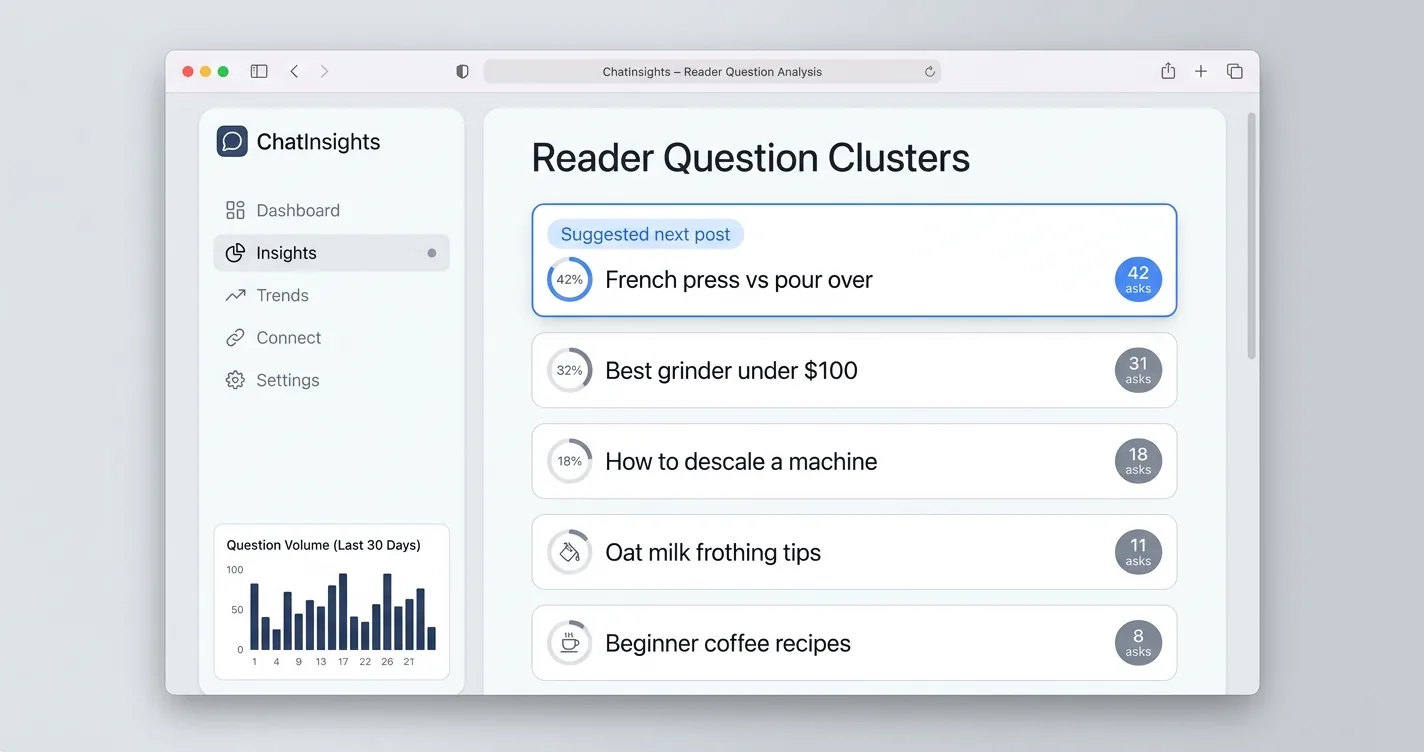
Skim your chat logs once a week and tally the questions you cannot answer with an existing post. A cluster of similar questions is a validated topic, already proven by demand before you write a single word. That beats picking ideas from a keyword tool that never tells you who actually wants them.
Re-Engage Readers Before They Bounce to ChatGPT or Search
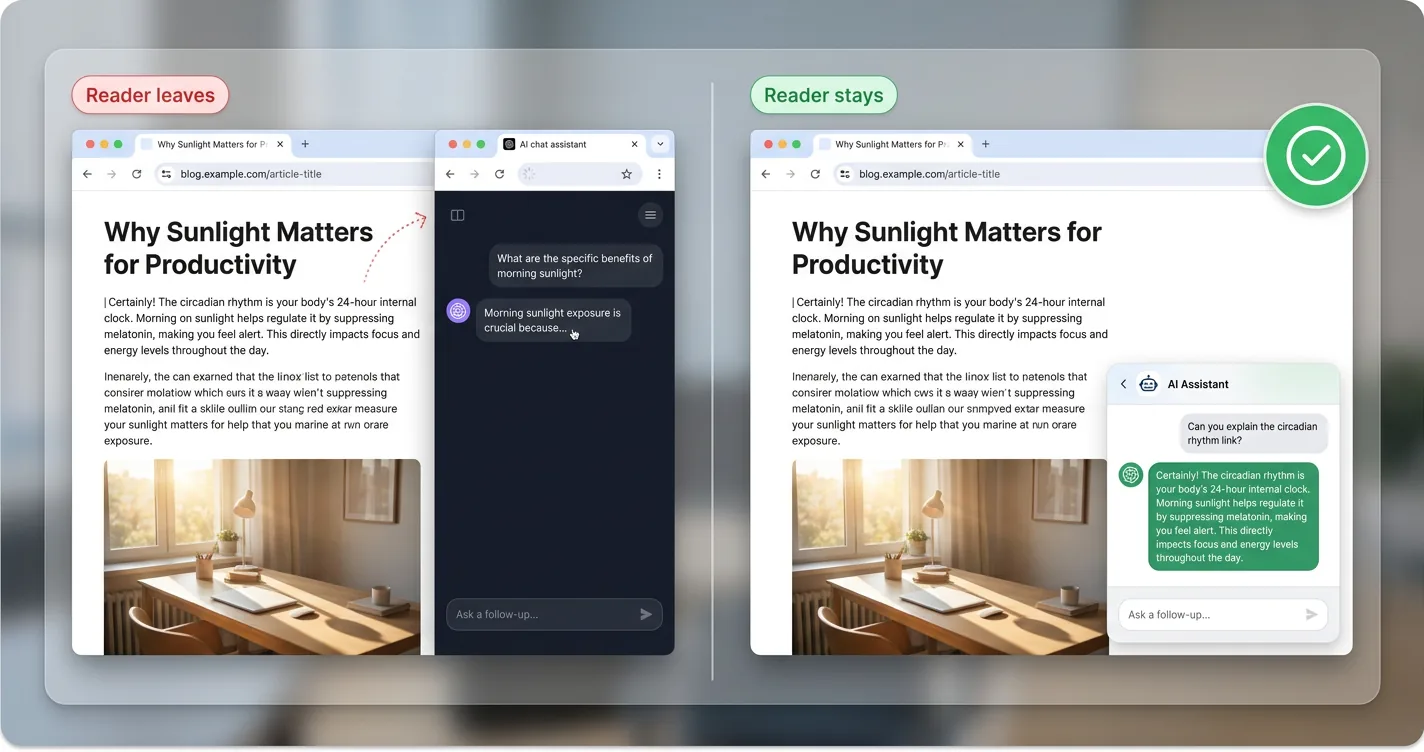
The real threat to your blog is not a competing site, it is the reader who leaves to ask ChatGPT instead. Around 60 percent of Google searches now end without a click, and only 4 percent of people click through from an AI answer versus 19 percent from a search result. The same analysis finds median publishers down double digits year over year as that traffic quietly erodes.
An on-page assistant intercepts the exit by hosting the AI conversation yourself. Vendor case studies report 20 to 30 percent bounce reductions after a chatbot goes live, because the reader gets their follow-up answered without opening a new tab. You keep the session, the data, and the next pageview instead of handing all three to a search box.
| Signal | Where It Stands in 2026 |
|---|---|
| Google searches ending without a click | ~60% |
| Click-through from an AI chatbot answer | 4% |
| Click-through from a traditional search result | 19% |
| Bounce reduction after deploying on-site chat | 20-30% |
Qualify and Route Readers to Newsletters, Services, or Next Steps
A chat widget can sit at the top of your funnel and convert interest the moment it appears. When a reader asks about a topic, the assistant answers, then offers a relevant next step. That might be a newsletter built around exactly what they asked, a service inquiry, or a deeper guide.
The timing of the offer is what separates this from a generic pop-up. Chatbot funnels convert around 2.4 to 3 times the rate of static forms, and 55 percent of marketers report more high-quality leads from conversational capture. For blogs that sell something, the same flow routes service and consulting questions to the right place instead of a contact form nobody bothers to fill out.
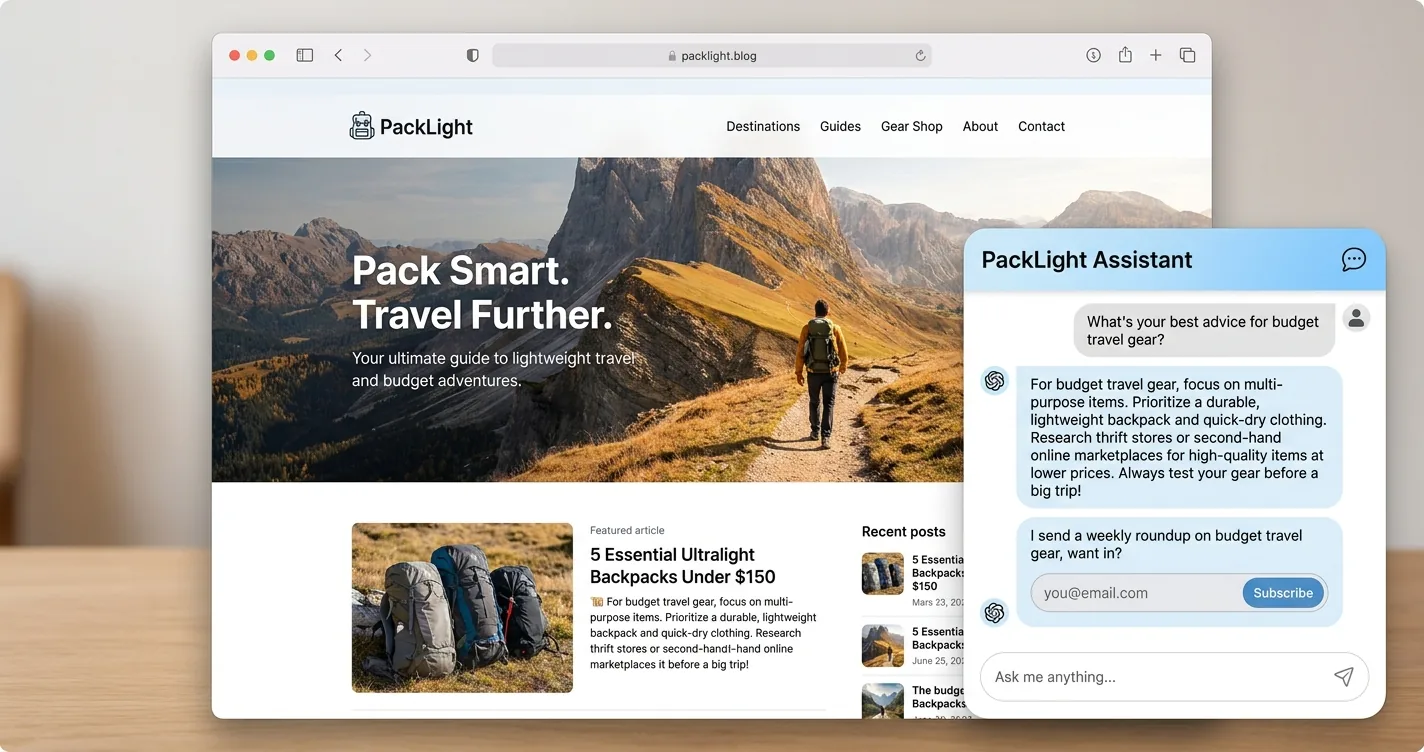
A reader asking about budget travel gear does not want your generic "subscribe" box. The assistant can answer first, then say it sends a weekly roundup on exactly that topic. Offering the next step in context is what makes conversational capture convert several times better than a sidebar form.
An AI chatbot on your blog is not one feature, it is eight different jobs sharing a single text box. It answers questions, surfaces your archive, summarizes long reads, captures content ideas, qualifies leads, and keeps readers from drifting off to a search engine. The same widget can also turn buying-intent questions into affiliate revenue on traffic you already have.
Pick the two or three jobs that match your blog and start there. ChatAds covers the engagement side and the monetization side in one free, no-code widget, so the conversation you host can pay for itself rather than becoming another line item.
Frequently Asked Questions
What are the best ways to use an AI chatbot on your blog?
The most useful jobs are answering reader questions, surfacing related posts, summarizing long articles, monetizing chats with affiliate links, guiding readers to the right product, mining questions for content ideas, re-engaging readers before they leave, and capturing newsletter or service leads. Most blogs pick the two or three that fit their content and start there.
How does an AI chatbot improve blog engagement?
An AI chatbot answers questions on the page and points readers to related posts, which keeps them browsing instead of bouncing to a search engine. Visitors who interact with on-page AI tend to view more pages per session, and vendor case studies report bounce-rate drops of 20 to 30 percent after a chatbot goes live.
Can you monetize a blog with an AI chatbot?
Yes. When a reader's question signals buying intent, the assistant can weave a relevant affiliate link into its answer with no banner or pop-up. A free widget like ChatAds turns product mentions in the reply into your own affiliate links and lets you keep 100 percent of the commission.
What is a blog AI chat widget?
A blog AI chat widget is an embeddable assistant that sits on your page and answers reader questions in a conversation box, usually added with a single line of JavaScript or a CMS plugin. It reads the post it lives on, so its replies stay grounded in your own content rather than guessing.
Is an AI chatbot for blogs free to add?
Some are. ChatAds is a free embeddable AI chat widget that installs with one script tag, with no model key to manage. It earns its keep through opt-in affiliate links rather than a monthly fee, so the conversation can pay for itself.
Do AI chatbots hurt blog SEO or traffic?
A chat widget loads as a small script and does not replace your indexable article text, so it does not remove the content search engines crawl. In practice it helps retain traffic by intercepting the readers who would otherwise leave to ask ChatGPT or Google the same question.