Adding an AI assistant to your website used to mean hiring a team and burning months of engineering time. That barrier is mostly gone now. You can have a working chat assistant answering visitors in an afternoon, sometimes in fifteen minutes.
The catch is that there are four real ways to do it, and they are not interchangeable. A no-code widget drops in fast but locks you into one vendor. Building on a raw LLM API gives you full control and a long to-do list. Picking the wrong path wastes either money or weeks you did not have.
As of 2026, the steps below cover choosing an approach, grounding the bot in your content, embedding it, controlling costs, and turning it into a revenue source instead of a bill.
- No-code widgets go live in 15–30 minutes; a custom build runs an afternoon to 2–4 weeks
- Indexing a full 10,000-page blog for retrieval costs about $0.10 in embeddings
- 1,000 daily conversations runs ~$11/mo on GPT-4o-mini vs ~$187/mo on a flagship model
- Around 63% of people say ads in AI answers lower their trust, which raises the bar for any ads you place
Ask ChatGPT to summarize the full text automatically.
Should You Build, Embed, or Use a Widget?
The first decision shapes everything else, so it deserves a few honest minutes. There are four realistic paths in 2026, and each trades speed for control in a different ratio. Building from scratch on a raw LLM API gives you total command of the experience and a backlog of auth, history, and streaming work. A minimal bot takes an afternoon, while a production version with real guardrails runs two to four weeks.
No-code widgets sit at the opposite end of that spectrum. Tools like Chatbase, Tidio, and Crisp install with one script tag and go live in under thirty minutes. The cost is vendor lock-in and a model menu someone else controls, with monthly fees that climb as your traffic grows.
A free embeddable widget like ChatAds lands in the middle of those extremes. It drops in like a no-code tool, yet it stays purpose-built for site chat without a backend for you to run. Pick your path by three numbers: how much control you need, how much budget you have, and how many days you can spend before launch.
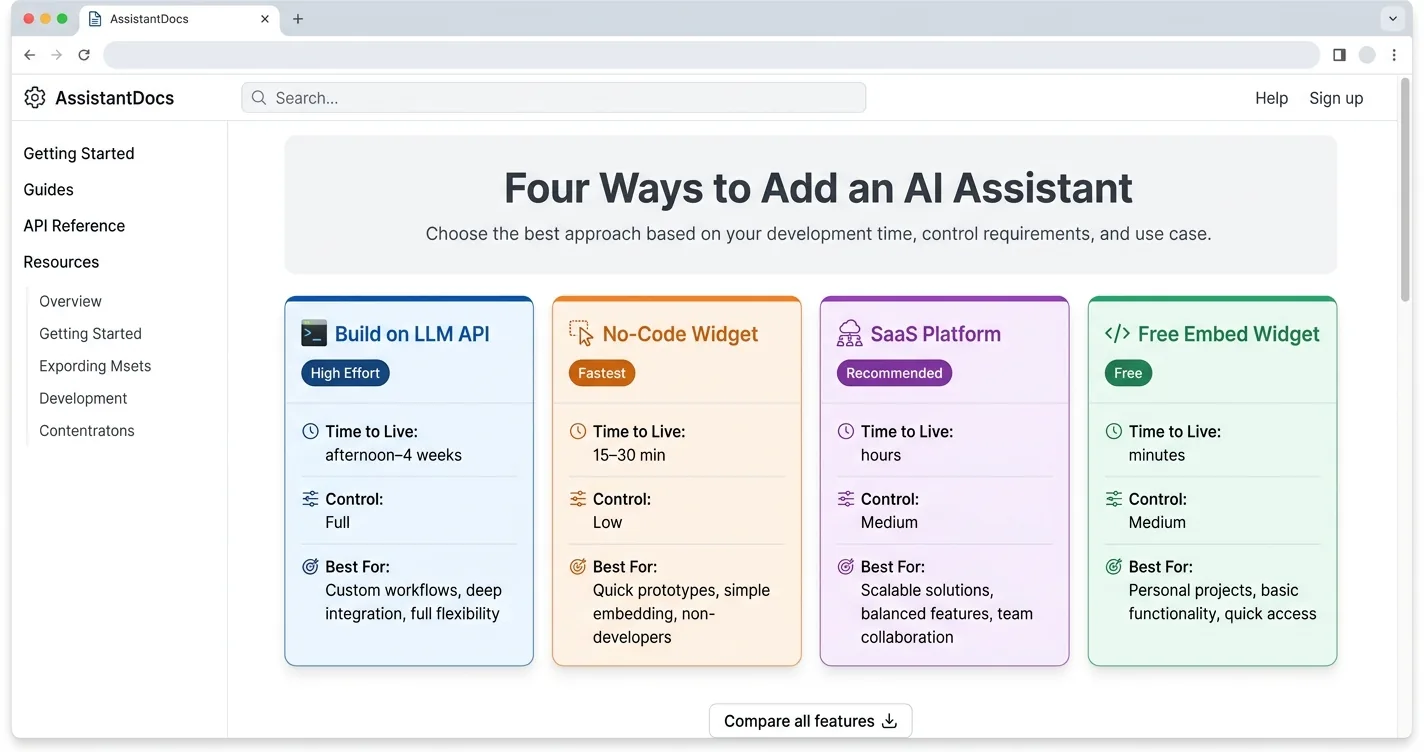
| Path | Time to Live | Control | Best For |
|---|---|---|---|
| Build on an LLM API | Afternoon to 4 weeks | Full | Custom products |
| No-code widget | 15–30 min | Low | Quick support bots |
| SaaS platform | Hours | Medium | Support teams |
| Free embed widget | Minutes | Medium | Blogs, small sites |
How Do You Pick an LLM and Wire Up the Backend?
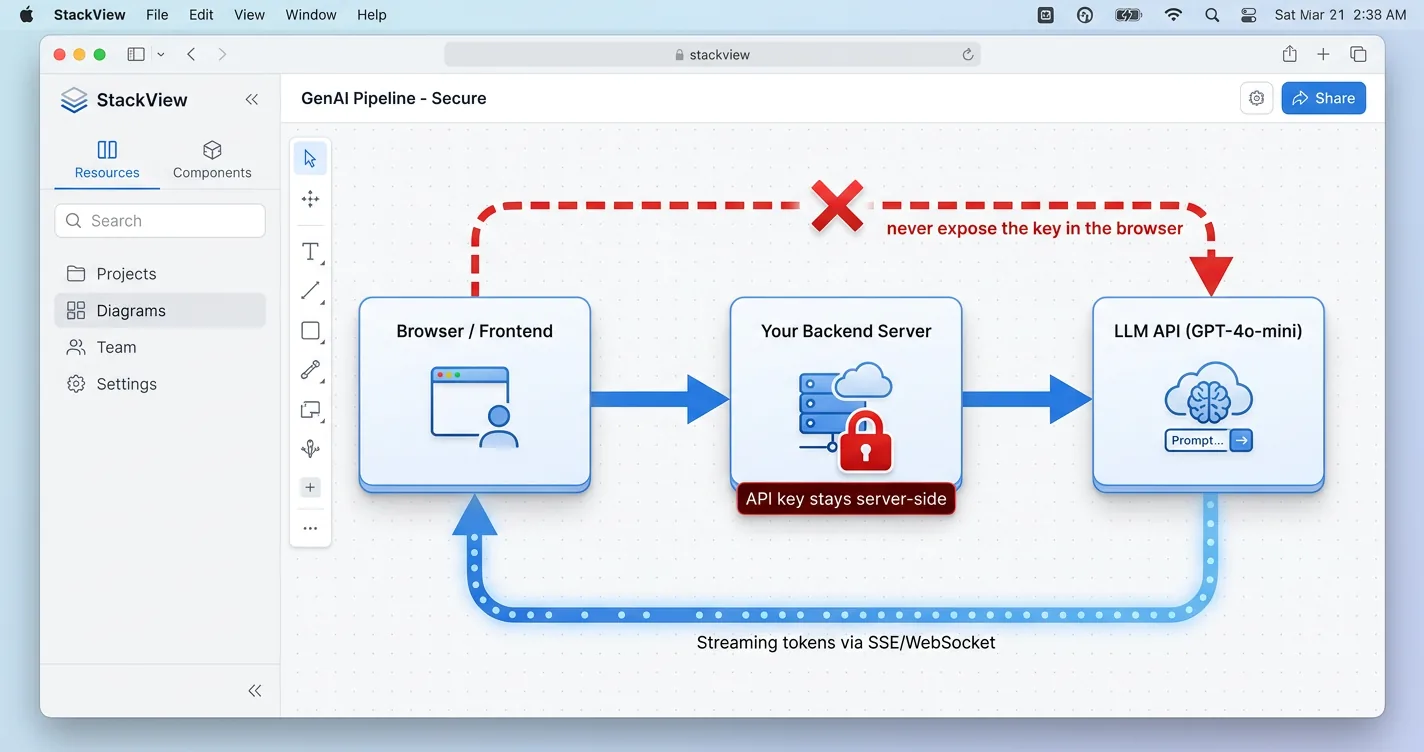
For the build path, one architecture rule sits above the rest. The flow almost always runs frontend to your backend to the LLM API, and your key lives only on the server. Putting an API key in browser code means anyone can read it and bill calls to your account, which empties a budget fast.
Model choice really comes down to a simple cost-and-quality trade. GPT-4o-mini and similar small models handle most support and FAQ work for a fraction of a flagship price. A stronger model like Claude earns its keep when answers need real reasoning or a careful tone. You can start cheap and upgrade only the routes that actually need the extra horsepower.
Streaming is what makes the assistant feel alive instead of frozen. You proxy each call through your server and push tokens to the browser over server-sent events as they arrive. One header trips up almost everyone the first time, since nginx and many CDNs buffer the stream until you set X-Accel-Buffering to no. If you already run Next.js, the Vercel AI SDK useChat hook wires most of this up in a few lines.
// app/api/chat/route.ts  (Next.js + Vercel AI SDK)
import { streamText } from 'ai';
import { openai } from '@ai-sdk/openai';

export async function POST(req: Request) {
  const { messages } = await req.json();
  const result = streamText({
    model: openai('gpt-4o-mini'),   // key read from server env only
    system: 'You are a helpful assistant for example.com.',
    messages,
  });
  return result.toDataStreamResponse();
}
How Do You Ground the Assistant in Your Own Content?
An assistant that cannot answer about your own site is just a generic chatbot. Grounding fixes that by feeding it your real content, and you have two ways to do it. The simpler one is context-stuffing, where you paste your pages straight into the system prompt and let the model read them on every call.
Context-stuffing wins more often than people expect for small sites. It is simpler to build and tends to be more faithful, scoring higher on grounding benchmarks than a basic retrieval setup. A Google study on the trade-off reached a similar verdict, finding that “when resourced sufficiently, LC [long-context] consistently outperforms RAG in terms of average performance” while noting RAG’s lower cost as its remaining edge. It stays practical as long as your content fits inside the model’s context window, with room left over for the conversation and the answer. A few hundred pages of posts or docs fit comfortably, which is exactly the small-site case this approach suits.
You cross over into RAG once your content outgrows that ceiling. Retrieval means embedding your pages, storing the vectors in something like pgvector on Supabase, and pulling the top three to five chunks per question. Indexing a whole blog costs about a dime in embeddings at text-embedding-3-small rates of $0.02 per million tokens, so the real expense is engineering time, not API spend. Start with stuffing, measure how it does, and add retrieval only when the prompt genuinely will not fit.
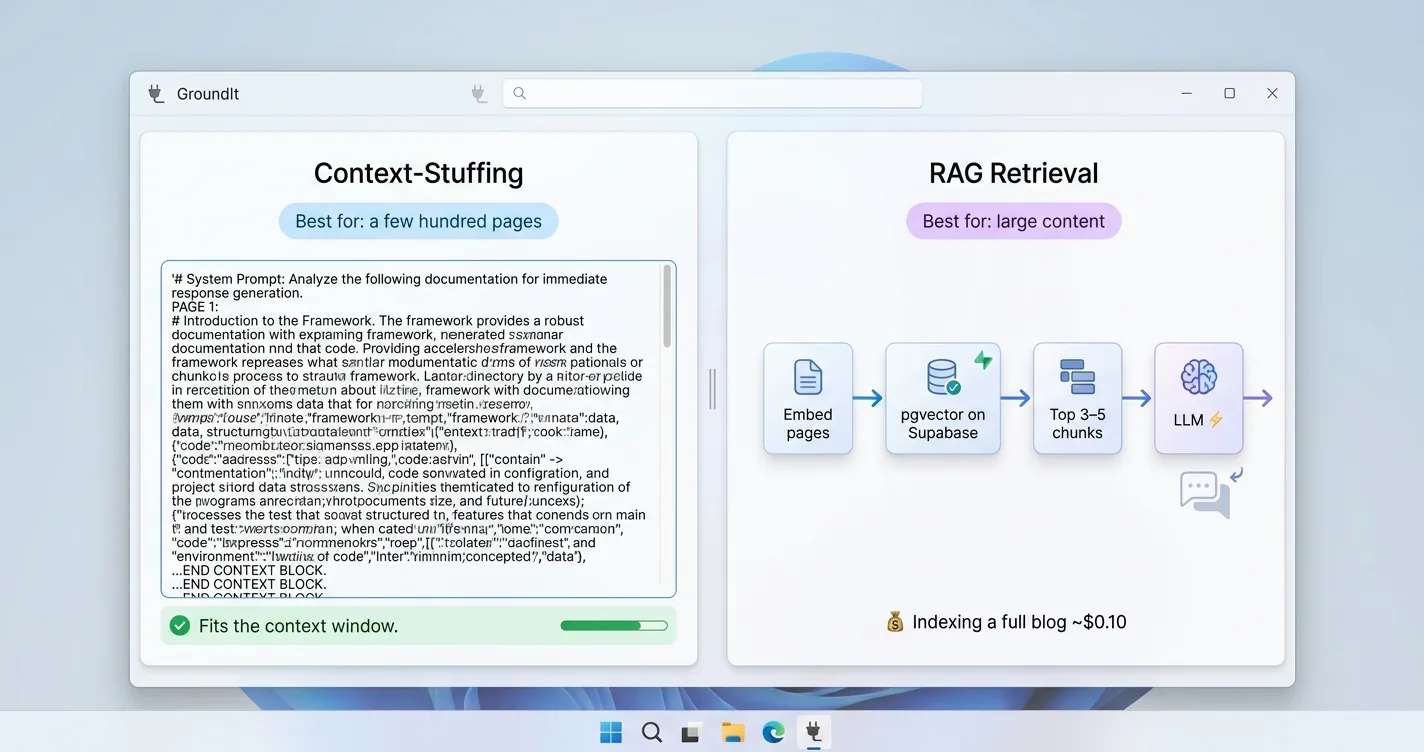
- Fits the context window: stuff content straight into the system prompt
- Too big to fit: embed your pages and retrieve the top 3–5 chunks per question
- Storage: pgvector on Supabase handles vectors and cosine search
- Cost: indexing a full blog runs roughly $0.10 in embeddings
How Do You Embed the Widget on Your Site?
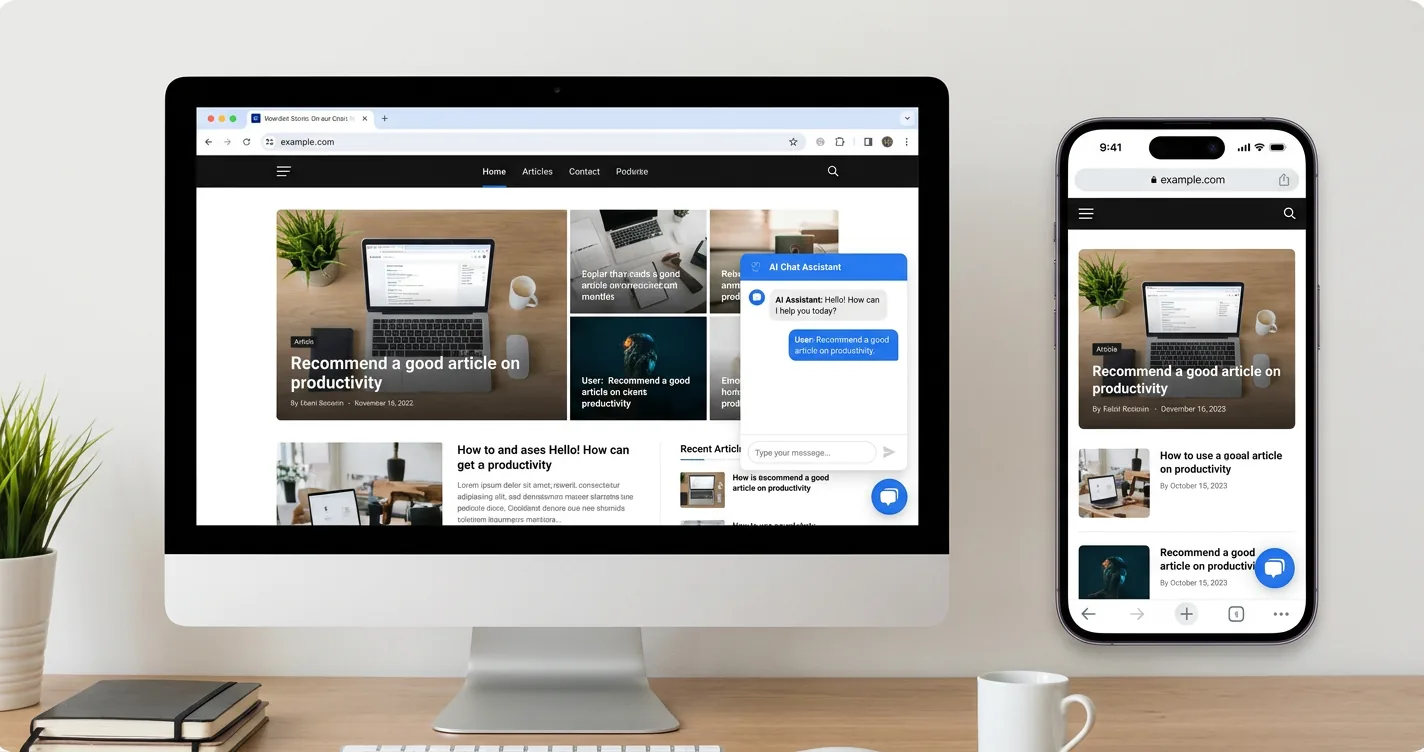
Getting the assistant onto a live page is the same mechanical step regardless of which path you chose. The script-tag pattern is the same across plain HTML, WordPress, Shopify, and React. You paste one snippet right before the closing body tag, and a chat bubble appears in the corner on every page that loads it, which is the shortest of the five ways to add an Ask AI button.
The build crowd wires things up in a slightly different way. Instead of a vendor script, your React app calls the useChat hook against the /api/chat route you set up earlier. You also get hooks for customization, like event listeners that fire on each message and a way to pass a signed-in user’s identity into the conversation.
This is where a free embed shines for anyone who does not want to run a backend. ChatAds installs with a single tag and handles the model, streaming, and hosting for you, so the whole job is the paste itself. If you run a blog specifically, the same approach is covered step by step in how to add ChatGPT to your blog. You keep your afternoon for the rest of the site instead of spending it on infrastructure. Whichever route you choose, test the bubble on mobile before you call it done, since a widget that covers your content annoys more than it helps.
<!-- Paste right before </body> on any page -->
<script
  src="https://www.getchatads.com/widget.js?key=cwk_your_widget_key"
  async>
</script>
How Do You Deploy, Rate-Limit, and Control Costs?
Most builders ship the assistant without a second thought and then stare at the bill a week later. Where your backend lives is the first thing that matters. Vercel Functions suit stateless streaming with fast cold starts and a generous request timeout, while Fly.io fits when you need WebSockets or a persistent vector index in memory.
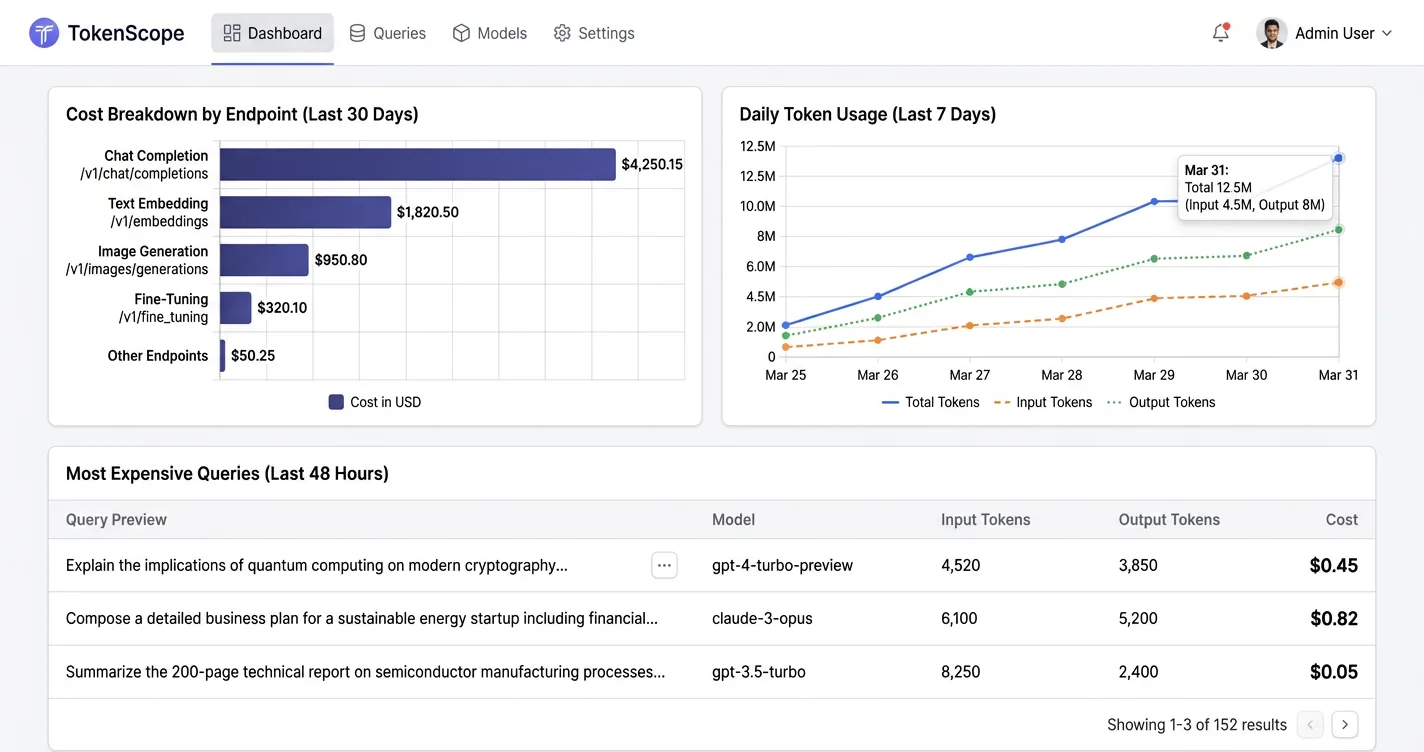
Cost control is mostly about three habits you set on day one. Lock CORS to your own domain so other sites cannot point their traffic at your endpoint. Add per-IP rate limiting, around 10 to 20 requests a minute on the chat route, because anonymous abuse can drain an LLM budget overnight. Set max_tokens on every single call so one runaway response cannot balloon a charge.
The numbers behind all of this make the stakes concrete. A thousand daily conversations run about $11 a month on GPT-4o-mini, priced at $0.15 and $0.60 per million input and output tokens, and closer to $187 on a flagship model, so model choice dwarfs infrastructure cost, and there are more ways to cut LLM API costs once you are live. Log token counts from the first deploy, since a viral mention can multiply traffic before you notice. Watching those logs early turns a scary bill into a number you actually expected.
- Lock CORS to your production domain only
- Rate-limit the chat route to 10–20 requests per IP each minute
- Set max_tokens on every LLM call
- Log token counts from the very first deploy
How Do You Monetize the AI Assistant?
A live assistant is a cost center until you give it a way to earn. The 2026 options for monetizing an AI chatbot break into four buckets: subscriptions, ads, lead-gen, and affiliate links. The hard lesson across the industry is that few apps survive on one model alone, so most teams layer a couple of these on top of each other.
Ads carry a real trust cost that is easy to underestimate. Perplexity wound down its in-chat advertising experiment in early 2026, with one executive telling the Financial Times that “the challenge with ads is that a user would just start doubting everything … which is why we don’t see it as a fruitful thing to focus on right now.” Ipsos found the same instinct in shoppers, reporting that “two in three (63%) think ads will make them trust the results less while just one in three (36%) think it will simplify their shopping experiences.” Affiliate links tend to be the least intrusive layer instead, since the assistant earns by recommending something genuinely useful rather than slotting a paid ad unit into the answer.
The affiliate path fits a website assistant cleanly, especially when answers already carry buying intent. You analyze the assistant’s reply, detect a real product mention, and return a tracked link only when one belongs there, always disclosed under FTC rules. ChatAds runs that whole step as one API call against your assistant’s output, and you keep 100% of the commission. It stays quiet when there is no intent and surfaces a link only when it actually helps the reader.
ChatAds reads your assistant's replies, detects genuine product intent, and returns a tracked affiliate link with one API call. It stays silent when no product fits and you keep 100% of the commission. See how ChatAds adds affiliate links to AI chatbots for the integration overview.
Adding an AI assistant to your website comes down to one early choice and a handful of disciplines after it. Pick the path that matches your control, budget, and timeline, then ground the bot in your own content so it answers like an insider. Embed it with a single tag or a useChat route, lock down CORS and rate limits, and watch your token logs from the first day.
The piece most builders skip is turning that assistant from a bill into a business. A well-placed affiliate link inside a genuinely helpful answer earns revenue without nagging anyone, and tools like ChatAds make that step a single API call. Build it well, ground it honestly, and let it pay for itself instead of draining your budget.
Frequently Asked Questions
How do you add an AI assistant to your website?
You add an AI assistant to your website by choosing one of four paths: building on a raw LLM API, using a no-code widget, running a SaaS platform, or dropping in a free embeddable widget like ChatAds. The fastest options install with a single script tag before the closing body tag and go live in minutes, while a custom build can take an afternoon to a few weeks.
What is the easiest way to embed an AI chat widget on a website?
The easiest way to embed an AI chat widget is to paste one script tag right before the closing body tag, which works the same on plain HTML, WordPress, Shopify, and React. A chat bubble then appears in the corner of every page that loads the snippet, with no backend for you to run.
How much does it cost to run an AI assistant on your website?
Cost is driven mostly by the model, not infrastructure. Around 1,000 daily conversations run about $11 a month on GPT-4o-mini versus roughly $187 a month on a flagship model, so picking a smaller model and setting max_tokens on every call keeps the bill predictable.
Should you build an AI assistant or use a no-code widget?
Build when you need full control over the model, data, and experience and can spend days to weeks on it. Use a no-code widget or a free embed when you want to go live in minutes and are fine letting a vendor handle the model, streaming, and hosting.
How do you ground a website AI assistant in your own content?
For small sites, paste your pages straight into the system prompt, since context-stuffing is simpler and often more faithful than retrieval. Once your content outgrows the model's context window, switch to RAG by embedding your pages into pgvector and retrieving the top three to five chunks per question.
How do you monetize an AI assistant on your website?
The least intrusive option is affiliate links inside genuinely helpful answers, since the assistant earns by recommending something useful rather than showing a paid ad. ChatAds runs that as one API call against your assistant's output, returning a tracked link only when a real product fits, and you keep 100% of the commission.