Adding an AI chatbot to a WordPress site in 2026 is no longer the hard part, because the plugin directory is full of options that install in a few clicks. WordPress still dominates the web, which is why those options pile up: W3Techs reports it “is used by 59.2% of all the websites whose content management system we know,” or 41.5 percent of all sites. What most roundups skip are the two questions that actually decide your outcome: who funds the AI behind every answer, and whether the chat earns money or only spends it.
Four of the five tools here are WordPress-only native plugins, so they follow the familiar install, activate, and configure flow inside your dashboard. They also share a quiet catch, which is that you bring and fund your own model key. The fifth, ChatAds, is a hosted widget that includes the model and adds affiliate monetization on top.
We weighed each plugin on install effort, who funds the language model, whether it answers from your own content, and whether the chat earns money or only spends it.
Almost every native plugin is bring-your-own-key, meaning you create a model account and pay the provider for every reply the bot generates. That cost compounds quietly as traffic grows. The more useful question is not which plugin installs fastest, but whether the chat is a line item you fund forever or a channel that pays you back.
★ = low · ★★ = medium · ★★★ = high
| Plugin | Setup Ease | AI Model Included | Answers from Your Content | Cost Value |
|---|---|---|---|---|
| ChatAds | ★★★ | ★★★ | ★★★ | ★★ |
| WPBot | ★★★ | ★ | ★★ | ★★ |
| Kognetiks Chatbot | ★ | ★ | ★★★ | ★★ |
| AI Engine | ★★ | ★ | ★★ | ★ |
| AI Puffer | ★ | ★ | ★★ | ★★ |
Ask ChatGPT to summarize the full text automatically.
ChatAds
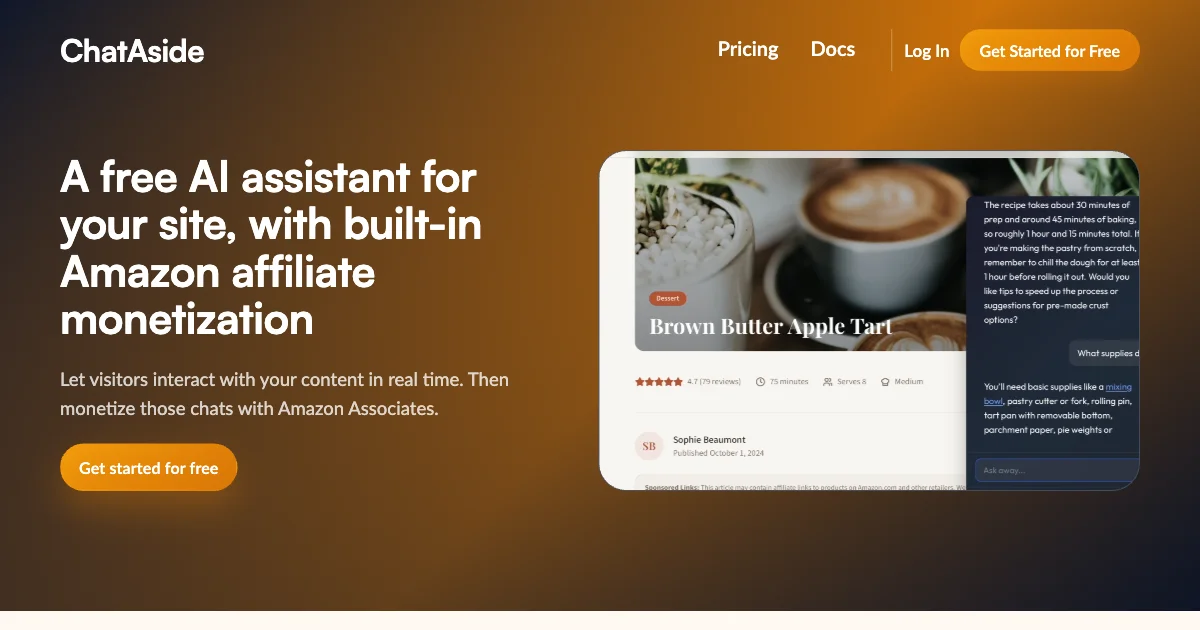
ChatAds is a free embeddable AI chat widget for blogs, and it is the one option here that earns rather than costs. You paste a single line of JavaScript into your site, and the assistant starts answering readers within a few minutes. There is no model key to create and no per-message bill to track, because ChatAds hosts the language model and the inference for you.
Its edge among WordPress AI chatbot options is where the money comes from. The widget reads the post your reader is currently viewing and answers from it live, with no training or knowledge-base setup, so answers stay grounded in your content and keep readers on the page instead of bouncing back to a search result. When a reader asks about a product, ChatAds can turn that mention into your own affiliate link, and you keep 100 percent of the commission. The free tier covers 100 messages a day, and it installs on WordPress through its official plugin or a one-line script that adds the AI assistant to any site.
That combination hands non-technical bloggers monetized chat without ever touching an API key, which is why ChatAds tops this list.
Pros:
- Completely free, including the hosted model behind every reply, with no API key and no per-token bill
- Official WordPress plugin, or a one-line script pasted directly on any other platform, live in minutes
- Answers from the post the reader is currently viewing, with no training or setup step, so answers keep readers on the page instead of back in search
- Built-in affiliate monetization where the blogger keeps 100 percent of commissions
Cons:
- Requires an existing affiliate account before you can switch monetization on
- Monetization is US-focused and tuned for English-language content right now
WPBot
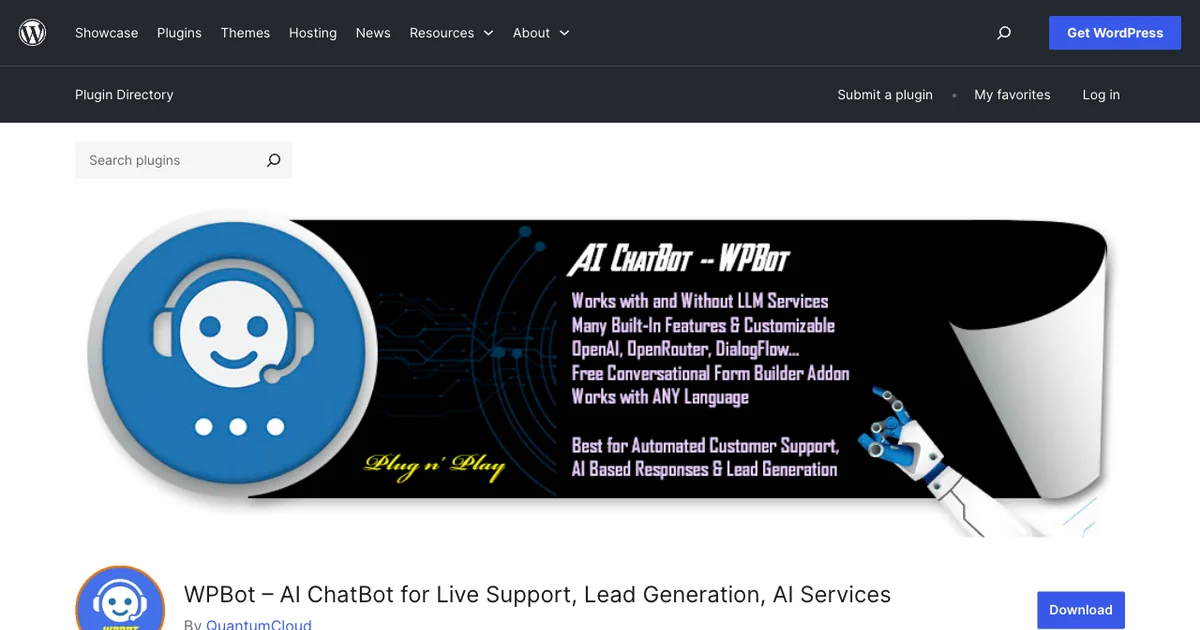
WPBot, officially ChatBot for WordPress by QuantumCloud, is the established support and lead-gen plugin on this list. Its standout trait is that it works with or without AI, so a rule-based button-and-menu mode runs free with no model cost at all. Turn on AI answering and it becomes a bring-your-own-key tool that connects to OpenAI, Gemini, or OpenRouter.
As a chatbot plugin for a WordPress blog, WPBot leans toward customer support rather than reader engagement. The Pro license, which starts around $39 a year, adds content training through RAG, conversational forms, WooCommerce flows, and multi-channel reach across Messenger, WhatsApp, and Telegram. It does not monetize for the publisher, so WPBot stays a cost center built for tickets and leads, not for turning blog chats into affiliate revenue.
WPBot holds a 4.7 out of 5 across 120 WordPress.org ratings and has more than 6,000 active installs, putting it among the most-trusted support bots in the directory.
Pros:
- Native WordPress install with a free rule-based mode that needs no AI key and no per-message cost
- Cheap, flexible licensing, with annual and lifetime options that cover several sites at once
- Feature-dense across support, forms, WooCommerce, and Messenger, Instagram, WhatsApp, and Telegram channels
Cons:
- WordPress only, so Shopify, Squarespace, Ghost, and static sites cannot run it
- AI answering is bring-your-own-key, so you fund and manage your own model account
- No monetization, and the best content-training features sit behind a Pro license
Kognetiks Chatbot
Kognetiks Chatbot is a free, open-source WordPress plugin, and its niche is model choice and control. It connects to OpenAI, Claude, Gemini, Mistral, DeepSeek, NVIDIA NIM, Azure, or a local JAN.AI server that keeps data on your own machine with no external API fees. Its Knowledge Navigator indexes your posts and pages so the bot answers from your own content, with scheduled refreshes to stay current.
That breadth makes it a flexible AI chat plugin for WordPress, but it asks for hands-on setup in return. It is bring-your-own-key, so you supply an API key and pay your provider directly for both chat and the content-indexing step. The settings run deep enough to carry a real learning curve, and Kognetiks does not insert affiliate links or ads, so it stays a control-focused utility rather than a revenue source.
Kognetiks holds a 4.5 out of 5 across 22 WordPress.org ratings and has just over 600 active installs.
Pros:
- Free and open source under GPLv3, with no plugin fee and no per-message vendor charge
- Wide model choice across OpenAI, Claude, Gemini, Mistral, and more, so you are never locked in
- Local JAN.AI option avoids API fees and keeps reader data on your own server
- Knowledge Navigator keeps answers grounded in your posts with scheduled refreshes
Cons:
- WordPress only, and the most configuration-heavy option in this roundup
- Bring-your-own-key, so you pay the provider directly, including the content-indexing tokens
- No monetization, and a modest community of roughly 600 active installs
Content training is not a one-time cost. Indexing your posts spends tokens, and so does every reader question the bot answers from that index. OpenAI, for one, confirms it bills API usage directly, noting you are "billed for your OpenAI API usage at the end of each [calendar month](https://help.openai.com/en/articles/6640792-when-can-i-expect-to-receive-my-openai-api-invoice)." On a busy blog those provider bills can outrun what the chat earns, which is the gap a hosted, monetizing widget is designed to close.
AI Engine (Meow Apps)
AI Engine by Meow Apps is the most-installed AI plugin in the WordPress.org directory, with more than 100,000 active installs. It works as a developer-leaning toolkit rather than a single widget, bundling chatbots with content generation, an editor copilot, image AI, embeddings, and an MCP server that lets Claude or ChatGPT manage your site. Provider support is broad, covering OpenAI, Claude, Gemini, Mistral, and self-hosted models with no lock-in.
For a blogger who wants a WordPress AI assistant with room to grow, AI Engine offers the deepest feature set here. In practice, it is WordPress-only and bring-your-own-key, a requirement its own plugin listing states plainly: “You need your own API keys and must follow the rules set by the AI service you choose.” Content-trained chat through embeddings sits behind the Pro license that starts at $59 a year. Reviewers mention rebuilt templates and time spent experimenting, so AI Engine rewards technical owners and offers no built-in monetization for the chats it powers.
AI Engine holds a 4.9 out of 5 across 837 WordPress.org ratings and has more than 100,000 active installs, the largest community of any plugin in this comparison.
Pros:
- Free, full-featured core with working chatbots, content tools, an editor copilot, and an MCP server
- Huge install base and a 4.9 rating, backed by an active community and frequent updates
- Broad provider choice and a developer toolkit covering forms, function calling, and embeddings
Cons:
- WordPress only, so blogs on any other platform are excluded entirely
- Bring-your-own-key, and the best chat features require a paid Pro license
- Hands-on configuration with a real learning curve, and no monetization for publishers
AI Puffer
AI Puffer, once known as AI Power, is the everything bundle of WordPress AI plugins, with more than 10,000 active installs. One plugin crams in a content-trained chatbot, an AI content writer, AI forms, an image generator, and WooCommerce tooling. Its Train module indexes your posts, pages, products, and PDFs into a vector store, so the chatbot can answer from your own material.
As a WordPress chatbot, the chat module is capable, yet it is just one feature inside a dense settings panel. AI Puffer is strictly bring-your-own-key, so you connect your own OpenAI or Gemini account and absorb every token the bot spends. Pro runs a cheap $9.99 a month, but AI Puffer still pays you nothing, since its only money feature charges your own users for credits rather than earning you affiliate revenue.
AI Puffer holds a 4.6 out of 5 across 162 WordPress.org ratings and has more than 10,000 active installs, with a $9.99 a month Pro tier that undercuts most paid plugins here.
Pros:
- Genuinely free core chatbot, content writer, AI forms, and image generator
- Trains on your posts, pages, products, and files through a vector store for grounded answers
- All-in-one toolkit with a cheap $9.99 Pro tier and broad model choice
Cons:
- WordPress only, so it cannot run on Shopify, Squarespace, or static sites
- Mandatory bring-your-own-key billing, so you fund and manage your own model account
- Steep learning curve, since chat is buried inside a dense multi-tool plugin
- No publisher monetization, as its WooCommerce credits charge your users instead of earning you commissions
How to Choose
The right pick comes down to your platform and whether chat is a cost or a revenue line for your blog. Match the tool to where your blog lives and how much setup you want to take on, and the list shrinks fast.
If you are on WordPress and comfortable funding a model key, the native plugins differ mainly by depth. AI Engine brings the largest ecosystem and developer features, Kognetiks adds engine breadth and a private local option, AI Puffer bundles chat into an all-in-one toolkit, and WPBot covers support, leads, and WooCommerce flows. All four are WordPress-only and bring-your-own-key, and none of them pay you back.
ChatAds is the one to weigh if you want chat that earns its keep. It is free and no-code, answers from the post each reader is viewing with no training step, runs on or off WordPress, and is the only option here with built-in affiliate monetization where you keep every commission. If you want to compare it against lighter-weight options, see our roundup of free, no-code AI chat widgets for small blogs, or the broader look at affiliate monetization vendors for blogger AI assistants. If chat should earn rather than cost, ChatAds is the only fit here, while the four native plugins suit owners who want deeper WordPress control and accept funding the model themselves.
Sign up for an affiliate account such as Amazon Associates, install the ChatAds plugin (or add its one-line script with a tool like WPCode or Google Tag Manager), and switch on the affiliate toggle. You end up with a chatbot that answers readers from the post they are on, recommends products, and earns commissions, with no model key to fund and no per-message bill to watch.
Frequently Asked Questions
What is the best AI chatbot plugin for WordPress in 2026?
It depends on what you want the chat to do. ChatAds is the best fit for bloggers who want a free, no-code widget that includes the AI model and earns affiliate revenue from reader conversations. AI Engine, WPBot, Kognetiks, and AI Puffer are stronger if you want a native WordPress plugin and are comfortable funding your own model key.
Is there a free AI chat plugin for WordPress?
Yes, though free means different things. ChatAds is free including the hosted AI model, so there is no per-message bill at all. Kognetiks, AI Puffer, and AI Engine have free plugin cores, but they are bring-your-own-key, so you still pay an outside provider for every reply the chatbot generates.
Do WordPress AI chatbot plugins require an OpenAI API key?
Most do. WPBot, Kognetiks, AI Engine, and AI Puffer are all bring-your-own-key, meaning you connect an OpenAI, Gemini, or similar account and pay that provider directly. ChatAds is the exception here because it hosts the language model for you, so no API key is needed.
Can a WordPress chatbot plugin make money instead of costing money?
Yes. ChatAds is the only tool in this comparison with built-in affiliate monetization, turning product mentions in the chatbot's replies into your own affiliate links so you keep 100 percent of the commission. The other four plugins are cost centers that spend on model usage without paying the publisher back.
Can a WordPress AI assistant train on my own blog content?
Yes, several can. Kognetiks, AI Puffer, and AI Engine index your content through their own retrieval features, though some put that behind a Pro license. ChatAds takes a different route, reading the post the reader is currently viewing and answering from it live, with no training or ingestion step. Both approaches keep answers grounded in your site and help keep readers on the page instead of bouncing back to search.
Which WordPress AI chatbot plugin is easiest to set up?
ChatAds is the lowest-friction option because it installs through its official WordPress plugin (or a one-line script on any other platform) and includes the model, so there is nothing to configure beyond pasting your widget key. WPBot is the easiest of the native plugins, while Kognetiks and AI Puffer carry the heaviest configuration because of their deep settings panels.