
Adding a chat widget to a blog is a two-minute job, and undoing an SEO mistake is not. That gap is why publishers ask the question before the install rather than after it, and in 2026 it deserves a straight answer instead of the guesswork most of the field keeps repeating.
The worry usually breaks down into three separate parts, and they fail very differently. Publishers picture the script dragging the page down, Google reading an AI feature as spam, or the widget somehow polluting what search engines see when they crawl. Two of those turn out to be almost entirely wrong, and one is a real risk that depends completely on which vendor you install.
A chat widget hurts your SEO only when it is heavy, loaded badly, or sitting in the reader’s way, and none of those three things are inevitable.
- CLS is structurally impossible for a fixed-position chat bubble, per web.dev's own definition
- LCP is untouched unless the script loads synchronously in your page head
- INP is the one real exposure, and the 2024 Web Almanac found only 37% of mobile pages held a good score alongside behavior scripts
- Payload varies enormously between vendors, from under 100KB to roughly 700KB (DebugBear)
- Dwell time is not a ranking factor, whatever the competing articles tell you
Ask ChatGPT to summarize the full text automatically.
Does a Chat Widget Actually Slow Your Pages Down?
The script tag and the widget behind it are two separate costs, and only one of them is small. A single async line buys you a DNS lookup and one request. What the reader actually pays for is the payload that arrives and the main-thread work it does after landing.
The spread between vendors is enormous, which is exactly why the category-level answer is useless. DebugBear benchmarked the major chat widgets and found LiveAgent and MyLiveChat staying under 100KB while Tawk.to pulls around 700KB. CPU time diverges just as hard, with Zoho Desk rendering in about 200ms where Zendesk burns close to a full second.
The gap between the lightest and the heaviest runs to several hundred kilobytes and most of a second of processor time. Chat widget page speed is a vendor question rather than a category one, so “chat widgets are slow” tells you nothing until somebody names the vendor.
For reference, the ChatAds bundle measures 59KB minified and about 19KB over the wire once gzipped, both taken from the shipped file rather than a vendor claim, and roughly a thirty-fifth of what Tawk.to fetches. Any vendor you are considering should be able to give you both of those numbers without a support ticket.
One finding from that same benchmark belongs in every audit you run afterward. DebugBear caught FreshChat detecting when Lighthouse was running and serving an empty file instead of the widget, which means a clean lab score proved nothing about what real visitors actually had to download.
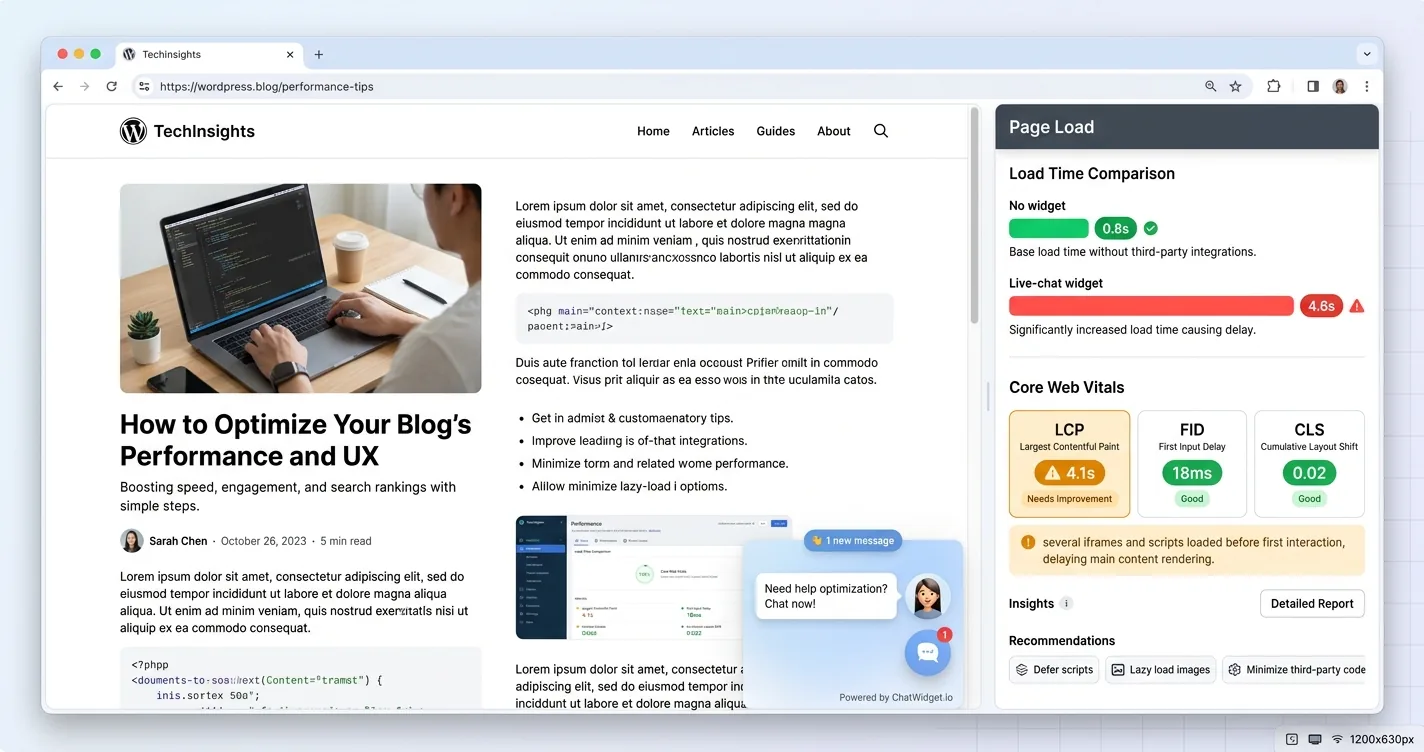
Figures from DebugBear's chat widget benchmark, plus ChatAds measured from its own bundle
| Widget | Roughly what it fetches | Where the cost lands |
|---|---|---|
| ChatAds | 19KB gzipped, 59KB minified | Small, and almost entirely network |
| LiveAgent, MyLiveChat | Under 100KB | Small, mostly network |
| Tawk.to | About 700KB | Network first, then parse |
| Zendesk | Close to 1 second of CPU | Main thread, which is INP |
| Zoho Desk | About 200ms to render | Main thread, but briefly |
Which Core Web Vitals Can a Chat Widget Actually Break?
Three metrics carry the page experience signal in 2026, and a chat bubble touches each one very differently. The Chrome team announced that “Interaction to Next Paint will officially become a Core Web Vital and will replace First Input Delay on March 12”, so the current set is LCP, INP and CLS.
LCP stays untouched as long as the script is not loaded synchronously inside your document head. The bubble is never the largest contentful element on the page and never sits in the render path, so it cannot become the thing Google ends up timing. A very heavy async bundle can still contend for bandwidth while your own images load, which is the indirect route back to the weight question above.
CLS is structurally impossible for an element that sits outside document flow. Google’s web.dev definition counts a shift only when existing elements move from their start position, and it says outright that adding a new element does not qualify as long as nothing else is pushed. A bubble pinned to the bottom corner pushes nothing.
INP is where the genuine exposure sits, and this is the metric worth taking seriously. The 2024 Web Almanac found only 37% of mobile pages and 60% of desktop pages holding a good INP score when user-behavior scripts were present, which is the closest available proxy rather than a chat-specific benchmark. Every listener a widget attaches competes with your own page for the same main thread. TTFB is not a Core Web Vital at all, and no client-side script can move it in either direction.
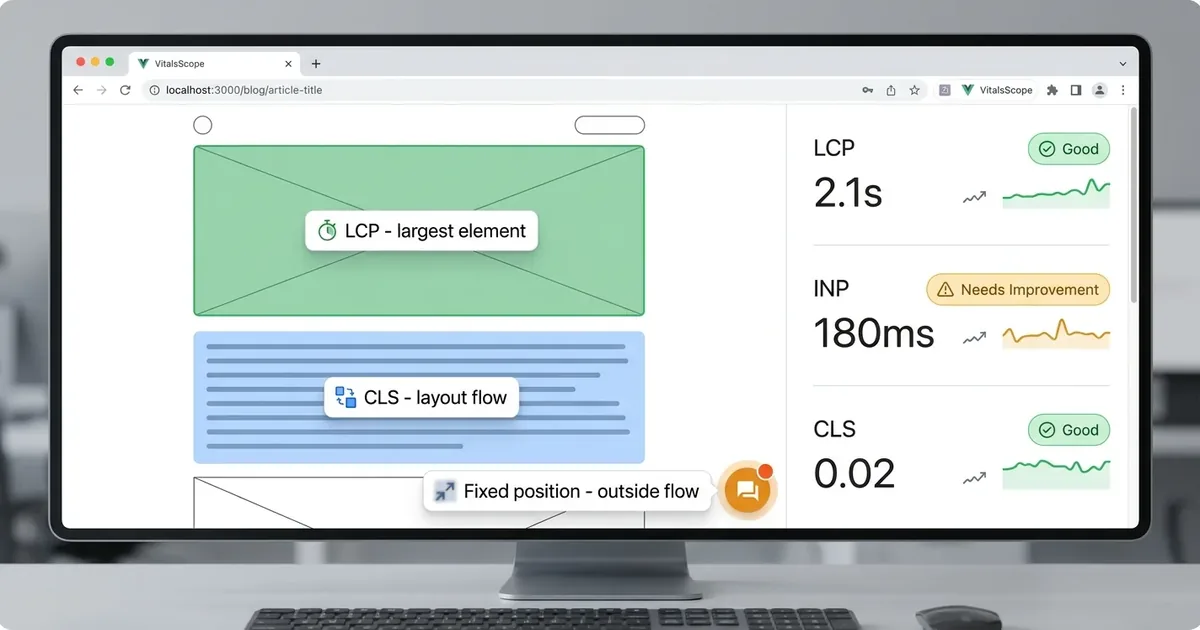
★ = no realistic exposure · ★★ = conditional · ★★★ = real risk
| Metric | Risk | Why |
|---|---|---|
| LCP | ★★ | Only if the script is synchronous in the head |
| INP | ★★★ | Main-thread work and event listeners compete with your page |
| CLS | ★ | A fixed element sits outside flow and moves nothing |
| TTFB | ★ | Server-side measurement, untouched by a client script |
How Much Do Core Web Vitals Move Rankings Anyway?
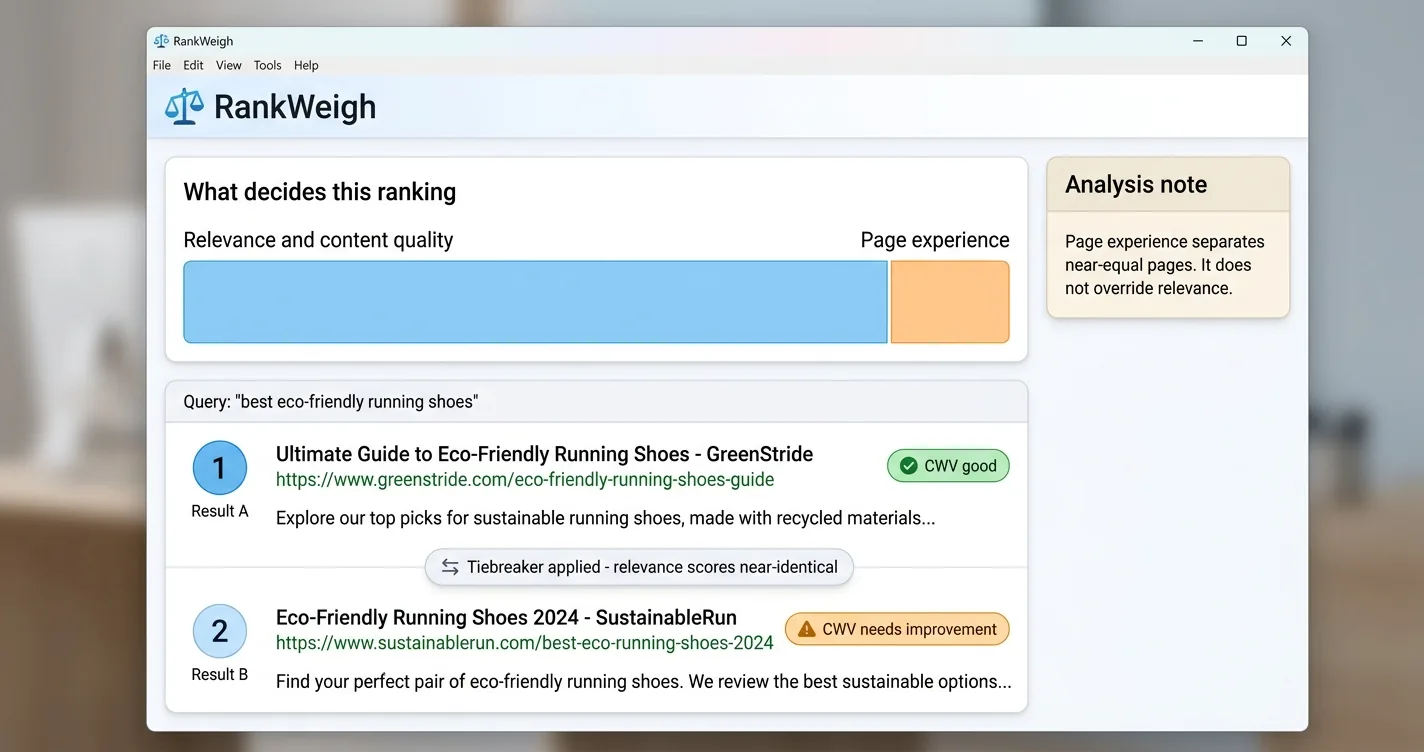
Page experience is a real ranking input and a small one, and both halves of that sentence matter. Google Search Central says plainly that Core Web Vitals “are used by our ranking systems,” then adds that Search “always seeks to show the most relevant content, even if the page experience is sub-par.”
John Mueller has been even blunter about the magnitude of that effect. He has said Core Web Vitals “are not giant factors in ranking” and that he doubts anyone would see a big drop from that alone, because relevance still matters far more than page experience does.
The practical reading is that page experience separates pages already close on relevance. It works as a tiebreaker rather than an override, and no amount of green in Search Console pushes a thin page past a better one.
The size of that effect cuts in both directions here. A widget costing you 100ms of INP is not deciding where you rank, so treating it as an emergency is a good way to skip a useful feature for no return at all. You also have no reason to pay 100ms when a lighter vendor would have charged you five.
Keep the worry in proportion and act on it anyway, because the fix is cheap enough that arguing about effect size costs more time than just choosing a light widget.
Before you install anything, record your current LCP, INP and CLS from the Core Web Vitals report in Search Console. That is field data from real visitors, and it is the only baseline that lets you attribute a change to the widget rather than to a theme update or a seasonal traffic shift.
The embed is one async script tag at 19KB gzipped, the bubble and panel are both fixed-position so they cannot shift your layout, and nothing renders until a reader opens it. Readers chat with an AI that answers from your own content, affiliate links are woven into the replies, and publishers keep 100% of the commissions. Start free at getchatads.com.
Can Googlebot See or Index What the Chat Says?
Crawl mechanics decide this one, and they are worth walking through rather than taking on trust. Googlebot renders pages with a headless version of Chrome and indexes from the rendered HTML, so content a script injects into the DOM is indexable in principle.
A chat transcript never gets that far in the first place. Googlebot does not click buttons or type into inputs, so a conversation that exists only after a reader interacts is never in the render pass at all. Nothing produced by a reader’s interaction gets indexed, which also means it adds nothing to the topical coverage of the page it sits on.
There is one widget pattern that can genuinely hurt you here. A vendor that mints a crawlable URL for each conversation hands Google a pile of near-duplicate low-value pages, and Google’s crawl budget guidance treats that the same way it treats any other URL explosion.
Crawl budget on its own is not worth the anxiety it attracts. Google ties it to your URL inventory and your server’s response health, never once naming third-party scripts, and its own guidance says most publishers do not need to think about it. A blog under a few thousand URLs is nowhere near that ceiling.
Ask your vendor whether the widget creates any crawlable URLs of its own. That is the only crawl question in this whole area that has a wrong answer.
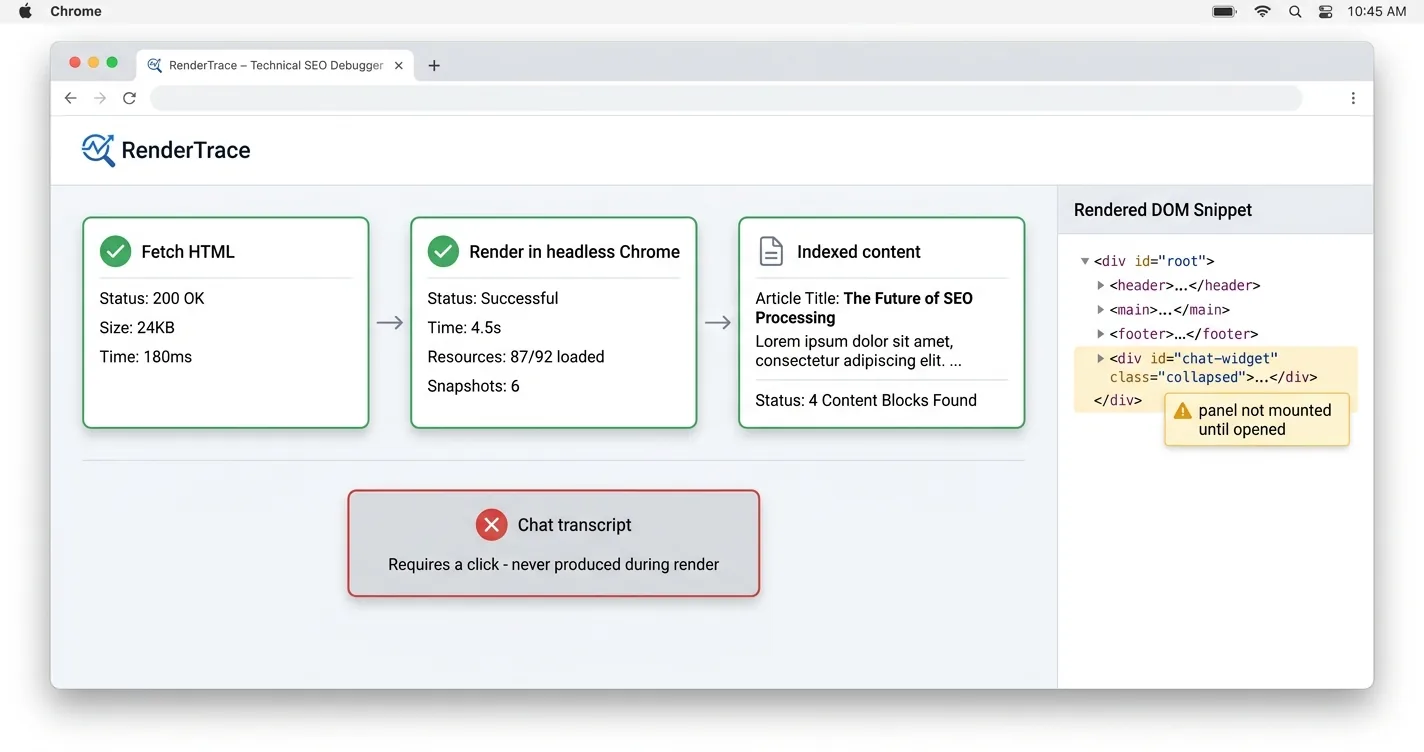
- Renders your page in headless Chrome. DOM-injected content is indexable in principle
- Never clicks or types. A transcript that requires interaction is never produced
- Follows crawlable URLs. Per-conversation URLs are the one real anti-pattern
- Ignores script weight for crawl budget. Budget tracks URL count and server response health
Does an AI Chat Widget Break Google Rules on AI Content?
This is the objection publishers actually raise after the March 2024 core update and new spam policies, and it rests on a misread of the policy. Google’s scaled content abuse rule is about pages, defined as “many pages are generated for the primary purpose of manipulating search rankings and not helping users.”
The prohibited example Google gives is using generative AI tools to produce many pages without adding value for users. An AI chatbot embedded on a blog produces no pages at all, publishes nothing to the index, and answers one reader at a time inside a session that ends when the tab closes.
Google’s dividing line has always been intent rather than the tool. Danny Sullivan and Chris Nelson, writing for the Search Quality team, put it directly in Google’s guidance on AI-generated content: “Appropriate use of AI or automation is not against our guidelines. This means that it is not used to generate content primarily to manipulate search rankings, which is against our spam policies.” That leaves AI-assisted work aimed at real readers untouched.
Publishers do still get hurt on the other side of the site. Bulk AI articles published at volume are a different activity with a different risk profile, and running a chat widget neither causes that nor cleans it up for you.
If your real concern is AI Overviews taking clicks that used to reach your pages, that is a separate problem covered in our guide to protecting blog traffic from AI Overviews.
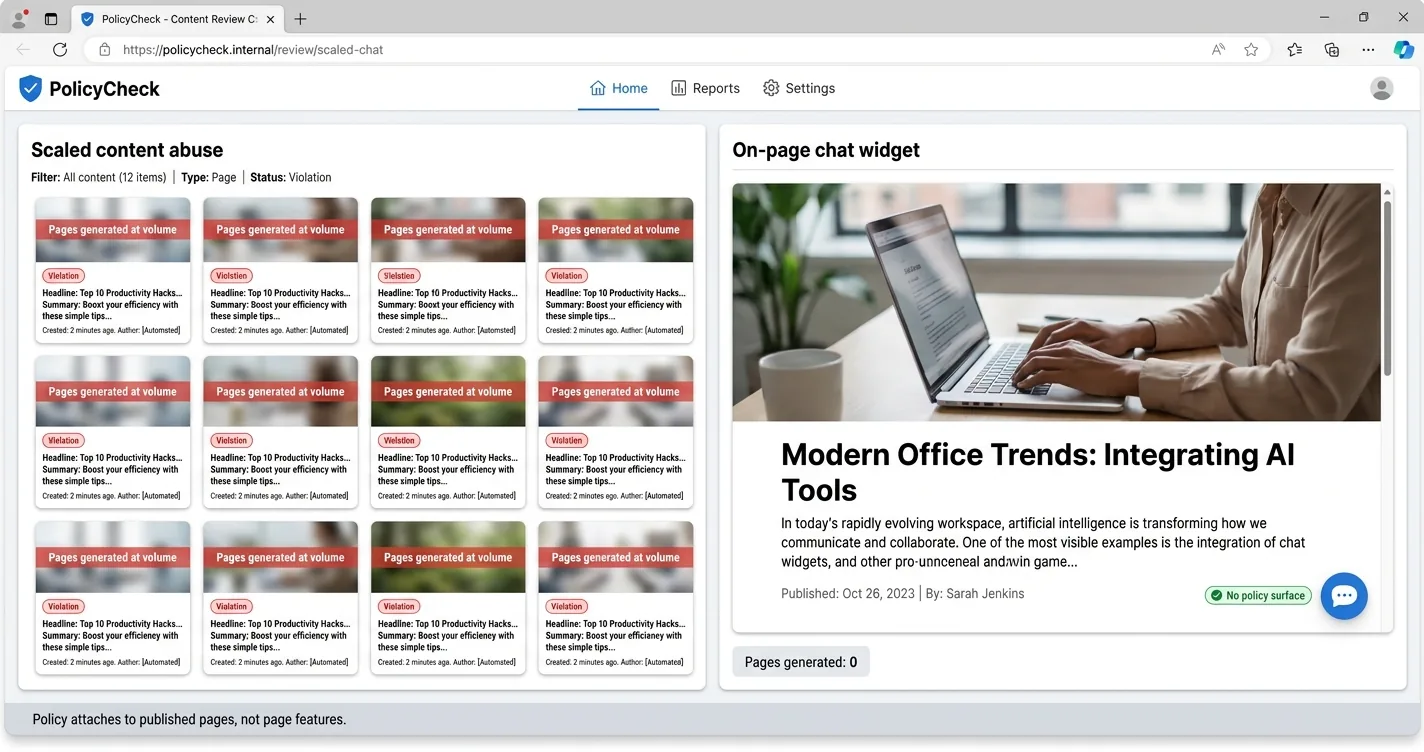
Scaled content abuse applies to pages generated at volume to manipulate rankings. A chat widget generates no pages, so the policy has nothing to attach to. What you publish as articles is judged on its own, with or without a widget on the site.
What About the Affiliate Links Inside Chat Replies?
Google asks publishers to qualify paid links, and the rule itself is short. Links that are advertisements or paid placements should carry rel="sponsored", and Google’s guidance notes that nofollow remains acceptable though sponsored is now preferred.
For a widget, that requirement largely settles itself before you do anything. Links inside a chat reply render only after a reader interacts, so Googlebot never reaches them and they pass PageRank nowhere regardless of the attribute. Tagging them anyway is the right default, and any widget that inserts affiliate links should be doing it for you.
Your in-article affiliate links are the half actually worth auditing. Those sit in the crawled HTML and they do pass signals, so a block of untagged ones is real exposure in a way that an unindexed chat transcript never is.
Disclosure is a separate obligation from the link attribute, and the FTC does not care what Googlebot can or cannot see. Our guide to disclosing ads in AI chats covers what that looks like inside a conversation.
Work through the audit in that order rather than the reverse. Body copy carries the crawlable risk, so it comes first, and the widget is the lower-stakes half.
<!-- What a qualified affiliate link looks like in your body copy -->
<a href="https://www.amazon.com/dp/B0F3PQHWTZ?tag=yourtag-20"
   rel="sponsored nofollow">Sony WH-1000XM6</a>
Does Reader Engagement from Chat Help You Rank?
Nearly every article on this topic claims a chat widget lifts dwell time and that dwell time lifts rankings. The second half of that claim is not true, and Google has said so more than once.
Gary Illyes put it bluntly in a Reddit AMA, lumping “dwell time, CTR, whatever Fishkin’s new theory is” together as “generally made up crap.” Asked separately whether Analytics data feeds ranking once it is connected to Search Console, Google’s Search Liaison answered “As a ranking signal? No.” The triad those competing posts keep repeating has no source behind it.
The accurate version of this surfaced during the DOJ antitrust trial. Pandu Nayak testified that NavBoost, a system that reranks results using click behavior aggregated in Google’s Glue warehouse, is “one of the important signals that we have.”
Read what NavBoost actually measures before getting excited about it. It runs after retrieval and reranks on how people click and return inside Google’s own results page, which is a different behavior from how long a reader lingers on your site.
No published before-and-after study ties a chat widget to a ranking change, and inventing one here would put this article in the same pile as the ones it is correcting. Chat engagement is worth having for revenue and for reader satisfaction, and neither of those is a ranking lever. Satisfaction depends far more on whether readers trust the assistant than on anything Google measures.
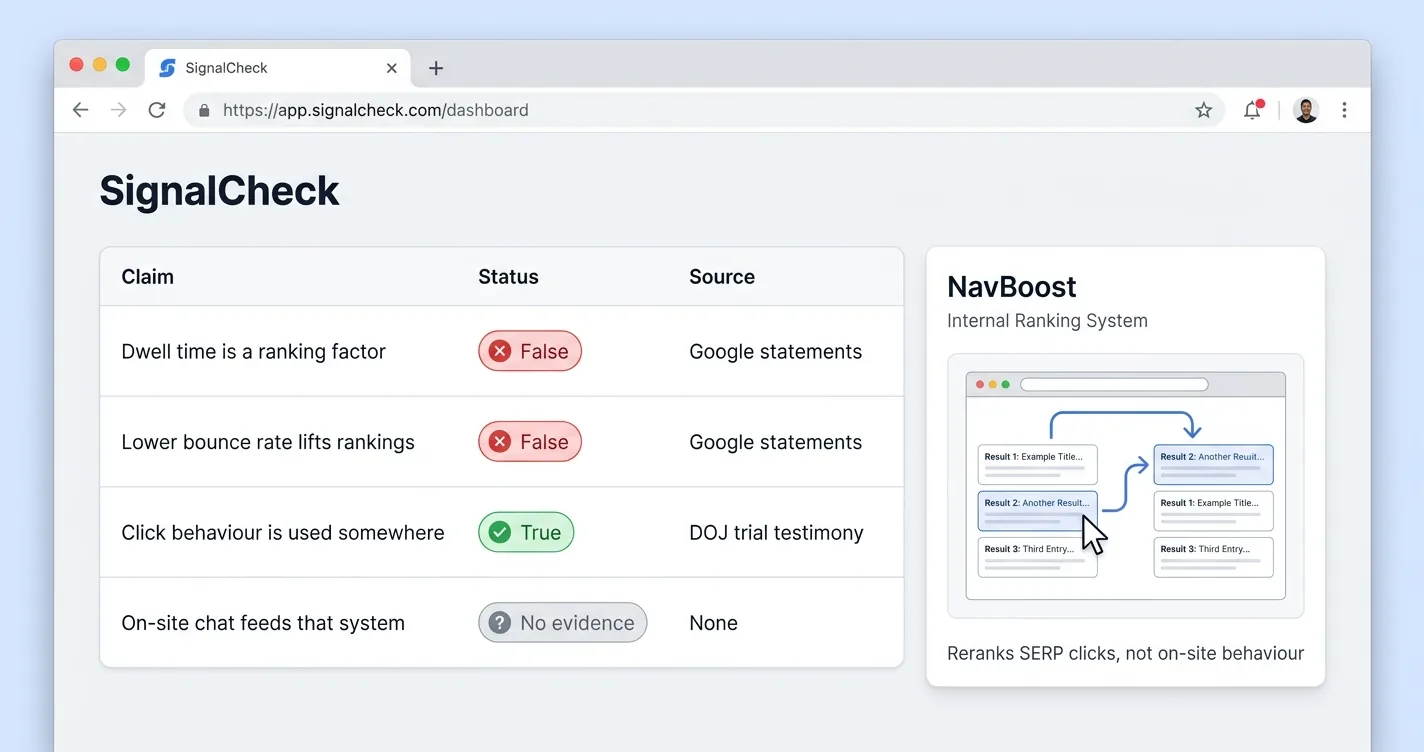
What the competing articles assert, and what the record actually shows
| Common claim | Status | What is actually on the record |
|---|---|---|
| Dwell time is a ranking factor | False | Illyes has called the term made up and not used internally |
| Lower bounce rate lifts rankings | False | Google's Search Liaison: Analytics data is not a ranking signal |
| Click behavior is used somewhere | True | NavBoost, per DOJ trial testimony, reranking after retrieval |
| On-site chat feeds that system | No evidence | NavBoost measures SERP clicks, not on-site behavior |
| Widgets measurably improve rankings | Unproven | No credible before-and-after case study exists |
How Do You Install One Without an SEO Cost?
Four checks cover essentially all of the SEO risk, and none of them takes long. None of the four requires a developer or a paid plugin either.
Load the script with async or defer, and never synchronously inside the page head. Chrome’s Lighthouse documentation defines a render-blocking script as exactly that combination, and it is the most direct route by which a chat widget reaches your LCP. On Blogger, the async attribute has to be written as async=”async” before the theme will save, a quirk covered in our guide to adding a free AI chatbot to Blogger.
Confirm the bubble uses fixed positioning and reserves no space in the layout. Check the mobile breakpoint separately, because a bubble that falls back to inline placement on small screens is the one configuration capable of shifting your content. If you also run display ads, the bottom strip is already spoken for, which is the whole of what running a chat widget with Mediavine or Raptive actually asks of you.
Keep the panel closed until a reader opens it deliberately. Google’s intrusive interstitials guidance targets promotional dialogs that cover the content, and chat bubbles appear there as neither a violation nor a named exception, so treat this as a judgment about element shape rather than a Google ruling.
Measure the result in field data rather than a single lab run. CrUX and Search Console report what visitors actually experienced, on a 28-day rolling window, and that is the one measurement the FreshChat trick could never have fooled. Give any change a full window before you judge it.
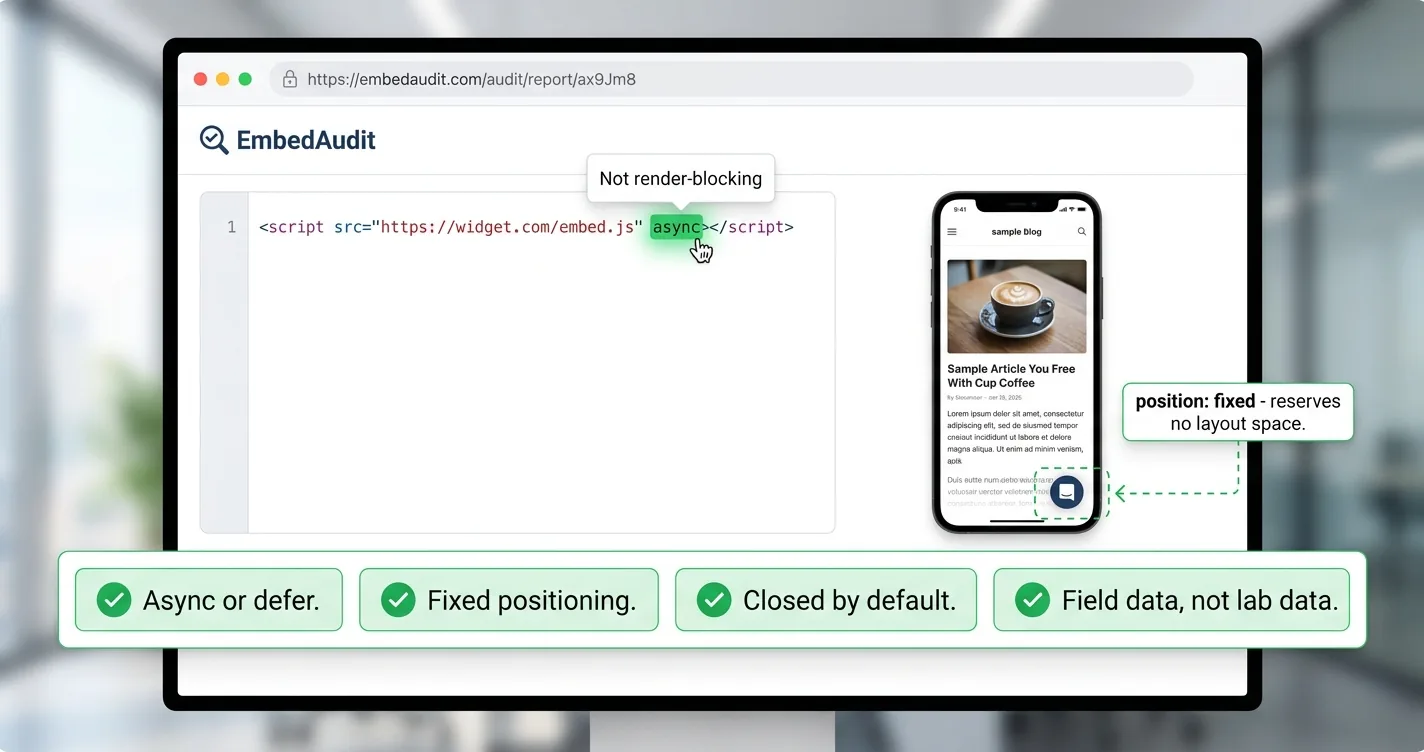
- Async or defer. A script with neither, sitting in the head, is render-blocking by definition
- Fixed positioning. Confirm the bubble reserves no layout space, on mobile as well as desktop
- Closed by default. Nothing should cover your content until a reader chooses to open it
- Field data, not lab data. Compare CrUX before and after, roughly 28 days apart
A chat widget hurts your SEO in one way, which is by being heavy or loaded carelessly. The rest of the worry list comes apart under inspection: a fixed bubble cannot cause layout shift, the transcript never reaches the index, and Google’s AI content rules govern published pages rather than page features. The engagement upside most articles promise falls apart too, in the other direction.
Pick a light vendor, load it async, keep the panel closed, then check your Core Web Vitals report again in a month. If you want a starting shortlist, our roundup of free no-code AI chat widgets for small blogs compares the options on weight and setup. A widget earns its place through readers and revenue rather than rankings, and that is a fair trade for a script measured in kilobytes.
AI Chat Widget SEO FAQ
Will an AI chat widget hurt your SEO?
Only if it is heavy, loaded synchronously, or covering your content. A lightweight widget loaded with async, using fixed positioning and closed by default, has no mechanism to affect LCP or CLS and adds very little to INP. The vendor you pick matters far more than the decision to run a widget at all.
Does a chat widget affect Core Web Vitals?
INP is the only vital with real exposure, because widget scripts run work on the main thread and attach event listeners. CLS is structurally impossible for a fixed-position bubble, since web.dev counts a layout shift only when existing elements move. LCP is unaffected unless the script loads synchronously in the page head.
Can Google index what an AI chat widget says?
No, and the reason is mechanical rather than a policy decision. Googlebot renders pages in headless Chrome and indexes the rendered HTML, but it does not click buttons or type into inputs. A chat reply only exists after a reader interacts, so it is never present during the render pass and never enters the index.
Does Google treat an AI chatbot on a blog as spam?
Google's scaled content abuse policy applies to many pages generated to manipulate rankings rather than help users. A chat widget generates no pages and publishes nothing to the index, so the policy has nothing to attach to. The dividing line Google draws is manipulative intent, not the use of AI.
Do chat widgets improve dwell time and therefore rankings?
Dwell time is not a ranking factor at Google, however often it gets repeated. Gary Illyes has called it a made-up term Google does not use internally, and Google has confirmed it does not use Analytics data for ranking. Click behavior is used through NavBoost, but that system reranks based on clicks inside Google's results page rather than time spent on your site.
Do affiliate links inside chat replies need rel sponsored?
Tag them as a matter of good practice, though Googlebot never reaches links that render only after a reader interacts. The links genuinely worth auditing are the ones in your body copy, which sit in the crawled HTML and do pass signals. FTC disclosure is a separate requirement that applies either way.