Your ad network pays the bills, so anything new on the page gets judged against that risk first. Publishers running Mediavine or Raptive in 2026 are weighing an AI chat widget against a monthly check, and a policy violation on an ad exchange is a slow, expensive thing to unwind. So the question almost always arrives as a permission question.
Nothing either network publishes bans a non-ad script like a chat widget, and neither has written a chatbot policy at all. There is a genuine risk here, though it has nothing to do with permission and everything to do with which pixels the bubble sits on top of. Ad density, viewability and session RPM each answer differently, so it helps to take them one at a time.
Running a chat widget alongside Mediavine or Raptive is a placement problem rather than a policy problem.
- Nothing either network publishes bans a third-party script. Raptive's exclusivity clause covers display and video ads, and defines affiliate links separately
- Neither has published a chatbot policy at all, so there is no approved-vendor list and no documented approval to wait on
- Ad density counts ad units inside your main content area, and a fixed-position bubble is not in it
- Covering an ad is the real risk. Google's publisher policies ban partially obscuring a served ad, with no size carve-out
- Session RPM has no published answer, because nobody has measured a chat widget against publisher revenue
Ask ChatGPT to summarize the full text automatically.
Do Mediavine and Raptive Actually Allow Third-Party Chat Widgets?
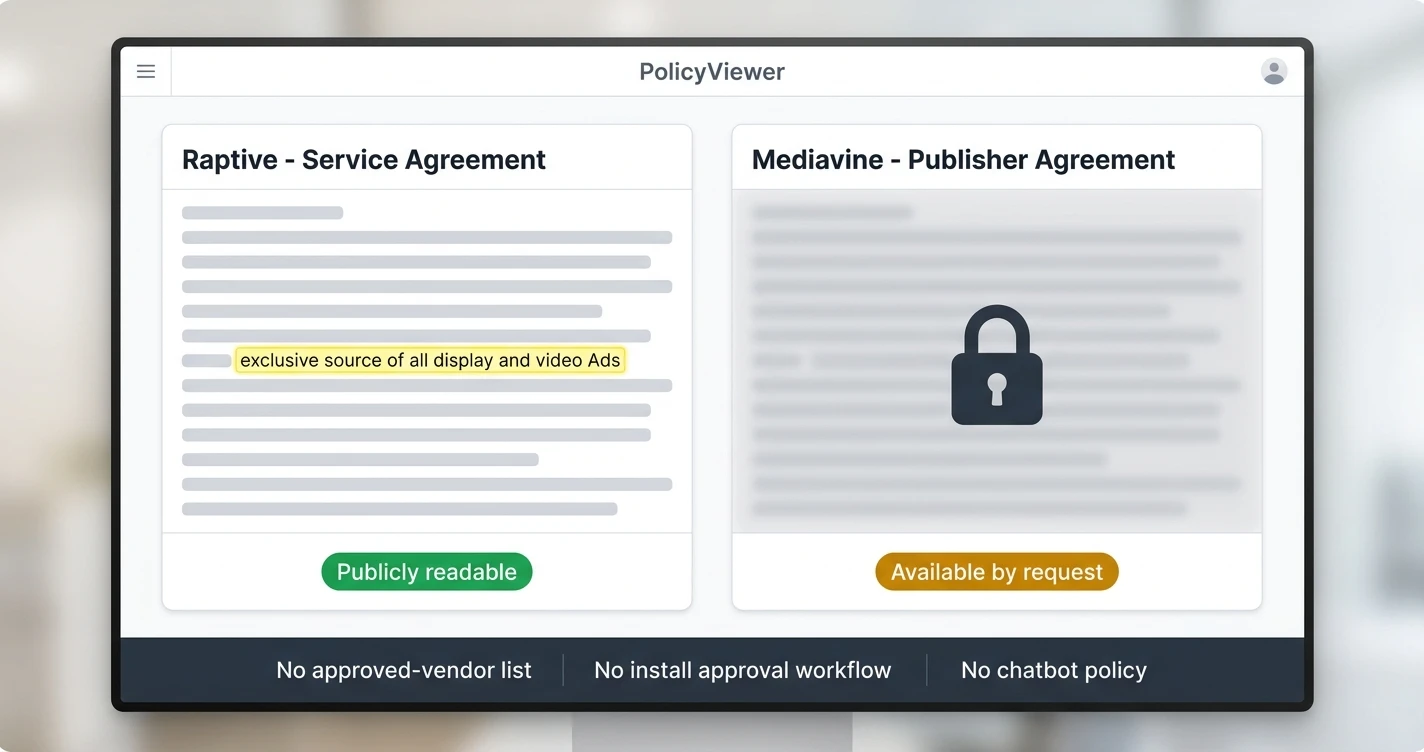
Nothing in either network’s public rules bans a chat widget, and the contract language is specific enough that you can check it yourself. Raptive’s service agreement says Raptive “will be the exclusive source of all display and video Ads on your Site(s),” then defines Ads as banner, text-based, and pre and post-roll video advertising.
That exclusivity does not reach a chat widget monetized with affiliate links. The same agreement defines “Affiliate Links” separately as links to merchant sites that earn a referral fee, and it treats them as their own service line sitting outside the display and video clause.
Mediavine is harder to verify, and the honest answer is that you cannot read their publisher agreement. It is available only by request from their publisher team, so the public evidence is their help center, which treats floating third-party features like Slickstream as ordinary page furniture with one placement rule attached.
The gaps in both sets of documents are worth naming directly. Neither company publishes an approved-vendor list, an install-approval workflow, or a single line about chatbots and AI assistants as a type of page element.
Based on publicly readable documents as of July 2026
| Question | Mediavine | Raptive |
|---|---|---|
| Publisher agreement public | No, by request only | Yes, on their site |
| Bans third-party scripts | Nothing published | No such clause |
| Ad exclusivity scope | Nothing public | Display and video ads |
| Affiliate links treated as ads | Nothing public | No, defined separately |
| Chatbot-specific policy | None | None |
Does a Chat Bubble Count Against Your Ad Density?
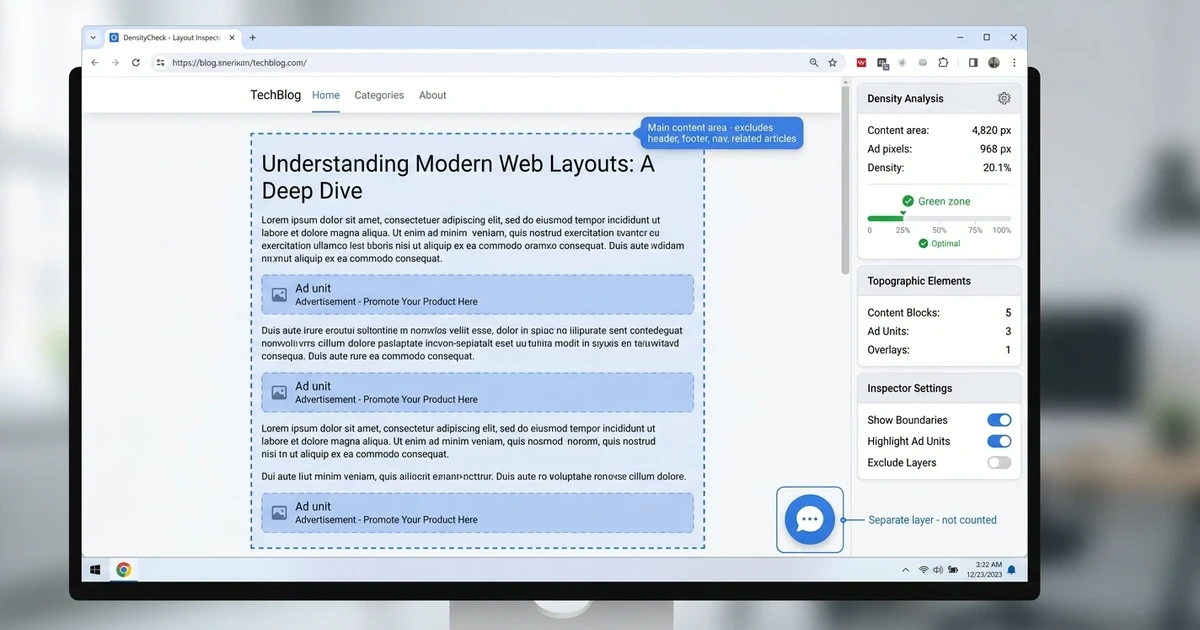
Ad density measures ad units against content, and a chat bubble is neither one. Raptive’s ad density documentation puts the calculation inside the main content area, which “excludes headers, footers, site navigation, and related articles,” and sets their recommendation at 20% on desktop and 24% on mobile.
A fixed-position bubble sits outside that calculation, because it is not in the content area at all. It renders in its own layer above the page, and it is not an ad unit inserted into the in-content layout that either measurement is counting.
Mediavine frames the same concept as a percentage of a web page’s content versus its advertising, one of several numbers worth knowing before you add anything to the page. Their December 2024 change to the in-content ad experience cut in-content ad density by 54%, and Mediavine’s own announcement is careful about what that means, noting that “density is not the same as the number of ads on a page.”
One caveat belongs in the main text rather than a footnote. Mediavine and Raptive have not published a sentence saying chat widgets are excluded, so this is their own definition read plainly instead of a ruling you could quote back to a rep.
Density is measured against your main content area, so the fastest way to lower it is to write longer articles rather than removing ad units. A 2,000-word post carries the same ad count at half the density of a 1,000-word post.
Can a Chat Widget Break Ad Viewability?
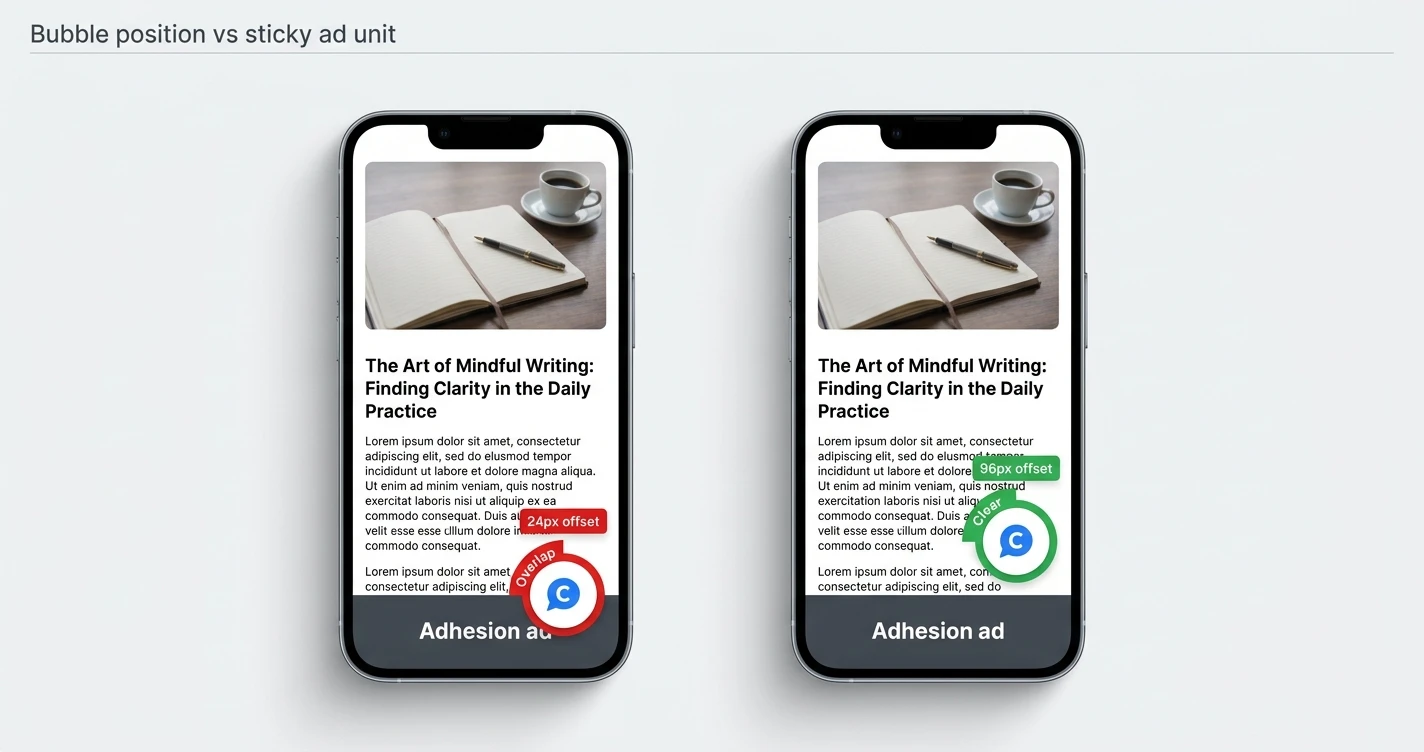
This is the part that can genuinely cost you, and it comes down to layout rather than a rule you broke. Mediavine’s adhesion ad guidance tells publishers to make sure floating sharing buttons, back-to-top buttons, or “a feature set like Slickstream” do not overlap adhesion ads.
The consequence they attach to it is worth reading twice. Covering an ad “can cause accidental clicks, which result in policy violations, and cause trouble for you with the ad exchanges.”
The rule underneath both networks is stricter still, since each one sells inventory through Google’s exchange. Google’s publisher policies state that “We do not allow content that: fully or partially obscures Google-served ads,” and there is no carve-out for small elements or minimum size that makes an overlap acceptable.
The counterintuitive part is that your dashboard is unlikely to warn you. An impression only counts once 50% of the ad’s pixels are visible for a continuous 1 second, which is a measure of position in the viewport rather than of painted pixels. Google’s own troubleshooting guide puts the gap plainly: “Floating elements over the page with CSS (for example, float:) can interrupt viewability measurement because the JavaScript DOM may not reflect the positioning that you see.” So an overlapped ad may still report as viewable while the obscuring policy is being broken.
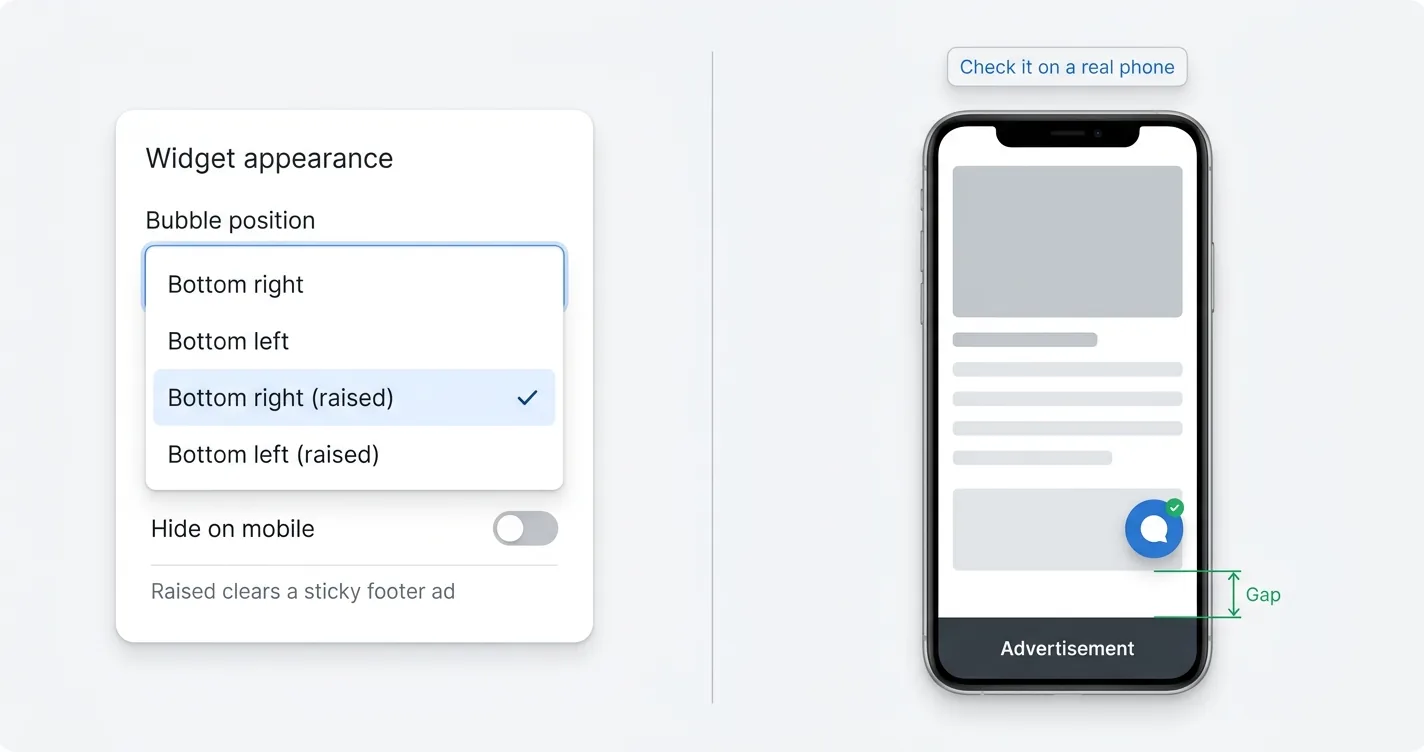
That makes this a setup decision instead of a metric you watch afterward. ChatAds ships four bubble positions for exactly this reason, two corners at the standard 24px offset and the same two corners raised to 96px on desktop and 60px on mobile, because the bottom strip is where ad networks put their sticky units.
The elements a corner chat bubble is most likely to collide with
| Element | Where it sits | What to do |
|---|---|---|
| Mediavine adhesion ad | Full-width bottom strip | Raise the bubble above it |
| Raptive sticky footer | Full-width bottom strip | Raise the bubble above it |
| Raptive sticky video | Collapses bottom right | Move the bubble left |
| Cookie or consent banner | Usually bottom, temporary | Check it while it is showing |
Will It Hurt Your Session RPM?
Two mechanisms pull in opposite directions here, and neither has been measured for chat widgets. In favor of the widget, Mediavine auto-refreshes an ad that has been in view for more than 30 seconds and reruns the auction, telling publishers that “the longer your readers stay on the page, the more $$ you will earn.”
Working against it, a reader who gets an answer inside the chat panel may never click through to a second article. Session RPM divides earnings by sessions, so pageviews lost inside a session pull the top of that fraction down even while time on page goes up.
Nobody has published data showing which of those two effects actually wins out. The closest evidence comes from research on AI Overviews, where a randomized field experiment by Saharsh Agarwal and Ananya Sen found that AI Overviews “reduce outbound organic clicks by 39.8% and increase zero-click searches by 34.5%” when they appear. That measures behavior on a search results page rather than on your site, so treat it as an analogy instead of a number you can apply.
Page weight is the one input you can check before you install anything. Raptive’s Core Web Vitals guidance blames high INP scores on “long JavaScript tasks, heavy third-party scripts, or too many interactive features on a single page,” without naming a ceiling of its own. Google publishes one: an INP below or at 200 milliseconds means a page has good responsiveness, judged at the 75th percentile of real page loads.
The ChatAds bundle loads async at 59KB minified and roughly 19KB gzipped over the wire. Payload varies enormously between chat vendors, which is the same reason a chat widget can or cannot cost you SEO depending entirely on who built it.
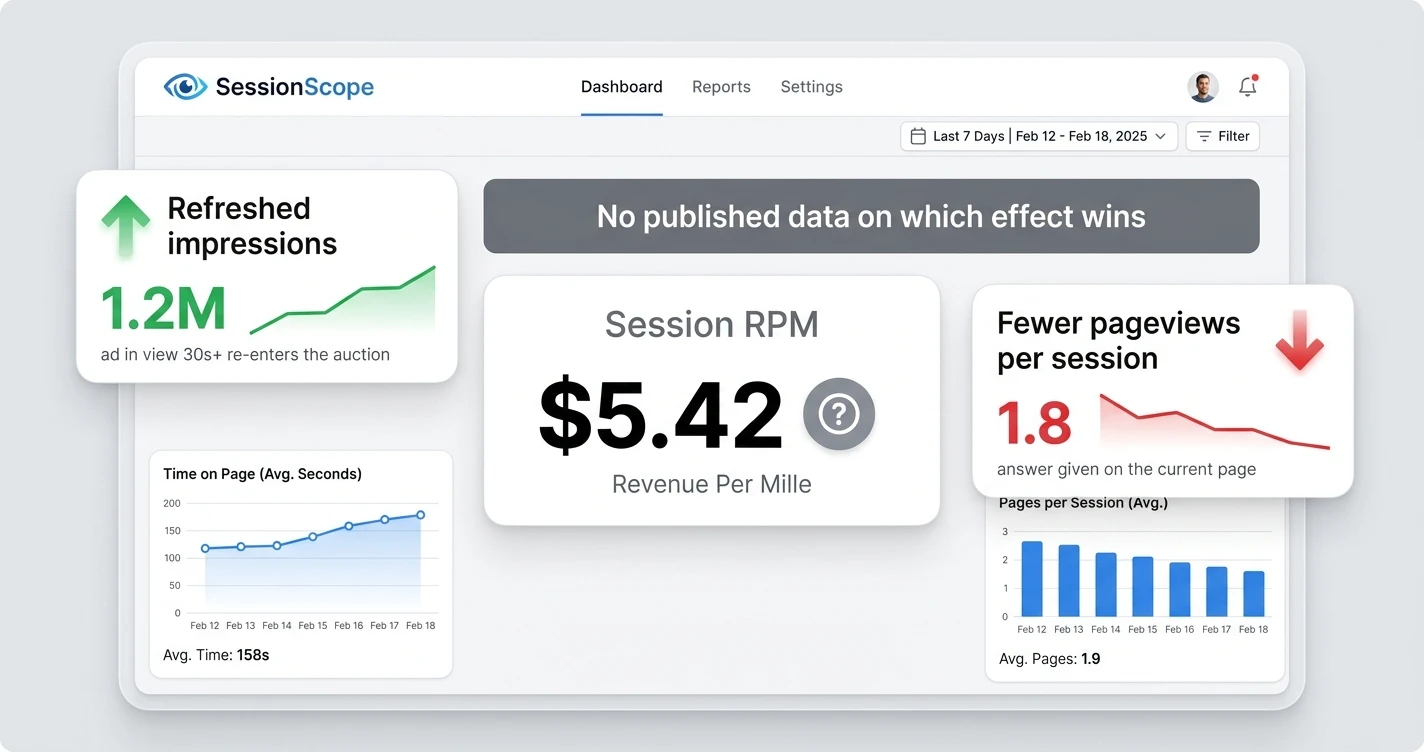
- Mediavine refreshes an in-view ad after 30 seconds, so dwell time on one page can add impressions
- Session RPM is earnings divided by sessions, so fewer pageviews per session cuts it
- No published case study or dataset measures a chat widget against publisher RPM
- Neither network publishes a performance ceiling tying a page speed score to a revenue number
The embed is one async script tag at 19KB gzipped, bubble position has four options including two raised to clear a sticky footer, and hide-on-mobile is a dashboard toggle. Readers chat with an AI that answers from your own content, affiliate links are woven into the replies, and publishers keep 100% of the commissions. Start free at getchatads.com.
How Do You Install One Without Risking Your Ad Account?
Three steps cover the whole risk, and only the first one carries real weight. Find out what your network puts at the bottom of the screen, because Mediavine’s adhesion unit and Raptive’s sticky footer both live there, and Raptive’s sticky video collapses into the bottom-right corner.
Pick the corner and height that clears it, then check the result on a real phone instead of a desktop preview. Mobile is where the bottom strip gets crowded, and a browser window resized to phone width will not show you the adhesion unit the way a reader actually meets it.
Tell your rep afterward, even though no published rule requires approval before you install anything. That note gives you a written record of the change, which is worth having if your viewability numbers move a week later.
With ChatAds both of those controls are dashboard settings rather than code changes, so a network layout change next quarter costs you a dropdown instead of an edit to your theme.
The tag itself stays one line, and async is the part that matters next to an ad stack, because it keeps the widget out of the critical path your ad script is already competing for:
<script async src="https://www.getchatads.com/widget.js?key=cwk_your_widget_key"></script>
- Scroll a real article on a real phone. That is where the bottom strip is busiest
- Watch the adhesion unit load. It often appears a moment after the page does
- Open the chat panel too. The expanded panel covers more than the bubble does
- Check a consent banner page. Two floating elements can stack on each other
- Send your rep a note. No approval needed, but a heads-up costs nothing
Permission was never the real question here, which is the useful half of the answer. Raptive’s exclusivity clause covers display and video ads while defining affiliate links separately, Mediavine’s help center treats floating widgets as ordinary furniture, and ad density counts ad pixels against content pixels rather than counting page elements.
The risk that remains is the one you control on the day you install. Keep the bubble clear of the adhesion unit, check it on a phone, pick something light, and watch your INP score for a few weeks afterward. Do that much and the widget becomes something you can test like any other engagement feature, judged on whether readers actually use it.
Frequently Asked Questions
Can you run an AI chat widget with Mediavine?
Nothing Mediavine publishes bans a chat widget, and they have no chatbot policy at all. Their publisher agreement is only available by request, so the public evidence is their help center, which treats floating third-party features as ordinary page furniture as long as they do not overlap an adhesion ad.
Does Raptive allow third-party scripts on your site?
Raptive's service agreement contains no clause banning third-party scripts. Its exclusivity clause covers display and video ads specifically, and the same agreement defines affiliate links separately as their own service line rather than as advertising.
Does a chat widget count against Mediavine ad density rules?
Ad density measures ad units against your main content area, and a fixed-position chat bubble is neither an ad unit nor inside that area. Neither network has published a sentence confirming this for chat widgets, so it is their own definition read plainly rather than a ruling you can quote to a rep.
Can a chat widget cause an ad policy violation?
Yes, if it covers an ad. Google's publisher policies prohibit content that fully or partially obscures a Google-served ad, with no carve-out for small elements, and Mediavine warns that covering an ad can cause accidental clicks and trouble with the ad exchanges. Keeping the bubble clear of the adhesion unit removes the main version of it, though an expanded panel or a consent banner can still land on top of an ad.
Will a chat widget hurt your session RPM?
Nobody has published data either way. Longer dwell time can add refreshed ad impressions, since Mediavine reruns the auction on an ad in view for 30 seconds, while a reader who gets their answer in the chat panel may view fewer pages in the session. Treat it as a test on your own traffic rather than a known outcome.
Do you need approval from Mediavine or Raptive before installing a chat widget?
Neither network publishes an approval workflow or an approved-vendor list for page features like this, so there is nothing published to submit. Telling your rep afterward is still worth doing, because it gives you a written record of the change if your viewability numbers move later.