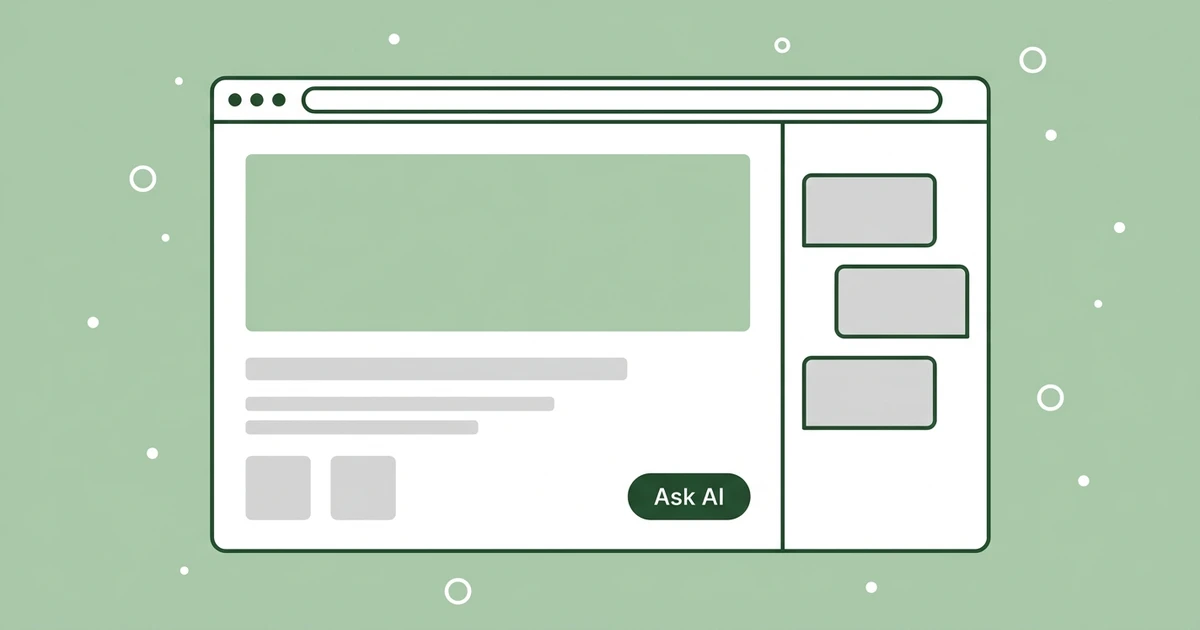
Open OpenAI’s developer site and a small dark pill sits in the bottom-right corner, labeled “Ask AI.” Click it and a panel slides in from the right, holding a text box and three starter prompts. Nothing about the page changes, and your scroll position stays exactly where it was.
That same button now sits in the header on Stripe’s docs and on Vercel’s docs. Readers have learned what it means, which is the part that matters for anyone running a content site in 2026. A labeled control that people already recognize costs you nothing to explain.
There are five practical ways to add an Ask AI button to your website, and getting one live takes less work than it looks.
Across OpenAI, Stripe, and Vercel the wording landed on "Ask AI" rather than "Chat," "Support," or "Help." Mintlify's "Ask Assistant" and Supabase's "Ask Supabase AI" are the same verb doing the same job. The wording names what the reader is about to do and promises an answer instead of a queue.
Ask ChatGPT to summarize the full text automatically.
What Is an “Ask AI” Button?
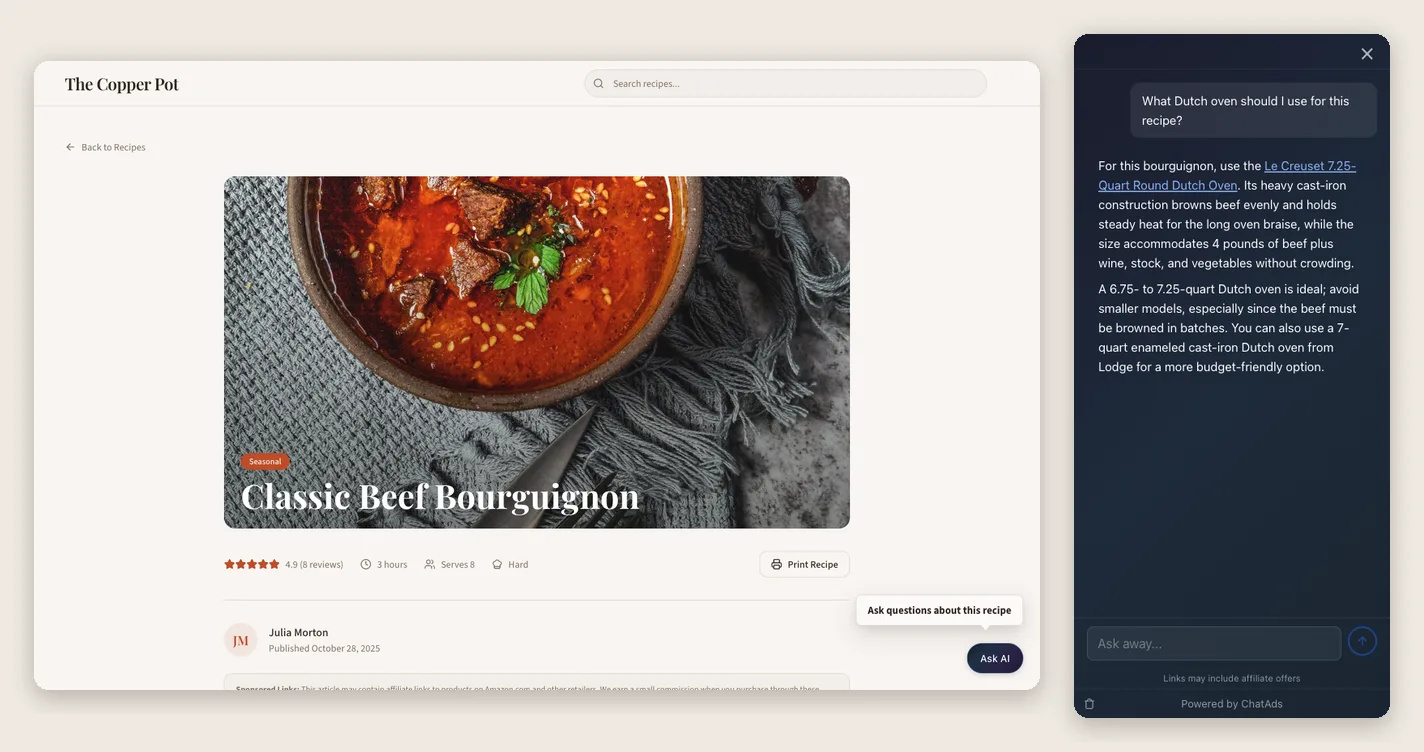
The pattern has three parts, and all three have to be present before readers treat it as an Ask AI button. First comes a persistent control with a plain label, parked in the corner or in the header so it stays visible on every page. Second comes a panel that docks beside the content rather than a page that loads.
Third comes a real thread, so a reader can ask a follow-up without retyping the whole question. OpenAI’s version opens a 440px panel titled “Docs agent,” offering quick actions for asking a question, finding a page, or building a custom guide. On a phone that same panel turns into a bottom sheet.
The label does a surprising amount of the work here, which is why the wording settled before the engineering did. “Chat with us” suggests a human on the other end who may not be around at eleven at night. “Support” tells a reader who only wanted a product recommendation that they have wandered into the wrong queue.
“Ask AI” names the action the reader is about to take and sets the expectation of an answer. ChatAds ships those same two words as the default text on its bubble, which says less about the vendor than about how strong the convention has become. What a reader expects after clicking is an answer drawn from this site, inside a panel they can dismiss without losing their place on the page. That expectation is the whole reason to add an AI assistant to your website rather than another contact form.
| Site | Label | Placement | What Opens |
|---|---|---|---|
| developers.openai.com | Ask AI | Floating bottom-right pill | Docked side panel, bottom sheet on mobile |
| docs.stripe.com | Ask AI | Header, beside search | Assistant panel |
| vercel.com/docs | Ask AI | Header, beside Search Docs | Assistant panel |
| mintlify.com/docs | Ask Assistant | Header, own shortcut | Assistant panel |
| supabase.com/docs | Ask Supabase AI | No button, inside the command palette | Palette mode |
| docs.github.com | Search or ask Copilot | No button, merged into search | One field, both jobs |
Way 1: Drop In a Hosted Ask AI Widget
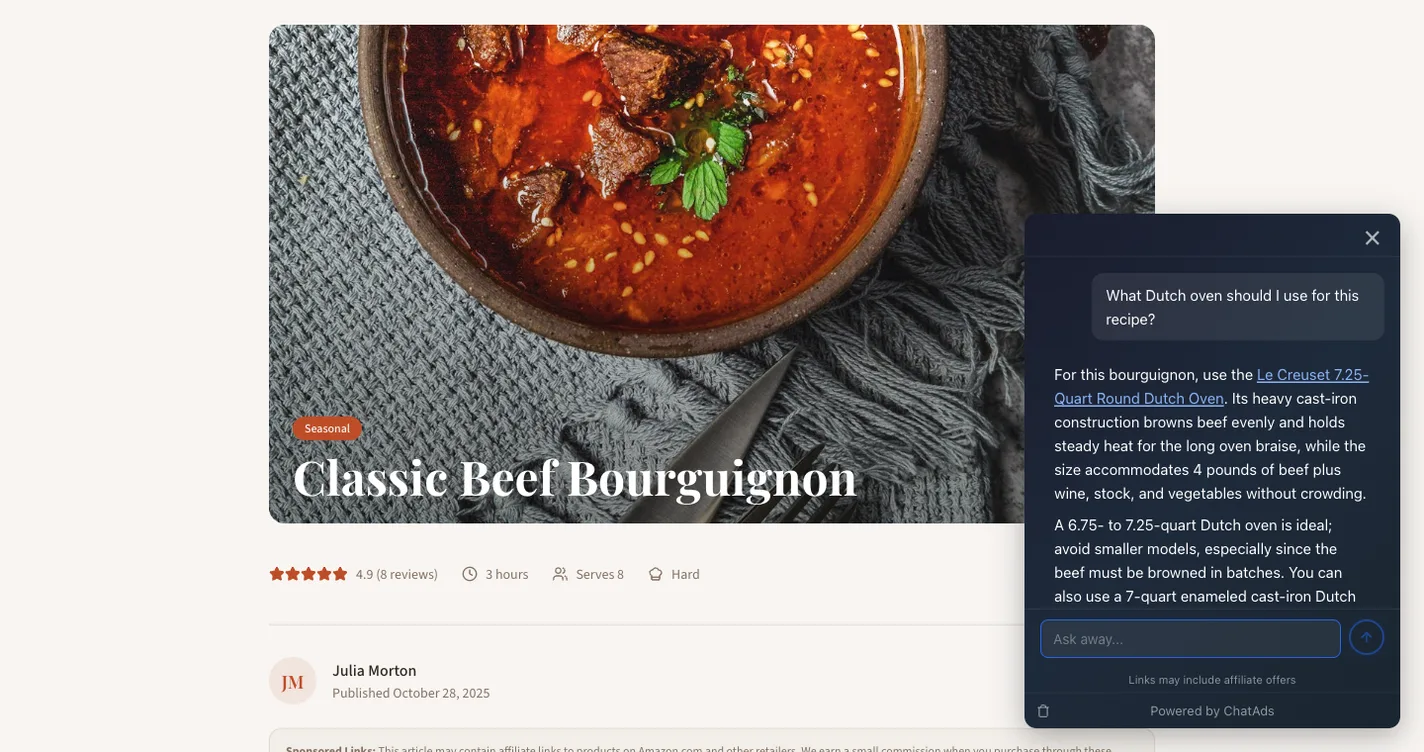
A hosted Ask AI widget is the shortest path, because the whole install is one script tag in your template. The vendor owns grounding answers in your content, the model bill, the panel UI, and the mobile behavior. You own one line in your layout file, and nothing else.
<script async src="https://www.getchatads.com/widget.js?key=cwk_your_key"></script>
Because it is plain JavaScript, the same tag works on Jekyll, Ghost, Webflow, or hand-written HTML with no build step and no plugin directory involved. ChatAds serves about 19 KB gzipped, defaults to a bottom-right pill labeled “Ask AI,” and opens a docked panel on desktop that goes full-screen on mobile. The free tier runs 100 chats a day and does not ask for a card.
The part that matters on a content site is the direction the money flows. In-line affiliate links are included on every tier, including the free one, and the publisher keeps 100% of the commissions. A reader who asks about a burr grinder gets a real recommendation with your own affiliate link inside the answer, so the button has a way to earn rather than only adding a line to your monthly bill.
Way 2: Turn On Your Docs Platform’s Built-In Ask AI
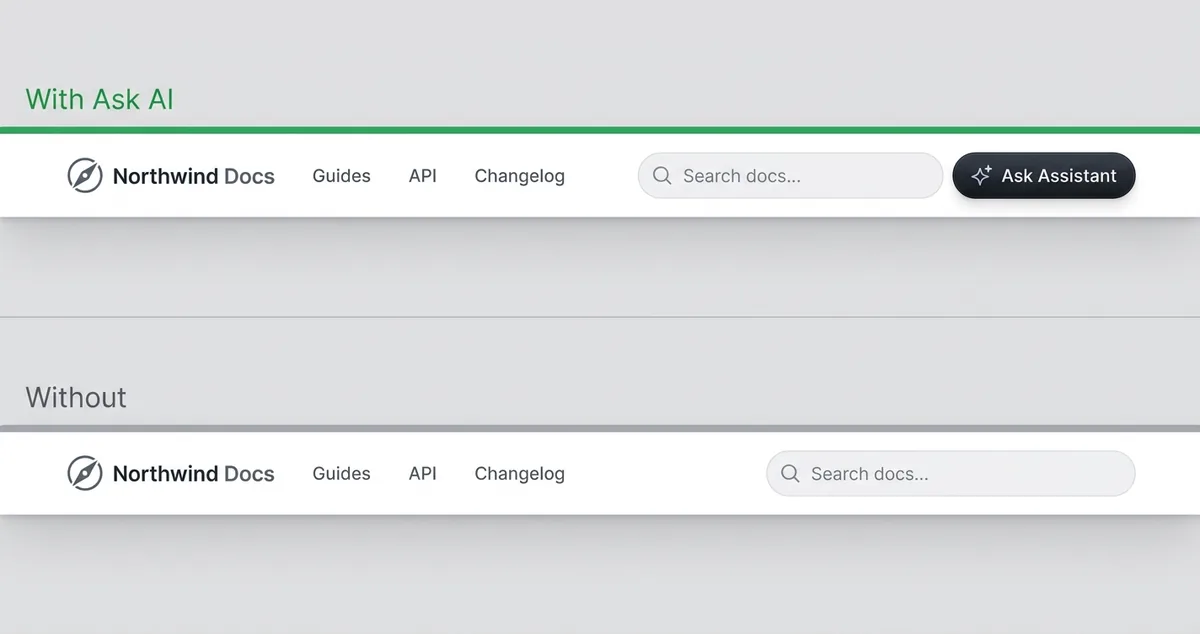
If your content already lives on a docs platform, the Ask AI feature may be one plan upgrade away. Mintlify’s own documentation pitches the Assistant as a way to “Add an AI-powered chat assistant to your documentation site that answers user questions, cites sources, and generates code examples on demand,” and it sits beside search with its own keyboard shortcut. You unlock it by tier rather than by a config flag, and the credits page puts an assistant response at 23 credits on average.
GitBook’s AI Assistant is real, and the price is what stands out about it. Its pricing page describes “An advanced AI chat sidebar that helps users find, understand, or take action on your docs,” and gates it to the Ultimate plan at $249 per site per month, with 500 successful answers included before you have to go ask about more.
Docusaurus is where most people get it wrong, because it has no first-party Ask AI at all. Its own search documentation says “There are a few options you can use to add search to your website:” and then lists only Algolia DocSearch, Typesense DocSearch, local search, and your own SearchBar component, so every “Ask AI” you have seen on a Docusaurus site is Algolia’s adapter, Kapa, or Inkeep bolted on afterward. This route is cheapest when you already pay for the platform, and worst value when you would migrate platforms just to get the button.
Docs-platform pricing assumes the assistant is a cost center you absorb, which works for a funded SaaS team and badly for a content site. A hosted widget like ChatAds inverts that math with a free tier at 100 chats a day, no card, and in-line affiliate links on every plan where you keep the full commission. The button earns instead of billing.
Way 3: Use a WordPress or Shopify Plugin
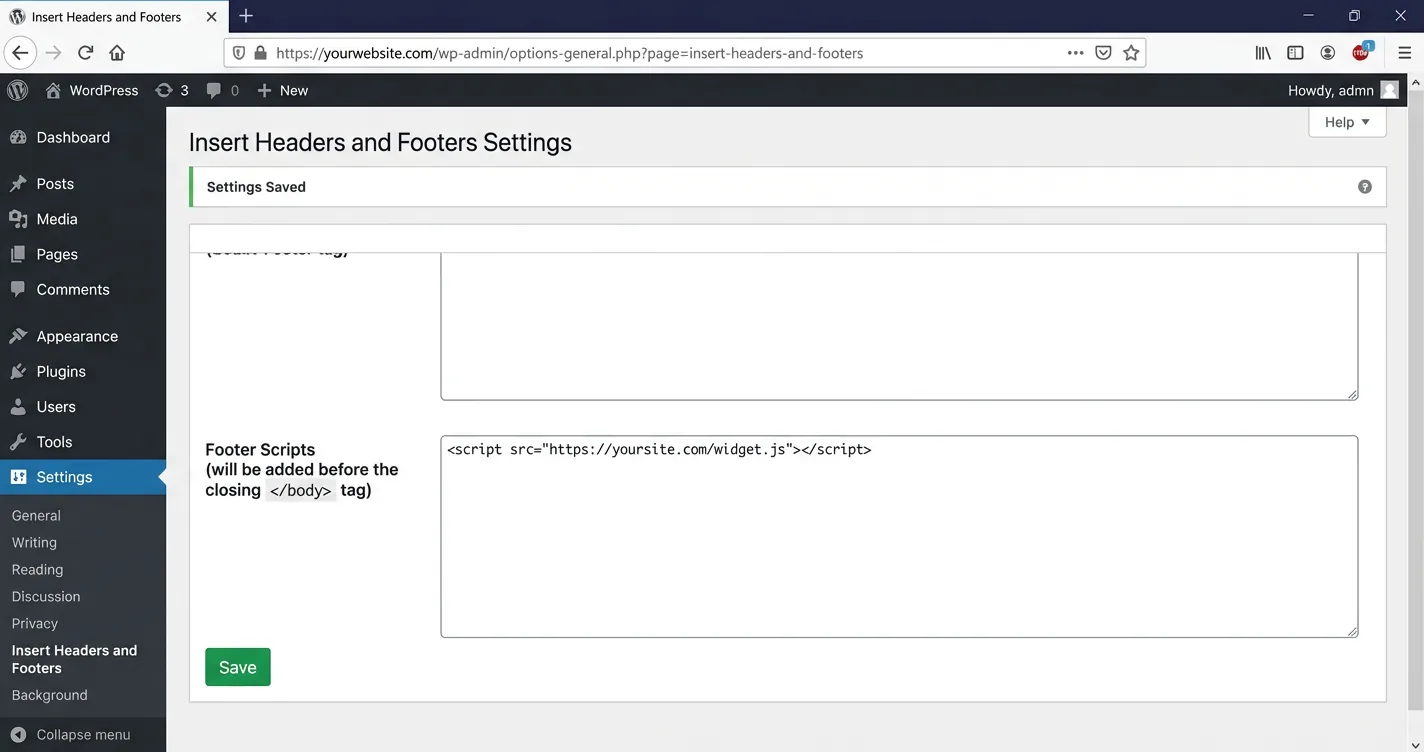
CMS sites can get the same button through an admin screen instead of a template edit. The WordPress.org plugin directory has options with real usage behind them, and the Shopify app store has its own set built mostly for commerce. Install counts and review scores are the fastest sanity check before you trust one with your traffic.
| Platform | Option | Traction | Notes |
|---|---|---|---|
| WordPress | WPBot | 5,000+ installs | Pro adds vector training on your content |
| WordPress | MxChat | 2,000+ installs | Free core, retrieval with inline citations |
| WordPress | ChatAds | v1.0.4, tested to WP 7.0.2 | Paste a key, monetized answers |
| Shopify | Tidio | 1,244 reviews | Lyro AI from $39/mo |
| Shopify | Conversagent | Tiered $19 to $99/mo | Priced by conversation volume |
The question that sorts this field is support desk versus answer engine. Most of these were built to deflect tickets and capture leads, so they open with “How can we help” and route toward a human, which is the wrong shape for a reader who wants a recipe substitution. Kapa.ai’s Clean Canvas case study measures exactly that goal, reporting that the 28 days after launch produced “an estimated ~200 support tickets deflected, equating to a 18.5% drop in tickets”. That is a real result, and it is a support metric rather than a reader-engagement one.
Blogs need the answer-engine shape instead, and only a few of the WordPress AI chatbot plugins are built that way. ChatAds publishes a WordPress plugin and a Shopify theme extension where you paste a widget key and never touch code, and the default label stays the same “Ask AI” pill.
Way 4: Put Ask AI Inside Your Site Search
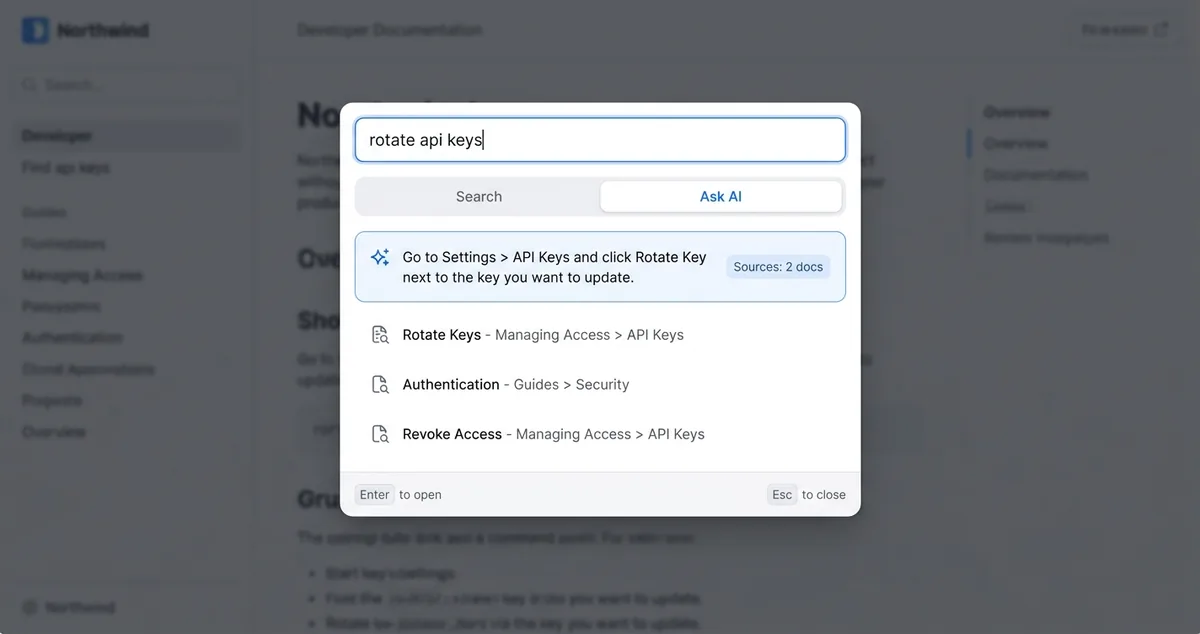
The second convention skips the button entirely and folds the ask into search. Supabase puts “Ask Supabase AI” inside its command palette as a mode sitting beside “Search the docs,” and GitHub goes further with a single field labeled “Search or ask Copilot” doing both jobs at once. Neither site asks the reader to learn a second control.
Algolia turned this into a product called Ask AI back in October 2025. It rides your existing search index and renders answers in a side panel beside ranked results, using your own model key. The feature is now folded into Agent Studio rather than sold standalone to new applications, so treat it as a feature of a larger platform.
Search-integrated ask is scoped to the query the reader just typed, dismisses on navigation, and inherits your existing relevance tuning. A floating button is a standing invitation that works on a browsing reader who was never going to open search in the first place.
That trade is what decides the right route for most sites. Reference documentation, where people arrive knowing the term they need, gets more out of search-integrated ask. An Ask AI chatbot for blog readers works differently, because those readers arrive mid-scroll from a search engine with a follow-up question they never planned, and a persistent button is what catches them. That is the pattern behind most of the free, no-code AI chat widgets aimed at small sites.
Way 5: Build It Yourself on the OpenAI API
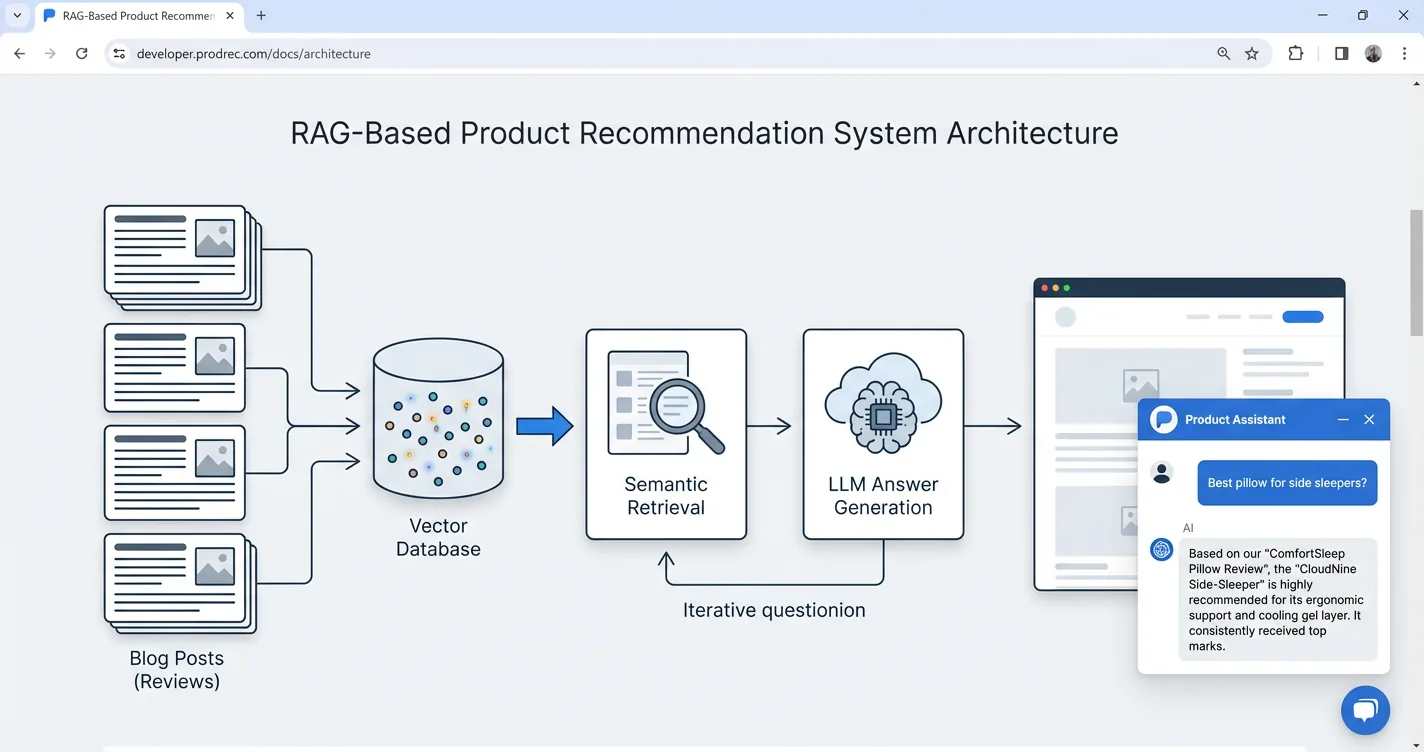
Wiring up the API yourself sounds like a weekend, and the per-unit costs support that feeling. Embeddings run $0.02 per million input tokens on text-embedding-3-small, and gpt-5-nano costs $0.05 per million input tokens against $0.40 per million output.
Storage and retrieval are where the meter keeps running after launch. OpenAI’s hosted vector store adds $0.10 per GB per day with the first gigabyte free, plus $2.50 per 1,000 file-search calls, and the same pricing page adds that “Tokens used for built-in tools are billed at the chosen model’s per-token rates,” so every chunk retrieval hands back gets charged a second time on the way into the prompt.
The happy path is genuinely short, which is exactly what makes the estimate optimistic. Embed the question, pull the nearest chunks out of your own index, and hand them to the model as context:
from openai import OpenAI
client = OpenAI()

q = client.embeddings.create(model="text-embedding-3-small", input=question).data[0].embedding
chunks = index.query(q, top_k=5)          # your vector store

client.chat.completions.create(
    model="gpt-5-nano",
    stream=True,
    messages=[
        {"role": "system", "content": "Answer only from the provided context. If it is not there, say so."},
        {"role": "user", "content": f"{chr(10).join(chunks)}\n\nQuestion: {question}"},
    ],
)
That is the whole assistant, and it is also where the estimate stops being accurate. Nothing above builds the index, keeps it current, streams tokens into a panel, or decides what happens when retrieval comes back empty.
The bill is almost never what kills one of these projects, and that surprises people. The standing maintenance is what does it, and none of it ever appears in the original estimate:
- Every content edit needs a re-embed trigger you have to build and monitor
- Model updates shift answer tone, so you need a fixed eval set to catch drift
- “Answer only from the provided context” plus a graceful fallback is permanent tuning
- Sessions, rate limiting, and moderation are all yours to wire and watch
- Streaming UI and mobile panel behavior are a design job, not an API call
No credible published estimate of dev-hours exists for a small content site, so anyone quoting you a build figure is guessing. The honest framing here is a good deal simpler than a spreadsheet. Build it if the assistant is the product you are selling. Buy it when the assistant is a feature sitting on content you already publish, which is the same logic behind the shortcut to add ChatGPT to your blog.
An “Ask AI” button is no longer a novelty a reader has to decode, which is the real reason to add one now. The five routes mostly differ in who absorbs the work. A hosted widget hands nearly all of it to a vendor, a docs platform hands it to your plan tier, and a DIY build hands it to you permanently.
Match the route to what you are actually running rather than to what a docs team picked. Content sites and blogs usually want the persistent pill and the lowest install cost, which is what pushes them toward the hosted route, and toward a widget that can offset its own cost through affiliate links instead of adding to a monthly bill.
Ask AI Button FAQ
How do I add an Ask AI button to my website?
The fastest route is a hosted widget: paste one script tag into your site template and the button, the panel, and the model bill are all handled for you. The other four routes are a docs-platform upgrade, a CMS plugin, folding the ask into site search, or building it yourself on an LLM API.
What is an Ask AI button?
It is a persistent, plainly labeled control that opens a chat panel answering questions about the site you are already on. The pattern has three parts: a visible button on every page, a panel that docks beside the content instead of loading a new page, and a real thread that supports follow-up questions.
Can I add Ask AI to my site without coding?
Yes. On WordPress or Shopify you install a plugin or app and paste a key into an admin screen, with no template file involved. ChatAds publishes a WordPress plugin and a Shopify theme extension that work this way.
How much does an Ask AI widget cost?
It ranges from free to several hundred dollars a month depending on the route. ChatAds has a free tier at 100 chats a day with no card, while docs platforms bill the assistant as a plan upgrade, with GitBook gating it to a $249 per site per month tier.
Can an Ask AI chatbot for a blog make money?
It can, if the widget supports in-line affiliate links in its answers. ChatAds includes them on every tier and the publisher keeps 100% of the commissions, which is the difference between a button that earns and one that only adds to your monthly bill.
Should the Ask AI button go in the corner or inside site search?
Reference documentation, where readers arrive knowing the term they need, gets more out of search-integrated ask. Blogs and content sites do better with a floating corner button, because those readers arrive mid-scroll with a follow-up question and were never going to open search.