
Food bloggers spend hours answering the same reader questions about swaps, servings, and substitutions. Most of those questions land in the comments, long after the reader has already closed the tab. An AI recipe assistant answers them the moment they come up.
A recipe assistant reads your posts and replies right on the page, so a reader asking about a buttermilk swap gets your answer instead of bouncing to Google. Setup takes one line of JavaScript, not a data-science project. A few tools even pay you back through affiliate links on the ingredients and gear they suggest.
This guide walks through six steps to add a recipe assistant to your food blog in 2026, from scoping features to switching on monetization.
- Answers scaling, substitution, and conversion questions on the page, not in the comments
- Installs with one line of JavaScript, no code editing required
- Grounds replies in your own recipes so it recommends your carrot cake, not a stranger's
- Can pay you back through affiliate links on ingredients and tools
Ask ChatGPT to summarize the full text automatically.
Step 1: Decide What Your Recipe Assistant Should Do
Start by scoping the jobs a recipe assistant actually does before you shop for any tool. The highest-value tasks on a food blog are serving scaling, ingredient substitutions, unit and temperature conversions, dietary swaps, and building a shopping list from a recipe. Each one maps straight to the questions readers already pile into your comments section.
Those comment questions are a moderation burden today, and plenty of them sit unanswered for days. Framing the assistant as a way to answer recurring recipe questions instantly, right on the page, keeps your scope tight and honest. Nail the outcomes first, and the right tool becomes much easier to spot when you compare options later.
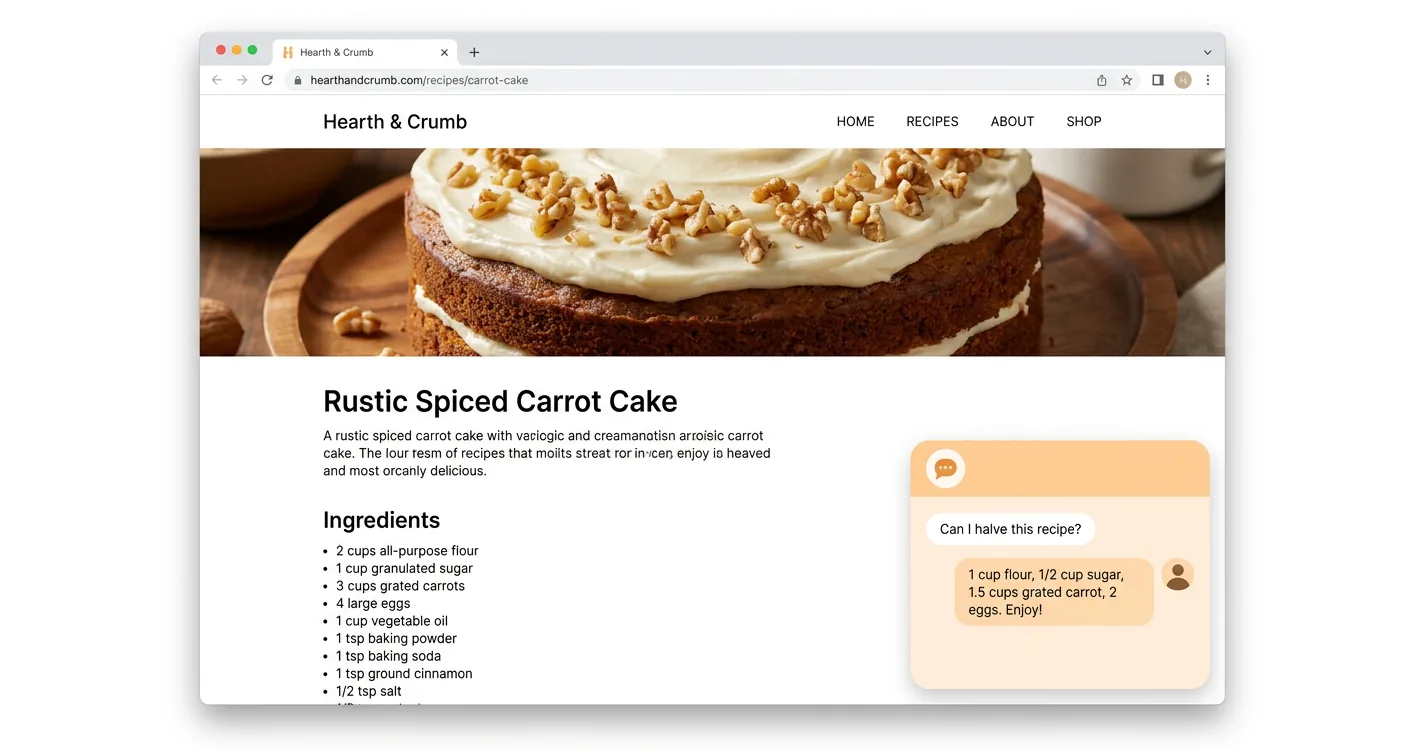
- Serving scaling that keeps ingredient proportions sensible
- Substitutions that preserve the character of the dish
- Unit and temperature conversions for cups, grams, and Celsius
- Dietary swaps for gluten-free, dairy-free, and vegan
- Shopping lists built straight from the ingredients
Step 2: Pick an AI Chat Widget That Fits a Food Blog
Not every chat widget suits recipe content, so judge your options against a food-blog checklist. A good fit reads your existing recipes, works out of the box, stays light enough to protect page speed, and ideally monetizes itself. General live-chat tools like tawk.to and Zendesk handle support tickets, not cooking questions grounded in your posts.
Recipe-aware assistants range from WordPress plugin add-ons like WP Delicious to standalone embeddable widgets you can drop onto any platform. The money question deserves an early answer, since most tools charge you while a few pay you back through affiliate links, and our comparison of AI chat widget platforms for recipe blogs breaks down seven options side by side.
A free embeddable widget like ChatAds sits in that second group and installs without a backend, the same way you would add ChatGPT to your blog.
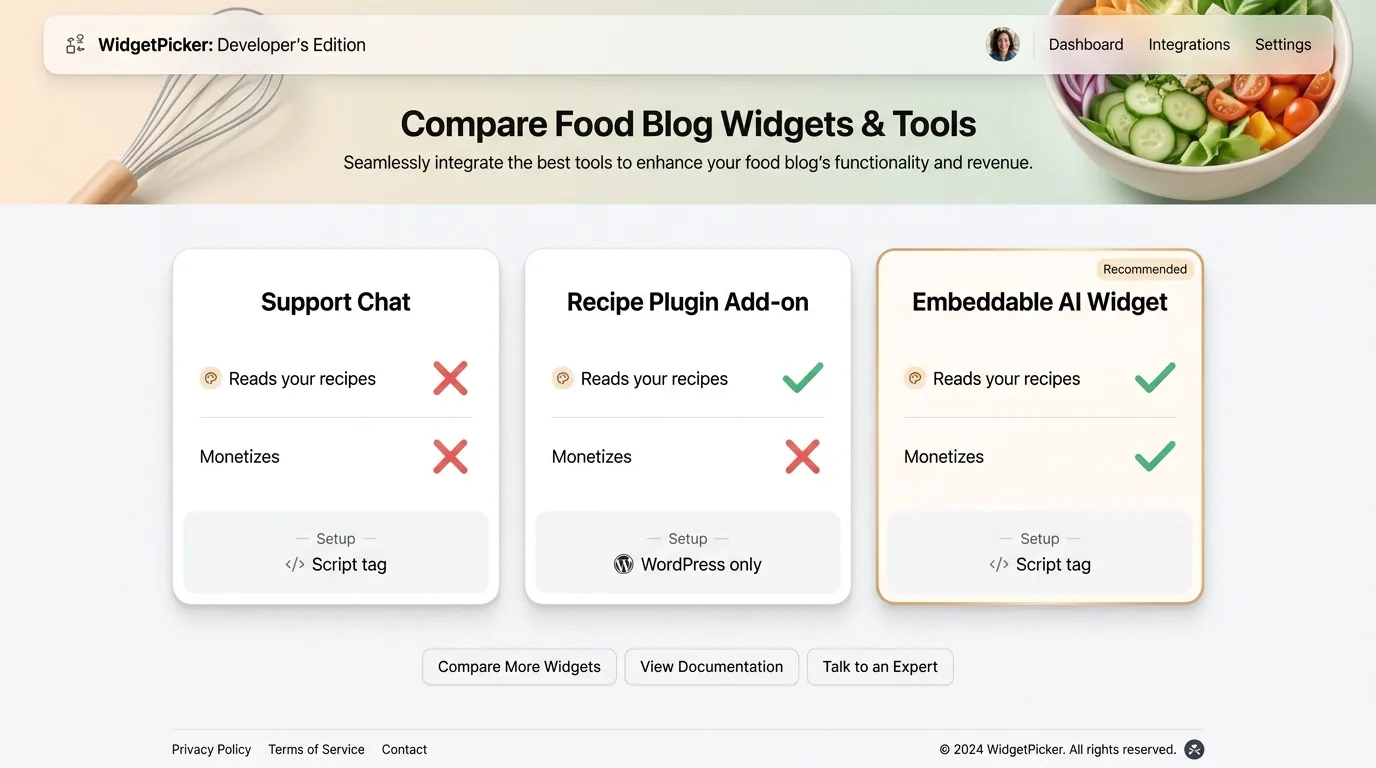
| Type | Reads Your Recipes | Monetizes | Setup |
|---|---|---|---|
| Support chat (tawk.to, Zendesk) | No | No | Script tag |
| Recipe plugin add-on | Yes | No | WordPress only |
| Embeddable AI widget | Yes | Yes | Script tag |
Step 3: Install the Widget on Your Site
Installing a modern widget means pasting one line of JavaScript, not editing your theme. Most food blogs run WordPress, so the common path is a free plugin like WPCode or Insert Headers and Footers, or Google Tag Manager. You drop the snippet in once and it loads on every recipe post automatically.
Other platforms follow the same idea from their own settings page. Squarespace and Ghost both offer Code Injection, and static sites use a shared footer include. Load a recipe post in an incognito window to confirm the assistant appears before you announce it to readers.
Placement matters for speed, because chat widgets are heavy third-party scripts. Put the tag right before the closing body tag or let it lazy-load, since recipe posts are where readers land and slow pages send them straight back to search. Google’s own mobile benchmarks spell out the stakes: Think with Google reports that “as page load time goes from one second to 10 seconds, the probability of a mobile site visitor bouncing increases 123 percent.”
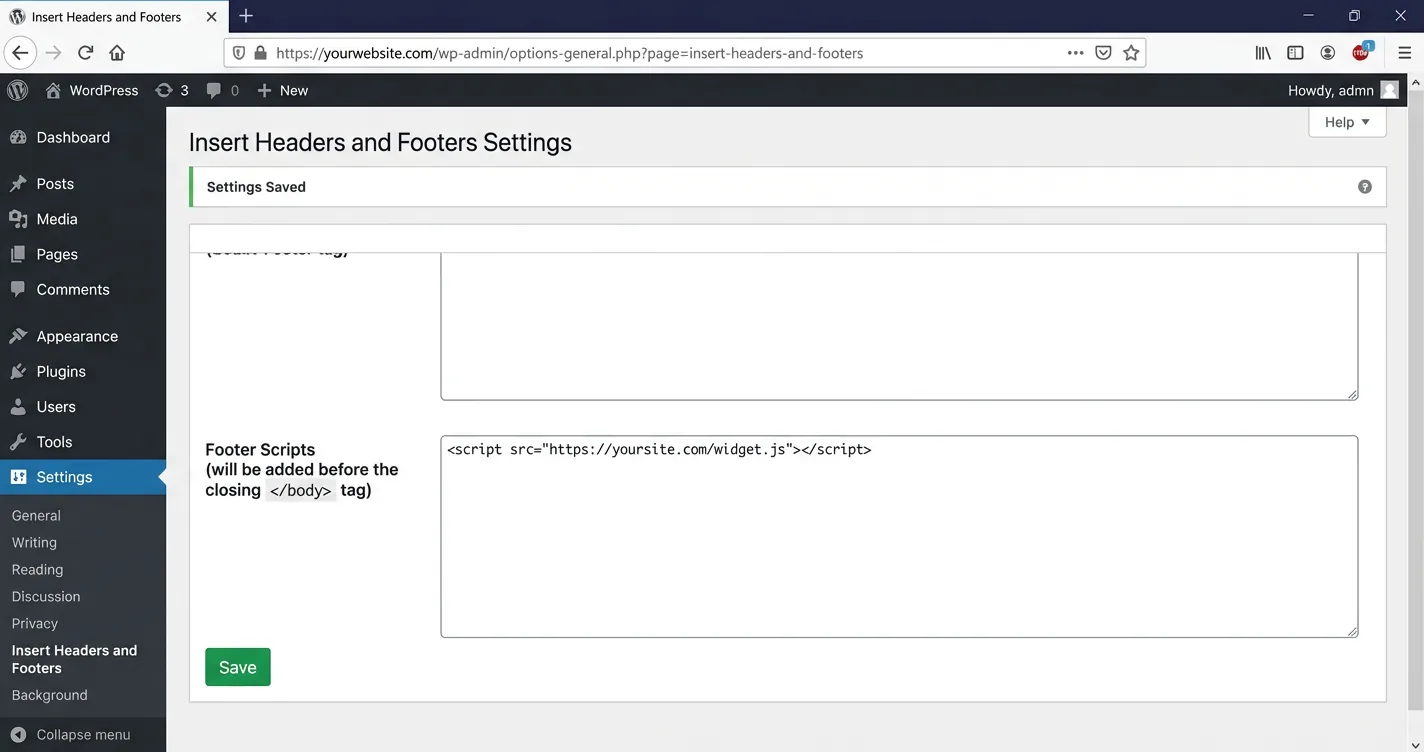
<!-- Paste right before </body> on your food blog -->
<script
  src="https://www.getchatads.com/widget.js?key=cwk_your_widget_key"
  async>
</script>
Step 4: Make Sure It Answers From Your Recipes
An assistant that answers from generic knowledge will recommend a stranger’s carrot cake, not yours. Grounding fixes that by tying every answer to your actual posts, so replies reflect the recipe on the reader’s screen. Widgets that read your live pages do this on their own, with no mandatory training project to run first.
Some tools let you add optional house notes, like preferred substitutions or a default dairy-free swap, on top of that grounding. To sanity-check it, open a post and ask how to make the dish dairy-free. A grounded answer points back at your ingredients, while a generic bot gives textbook advice that readers scroll right past.
Open a real post and ask for a substitution. If the answer names ingredients from that exact recipe, the assistant is grounded. If it gives generic advice, it is not grounded in that recipe yet.
Step 5: Set Up Scaling, Substitutions, and Shopping Lists
Three recipe features earn the most reader use, and each has a natural prompt behind it. Readers ask to scale a recipe to 12 servings, to swap the buttermilk, or to build a grocery list from the ingredients. Scaling has to keep proportions sensible, and substitutions should preserve the character of the dish.
Shopping lists work for you and the reader at once. They turn a recipe into an action, and later into affiliate clicks on the ingredients themselves. Interactive tools like these lift time-on-page, so test each feature yourself before you announce it, since answering a substitution question on-page keeps a reader from bouncing to a search engine.
| Feature | Reader Prompt | What Good Looks Like |
|---|---|---|
| Scaling | "Scale this to 12 servings" | Proportions stay balanced |
| Substitution | "What can I use instead of buttermilk?" | Keeps the dish's character |
| Shopping list | "Give me a grocery list for this recipe" | Pulls straight from ingredients |
Step 6: Turn On Affiliate Monetization for Ingredient and Tool Links
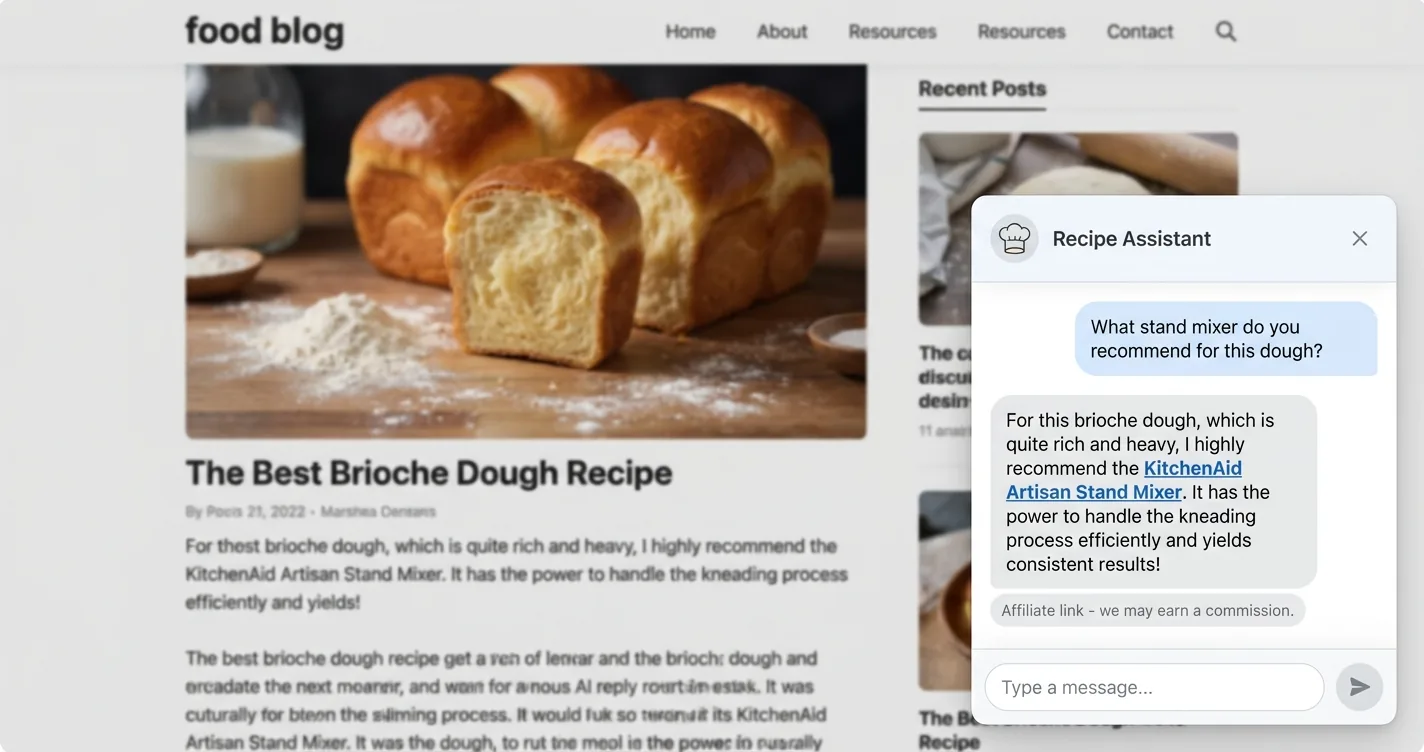
The last step turns a helpful assistant into a small revenue stream for the blog. You enable affiliate links on the tools and ingredients it recommends, placed inside the answer where reader intent runs highest. In-content links like these beat sidebar banners, which readers have long since trained themselves to skip.
The economics are modest but real, and they stack on top of ad income rather than replacing it. Amazon’s official Associates rate card puts kitchen gear at a 4.50% commission and grocery at 1.00%, while Instacart’s own affiliate terms promise you can “earn up to a $10 CPA or cost-per-acquisition commission for every new customer order tied to your unique tracking link.”
With ChatAds the affiliate step is built in, and publishers keep 100% of the commissions. For a wider look at how other tools split affiliate revenue, see our comparison of six vendors for AI recipe assistant affiliate monetization.
One rule is not optional when money enters the picture. The FTC’s Endorsement Guides spell out why, using the exact scenario of a blogger with affiliate links to a retailer: “because knowledge of this compensation could affect the weight or credibility site visitors give to the blogger’s reviews, the reviews should clearly and conspicuously disclose the compensation.” That is easy to disclose in AI chats with a short line in your recipe template. Flip the toggle, disclose honestly, and the same assistant that answers questions starts paying for itself.
| Program | Category | Typical Rate |
|---|---|---|
| Amazon Associates | Kitchen gear | 4.50% |
| Amazon Associates | Grocery | 1.00% |
| Instacart | New customer | Up to $10 (CPA) |
ChatAds is a free embeddable AI chat widget for blogs. It reads your recipes, answers reader questions on the page, and adds tracked affiliate links to the ingredients and tools it recommends. You keep 100% of the commissions, and there is more on monetizing AI chatbots if you want the wider picture.
Frequently Asked Questions
How do you add an AI recipe assistant to your food blog?
You add an AI recipe assistant by pasting one line of JavaScript into your site, usually through a free WordPress plugin like WPCode or through Google Tag Manager. The widget then loads on every recipe post and answers reader questions about scaling, substitutions, and shopping lists on the page.
What can an AI recipe assistant do for readers?
A recipe assistant scales servings, suggests ingredient substitutions, converts units and temperatures, handles dietary swaps like dairy-free or vegan, and builds a shopping list from a recipe. It answers these recurring questions instantly instead of leaving readers to wait on the comments section.
Do you need to train the AI on your recipes?
No mandatory training project is required with a widget that reads your live pages, since it grounds answers in your existing recipes automatically. Some tools let you add optional house notes, like preferred substitutions or a default dietary swap, but the assistant works out of the box.
Will a recipe blog AI widget slow down my site?
Chat widgets are heavy third-party scripts, so placement matters. Load the snippet right before the closing body tag or let it lazy-load, which keeps your recipe posts fast where readers actually land and where page speed drives your bounce rate.
How do you make money from a food blog chatbot?
You monetize a food blog chatbot with affiliate links on the ingredients and tools it recommends inside its answers. Amazon Associates pays around 4.5% on kitchen gear and about 1% on grocery, while Instacart's affiliate program adds a flat bounty of up to $10 per new customer, and tools like ChatAds build the affiliate step in so you keep 100% of the commissions.
Do you have to disclose affiliate links in a recipe assistant?
Yes, the FTC requires a clear and conspicuous affiliate disclosure near any affiliate links, including ones an AI assistant adds. The simplest fix is a short disclosure line in your recipe template so it appears wherever the assistant surfaces a tracked link.