Adding a chatbot to a blog sounds like a straightforward upgrade where visitors get instant answers, bounce rates drop, and session time climbs. The data backs that part up.
For affiliate blogs the math works differently than it does for everyone else. Your revenue doesn’t come from engagement metrics but from readers clicking through to products. A chatbot that answers every question inside the widget keeps users from ever reaching your affiliate links, putting the same forces that made AI Overviews damaging for publishers directly on your own site.
That said, the right chatbot setup can actually earn affiliate commissions rather than divert them. The choice comes down to which approach you take and whether affiliate monetization is built into the tool or bolted on as an afterthought.
- 60% of Google searches ended without a click in 2024 as AI-generated answers absorbed queries
- Affiliate revenues across retail categories declined 15%+ after AI Overviews launched
- One blogger's top affiliate article lost 73% of traffic overnight when AI Overviews expanded to their niche
- Chatbots can drop bounce rates from 67% to 23% and push session time past 4 minutes, but longer chat sessions are not the same as affiliate clicks
- Practitioners recommend a 60-second delay before showing a chatbot to avoid disrupting active readers
Ask ChatGPT to summarize the full text automatically.
Why Does a Blog Chatbot Need to Monetize?
Affiliate blogs have a specific revenue model that most engagement tools were never designed around. Readers arrive, read content that includes affiliate links, and click through to products. A chatbot that absorbs readers into a conversation window before they scroll through your article cuts that chain short by answering the question they came to your site with.
This concern is already playing out in real numbers across the affiliate industry. Eric Seufert at Mobile Dev Memo described the dynamic plainly: “If a chatbot absorbs the knowledge in expert reviews and pre-empts their monetization, those reviewers are starved of income.” He was talking about external AI tools, but the same principle holds for a widget you add to your own site.
The engagement numbers chatbots produce are real, and bounce rates, session duration, and return visits all improve. But none of those metrics pay an affiliate commission. The only thing that matters for affiliate revenue is whether users click through to products, and a chatbot that fully answers their questions inside the widget gives them no reason to.
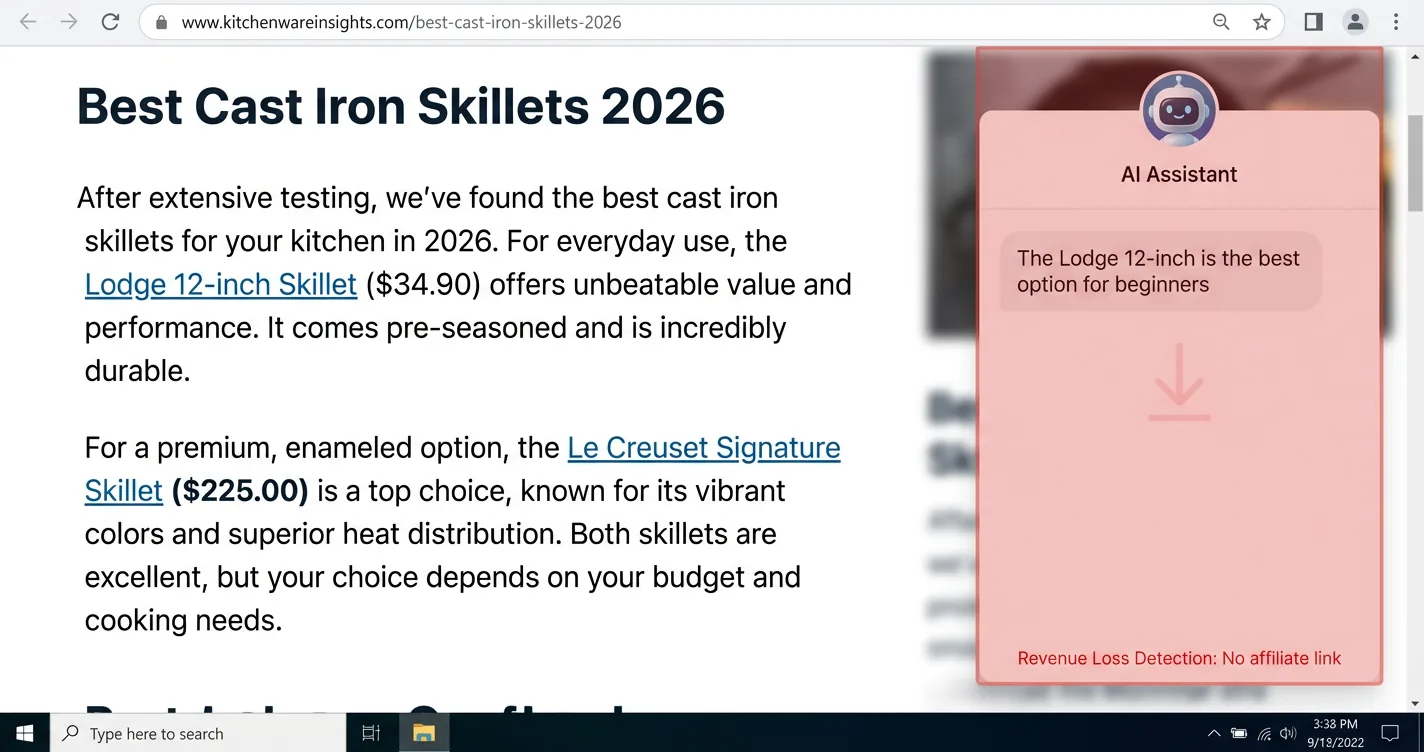
- Chat replaces the article. If the widget answers the core question, readers never reach your affiliate links
- No link injection. Most generic chatbot tools do not insert affiliate links into responses by default
- Engagement ≠ revenue. Better bounce rates and session time do not translate to commissions
- Timing matters. A chatbot that appears immediately interrupts active readers before they convert
- Compounding with AI Overviews. Traffic is already down for many niches; on-site chatbots can accelerate the revenue loss
How Does ChatAside Add Affiliate Links to Your Blog Chatbot?
ChatAside is a free embeddable chat widget built specifically for bloggers. Installation takes one script tag. The widget reads the current page automatically, so it can answer questions about the specific content a visitor is reading without any additional setup.
The core difference for affiliate bloggers is what happens when the AI mentions a product. When you connect your Amazon Associates tag and turn on monetization, the widget detects product mentions in its own responses and injects your affiliate links automatically. You keep 100% of the commissions with no revenue share.
That single toggle is what separates ChatAside from every other chat plugin on the market. The widget earns its place by making your chatbot an affiliate revenue channel rather than a revenue drain.
Pricing runs $0 on the free tier (100 messages per day), $19 per month on Pro (500 messages per day), and $39 per month on Business (1,500 messages per day). At the free tier, most low-to-mid traffic blogs can test the widget before spending anything. For more on building affiliate revenue streams into AI tools more broadly, see our guide to how to add Amazon affiliate ads to your AI app.
<!-- Add ChatAside to your blog — paste before </body> -->
<script
  src="https://www.chataside.com/widget.js"
  data-widget-key="cwk_your_key_here"
  async>
</script>
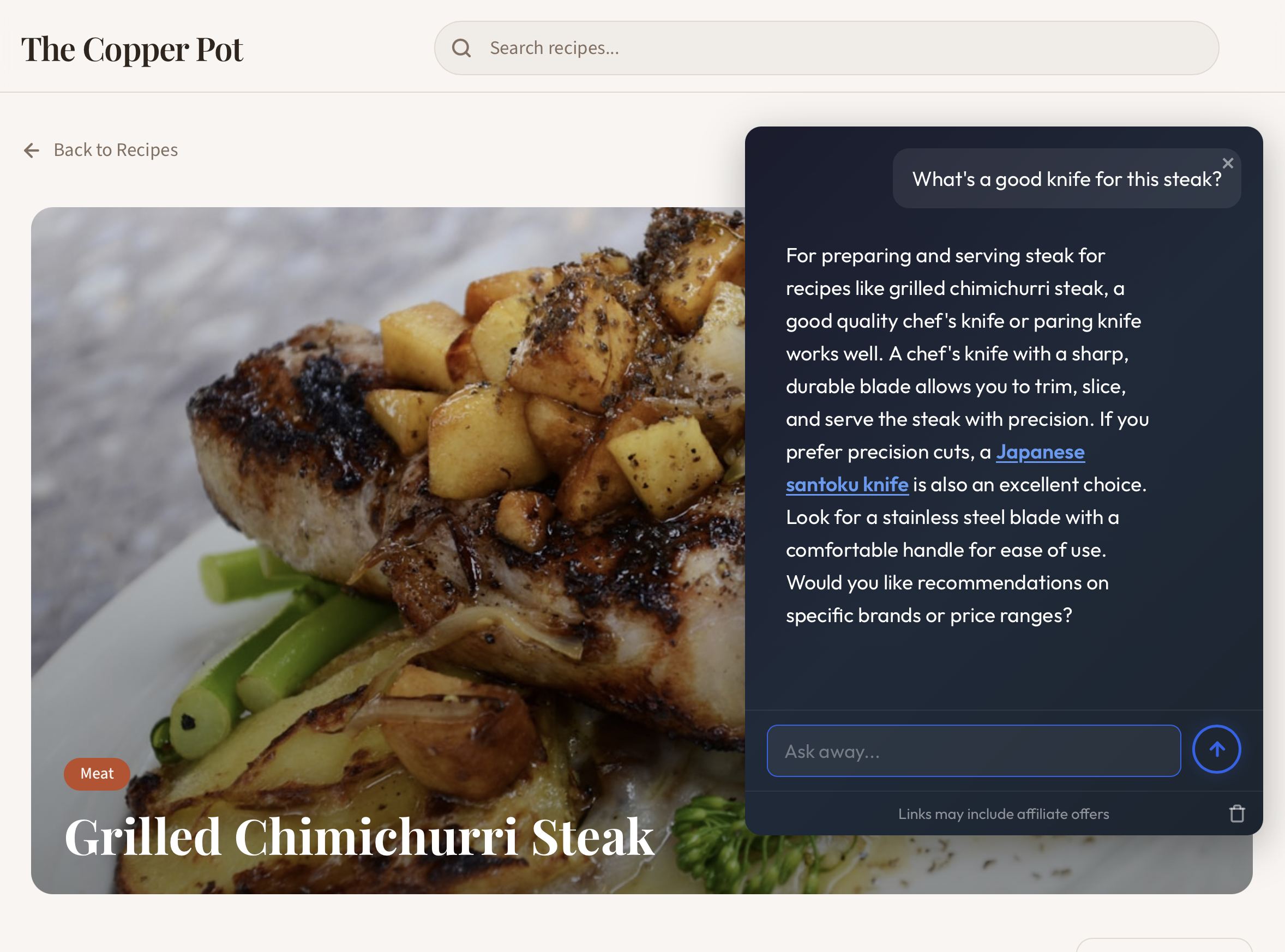
Free to install, one script tag, and Amazon monetization you can toggle on from your dashboard. Your commissions, your Associates tag, no revenue sharing. Start free at chataside.com.
Can Generic Chat Plugins Monetize Your Blog?
Generic chat plugins were designed for customer support and lead capture, not affiliate content. Tidio, Chatbase, and DocsBot are the most commonly recommended options for bloggers, and none of them inject affiliate links into responses.
Tidio combines live chat with an AI agent at $24 per month, and Chatbase lets you build a custom chatbot from your content starting free at 50 messages and scaling to $32 per month. DocsBot focuses on RAG-based responses from uploaded documentation, free at 100 messages per month and $49 per month at the next tier. All three are capable tools for what they were built for, but their monetization stories are referral programs for the platforms themselves.
For non-affiliate blogs focused on support or documentation, these tools are perfectly reasonable options. An affiliate blogger adding one to a product review site needs affiliate link injection, and these tools won’t provide it.
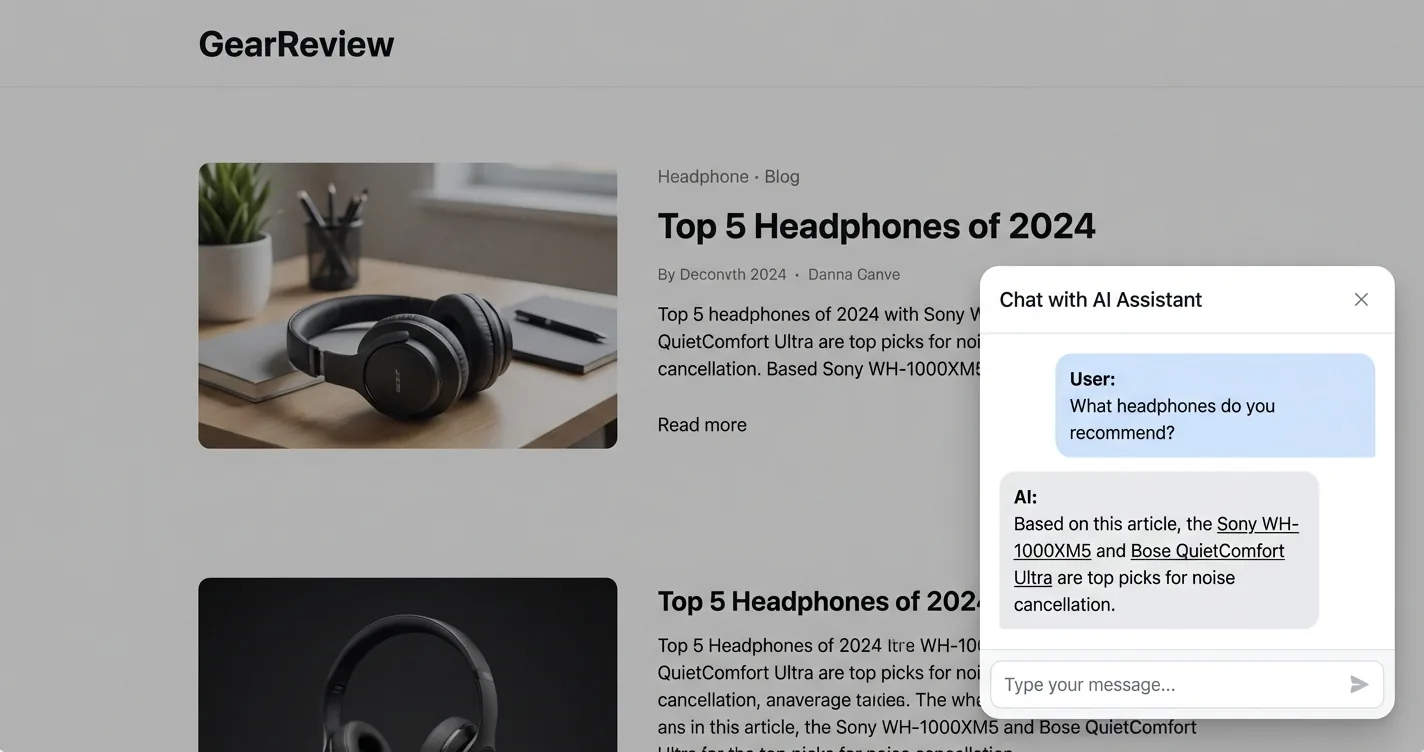
None of these tools support affiliate link injection into AI responses
| Plugin | Monthly Cost | Affiliate Links | Best For |
|---|---|---|---|
| Tidio | $24/mo | No | Live chat + basic AI agent |
| Chatbase | Free (50 msgs), $32/mo | No | Custom chatbot from your content |
| DocsBot | Free (100 msgs/mo), $49/mo | No | RAG chatbot for documentation |
| ChatAside | Free (100 msgs/day), $19/mo | Yes (Amazon) | Affiliate blogs with monetization |
What About Vibe-Coding a Chatbot?
Vibe-coding tools like Lovable, Bolt.new, and Replit let you describe a chatbot in plain English and generate working code. The pitch is appealing for bloggers who want a custom solution without hiring a developer. The reality is more complicated.
These tools cost $20-25 per month for the platform, but that only gets you generated code. You still need your own OpenAI API key (roughly $1 per month at low volumes), and Lovable-generated apps require your own hosting unless you stick with the preview environment.
None of them handle affiliate monetization in chatbot responses, which is the gap that matters here. You can build a working chatbot that looks great, but affiliate link injection requires the same product detection logic and Amazon PA-API integration that you’d need if you built from scratch.
The vibe-coding path makes more sense for creating a custom-looking wrapper around a tool that already handles monetization, not for building monetization itself. For a detailed look at adding ads and affiliate revenue to a Lovable app specifically, see our guide to how to add ads to your Lovable app.
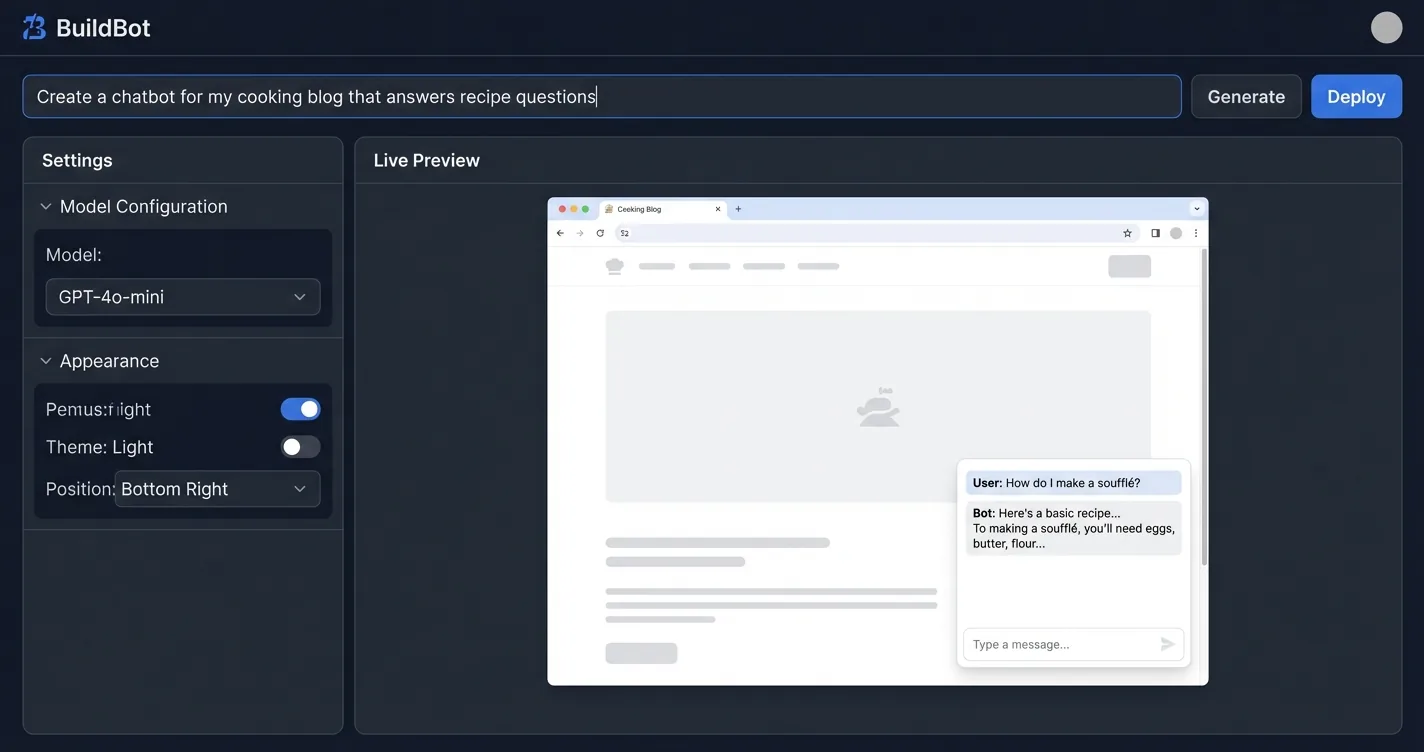
- Give you: Generated React/JavaScript chatbot code, a functional UI, basic OpenAI integration
- Give you: Fast prototyping, easy customization of look and feel, no prior coding experience required
- Don't give you: Affiliate link injection or product detection logic
- Don't give you: Amazon PA-API integration, FTC disclosure handling, or link commission tracking
- Hidden cost: You still need an LLM API key and potentially hosting on top of the tool subscription
How Hard Is It to Build a Blog Chatbot From Scratch?
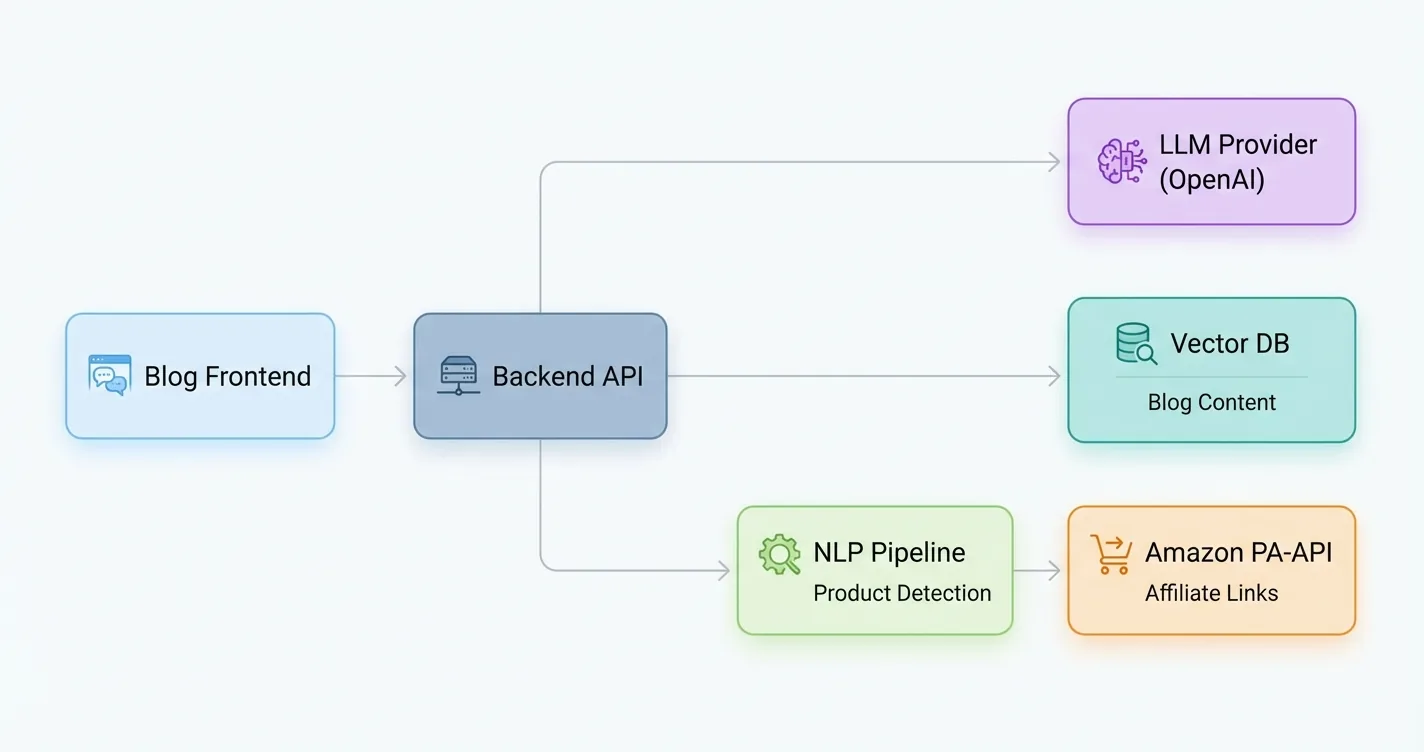
Building from scratch gives you full control over every layer, from the widget UI and backend API to the system prompt and hosting environment. For a competent developer, a basic chatbot without monetization takes two to four weeks. LLM costs are cheap at low volumes: GPT-4o-mini runs around $0.001 per conversation, and hosting adds $5-15 per month.
The hard part is everything affiliate-related, and it stays hard regardless of your skill level. Product detection requires NLP that can identify brand names, product categories, and specific SKUs in natural language responses. Amazon’s Product Advertising API has its own approval process and rate limits, link injection needs to happen at the right point in the response pipeline, and the results need to be FTC-compliant.
If you want to see how the full pipeline works at an API level, our guide to integrating affiliate links into AI chatbot responses walks through the architecture. The from-scratch path makes sense if you’re building a product where the chatbot is core to the offering, not a feature you’re adding to an existing blog.
# Basic OpenAI chatbot API call — the starting point for building from scratch
from openai import OpenAI

client = OpenAI(api_key="sk-your-key")

response = client.chat.completions.create(
    model="gpt-4o-mini",
    messages=[
        {"role": "system", "content": "You are a helpful assistant for a cooking blog."},
        {"role": "user", "content": "What's a good cast iron skillet for beginners?"}
    ],
    max_tokens=300
)

print(response.choices[0].message.content)
# Returns text with no affiliate links — that part you'd need to build separately
How Do You Choose the Right Approach?
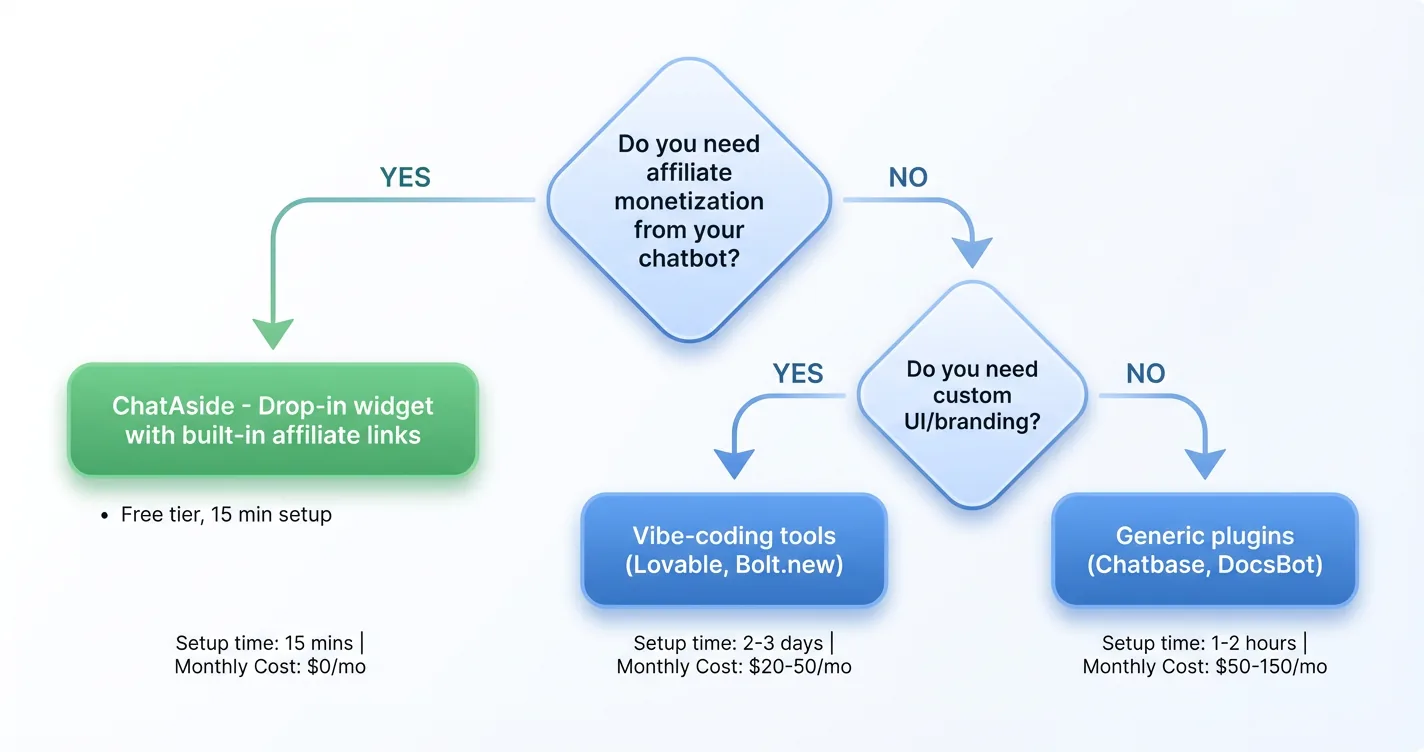
The key question is whether you need affiliate monetization from the chatbot itself. If yes, your options narrow quickly: generic plugins don’t support it, vibe-coding tools don’t include it, and building it from scratch is a multi-month project. ChatAside is currently the only drop-in option with affiliate link injection built in.
If you’re running a non-affiliate blog (SaaS documentation, a brand’s support site, an informational resource), the generic plugin options are worth considering. Chatbase and DocsBot both do a good job with content-based Q&A. Start with their free tiers before paying for anything.
For affiliate bloggers specifically, starting with ChatAside’s free tier is the practical first step. You can test whether your traffic generates enough conversations to justify the Pro tier, and you can see how affiliate link injection performs in your specific niche before committing to anything. For a broader look at how AI is reshaping publisher revenue, see our piece on AI chatbot ads revenue and native ads in AI chats.
★ = low · ★★ = medium · ★★★ = high
| Option | Setup Time | Monthly Cost | Affiliate Monetization | Maintenance | Skill Required |
|---|---|---|---|---|---|
| ChatAside | 15 minutes | Free–$39 | ★★★ | ★ | ★ |
| Generic plugins (Tidio, Chatbase) | 1–2 hours | Free–$49 | ★ (none for affiliates) | ★ | ★ |
| Vibe-coding tools (Lovable, Bolt.new) | 1–3 days | $20–25 + API | ★ (none built in) | ★★ | ★★ |
| Build from scratch | 2–4+ weeks | $6–16 + API | ★★★ (if you build it) | ★★★ | ★★★ |
A chatbot on an affiliate blog is a bet on engagement over conversion. The bet pays off only when the tool carrying the conversation also carries your affiliate links. Generic plugins and vibe-coding tools solve the engagement side and leave the revenue side completely empty. Building from scratch solves both, but at a cost measured in months rather than dollars.
The simplest path forward is to start with a tool that already handles monetization and see what happens. If your chatbot is generating affiliate clicks, scale it. If the numbers don’t work for your niche, you’ve lost nothing on a free tier and learned something useful about your audience.
Frequently Asked Questions
Can I add a chatbot to my affiliate blog for free?
Yes. ChatAside has a free tier that supports up to 100 messages per day and includes Amazon affiliate monetization. Generic tools like Chatbase and DocsBot also have free tiers, though neither supports affiliate link injection. For most low-to-mid traffic blogs, the free tier is enough to test whether a chatbot helps before paying for anything.
Do blog chatbot plugins support affiliate links?
Most do not. Tidio, Chatbase, and DocsBot are the most commonly recommended chatbot plugins for blogs, and none of them inject affiliate links into AI responses. They have affiliate programs, but those are referral programs for the platforms themselves, not mechanisms for earning commissions on product mentions. ChatAside is specifically built to handle affiliate link injection for bloggers.
What is ChatAside?
ChatAside is a free embeddable AI chat widget designed for blogs. It installs with one script tag, reads the current page automatically to give context-aware answers, and includes a toggle to activate Amazon affiliate monetization using your own Associates tag. Free tier covers 100 messages per day, with paid plans at $19/month (Pro) and $39/month (Business). You keep 100% of affiliate commissions.
How much does it cost to build a blog chatbot from scratch?
Running costs are low: LLM API costs run around $0.001 per conversation with GPT-4o-mini, plus $5-15 per month for hosting. The real cost is development time. A working chatbot without monetization takes a competent developer two to four weeks. Adding affiliate monetization (product detection, Amazon PA-API integration, link injection, FTC compliance) adds months on top of that. For most bloggers, the time cost outweighs the long-term savings over a paid tool.
Will adding a chatbot hurt my affiliate revenue?
It can, depending on how the chatbot is configured. A chatbot that fully answers product questions inside the widget reduces the incentive for readers to click through to your affiliate links. The risk is highest when the chatbot appears immediately on page load and intercepts visitors before they read your content. Tools that delay the chatbot by 60 seconds and inject affiliate links directly into responses mitigate both problems. No published A/B test definitively resolves this question, but practitioners consistently recommend the 60-second delay as a starting point.
Can vibe-coding tools like Lovable build a chatbot with affiliate links?
They can generate a working chatbot, but affiliate monetization is not included. Lovable, Bolt.new, and Replit produce React or JavaScript code that connects to an LLM API, but none build product detection logic, Amazon PA-API integration, or link injection into the generated code. Adding that requires the same engineering work as building from scratch. These tools are better suited for creating a custom-looking wrapper around an existing monetized tool than for building affiliate functionality independently.